AI-Powered Malware Analysis Now Available in mySites.guru

You run a security audit on your Joomla site. Result? 47 files flagged as “Suspect Content.” OH NO!!!!!
If you landed here because something looks wrong with your site, start by checking whether your WordPress site is actually hacked - then use our WordPress malware scanner as a starting point before you dig into this level of detail.
Which are actual malware? Which are false positives? Do you spend hours reviewing PHP code or wait days for expert analysis?

AI-Powered Malware Analysis - when our audit tools flag suspicious files, you can now send any file to AI for expert analysis with one click.
Results come back as plain verdicts:
“This is a false positive – safe to ignore”
“This is suspicious – review line 42”
“This is malware – remove immediately”
The crowdsourced cached results change the economics: when you or anyone else analyzes a file with our AI integration and gets a definitive result (SAFE or MALWARE), that result is stored globally by file hash. If someone else already analyzed that file - same hash, same file contents - you get instant results at no cost. Your analyses help others and theirs help you.
(No details on your domains, your site, or personal information is shared, the hash of the file contents and the result is all that we store)
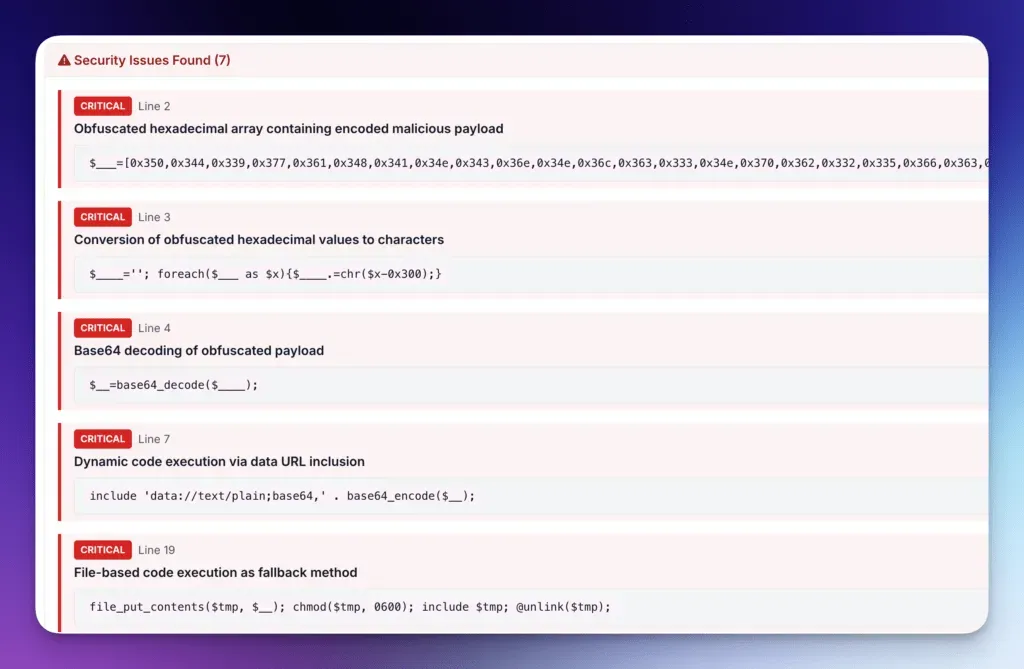
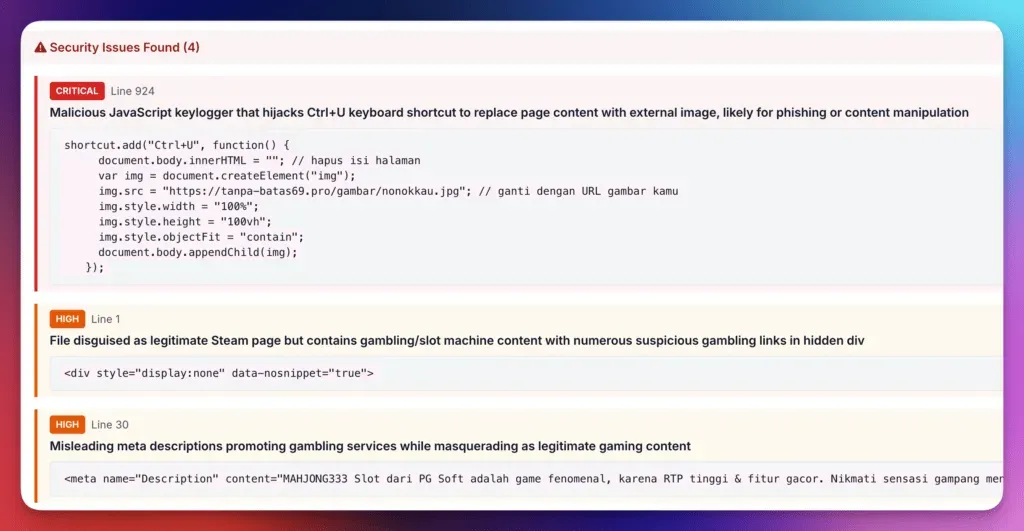
Example malware extracts from the AI analysis:
Why We Waited
Every company rushed to add “AI-powered” to their product - chatbots that frustrated users, buzzwords without substance.
For over a decade, we’ve secured Joomla and WordPress sites. We knew our audit system worked well at finding threats, but it casts a wide net, meaning false positives. Users had to review code themselves or wait for us to review files manually.
We spent months testing: analyzed thousands of files, compared AI results against expert reviews, measured accuracy and cost-effectiveness. The question wasn’t whether AI was trendy - it was whether AI could reliably do what users struggle with: reading PHP code, identifying suspicious patterns, and separating legitimate code from malware. It can.
False positives have cost users hours of manual review for over a decade. This addresses that.
How It Works
The audit foundation
For 10+ years, our security audit system has scanned filesystems using pattern-matching built from real-world hacks. It catches backdoors and malware most users would never find. By design, it flags suspicious files broadly - better to review a safe file than miss malware. Before you can spot the abnormal, it helps to know what’s normal - our guide to hidden files lurking on your site explains the dot-files most site owners don’t even know exist in their webspace.
AI analysis layer
When audits flag files, you see a colored AI icon:

🟣 Purple = Not analyzed
🟢 Green = Safe
🟡 Yellow = Suspicious
🔴 Red = Malicious
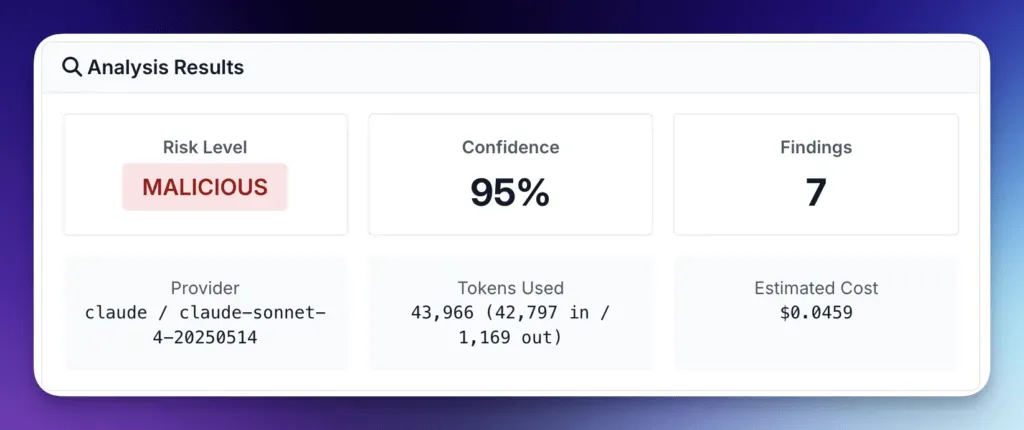
Click to send the file to AI (Claude Sonnet 4.5 or GPT-4). Within seconds, get expert analysis with:
Risk level and confidence score
Exact line numbers of issues
Code snippets and explanations
Actionable recommendations
Crowdsourced intelligence
Definitive results (SAFE/MALWARE) are stored globally by MD5 hash. Same file on 100 sites = 1 analysis, not 100. Popular WordPress plugins are likely already analyzed by the community. Your discoveries protect everyone else.
Over time, the crowdsourced results will sharpen our audit patterns - false-positive rates should drop as the dataset grows.
Key Benefits
Expert analysis without the expert
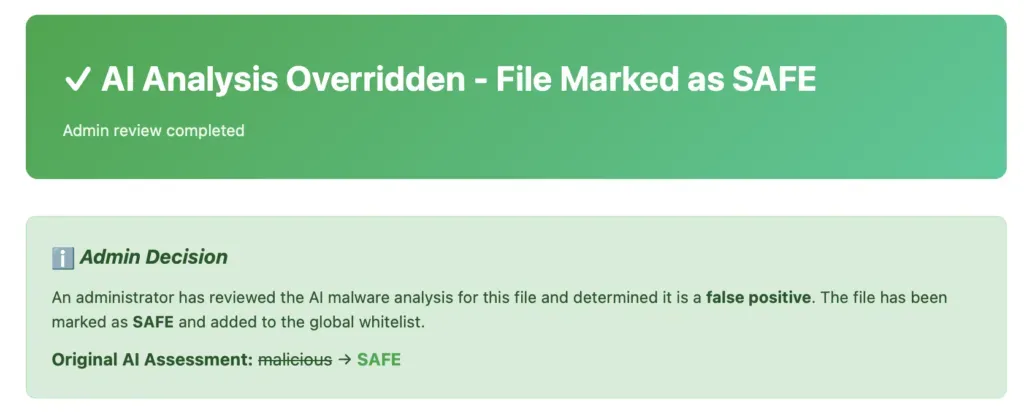
What took hours or days now takes seconds. No more waiting for manual reviews from Phil or trying to understand complex PHP code, or worse, ignoring or guessing! Although Phil receives every analysis and can overrule the AI decision:
Cost savings at scale
You install a security plugin across 50 Joomla sites. First analysis costs a few cents. Other 49 sites? Instant cached results, zero cost. Managing 100 WordPress sites with WooCommerce? Most files already analyzed by the community-you might only need 2-3 new analyses.
Accurate and trustworthy
Every analysis includes confidence scores (0-100%). 95% confidence “malicious” is very different from 60% “suspicious.” The AI shows you exactly which lines are problematic and why. Admins can mark false positives, correcting the global cache for everyone.
When to Use It
- Suspected breach: Site sending spam? Run the Suspect Content audit and use AI to triage 47 flagged files in minutes instead of hours. Not yet connected? Run a free security audit to see what mySites.guru finds before you commit to a subscription.
- Post-update verification: Updated a plugin? AI confirms the modified files are legitimate, not tampered with.
- Quarterly reviews: Audit 100 sites. Common files already cached = instant results. Focus your time on new threats.
- Pre-deployment: Verify custom code is secure before going live.
- Inherited sites: 200 flagged files overwhelming you? AI prioritizes the 5 high-risk files, not 195 false positives.
When NOT to Use It
It’s not 100% accurate - sophisticated malware might slip through, and legitimate code might be flagged. Use findings as a guide and verify critical decisions. Phil receives a written report for each AI lookup and will manually override bad AI decisions to prevent mistakes and poisoning the crowdsourced database.
It only works on text-based code (PHP, JS, etc.) - no images, PDFs, or compiled binaries.
Files over 200KB are sampled (first/middle/last sections), so threats in unsampled sections could be missed.
It’s one layer, not the entire solution. Regular updates, strong passwords, and backups are still essential.
How to Enable
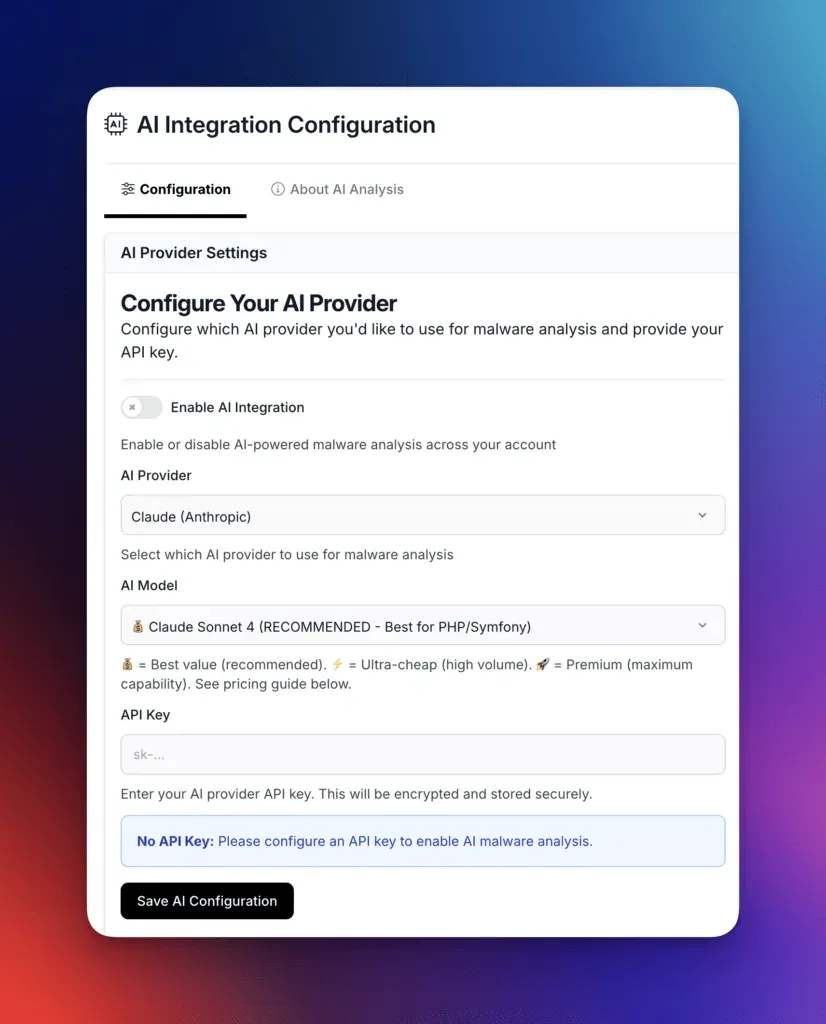
- Get API keys from Anthropic (for Claude) or OpenAI (for GPT)
- Navigate to Account > AI Integration in mySites.guru, toggle “Enable AI Features”, add your API key(s), and choose your preferred provider
- Start analyzing - AI icons appear throughout File Manager, Suspect Content, and Modified Files tools
Pricing
We do not charge you for this integration - like everything in mySites.guru, you pay your monthly subscription and I invest DAILY into the best platform available today - just like I have done since launching in 2012, without a single price increase since we launched! Name me another service that does that?
To use AI analysis, you provide your own API keys from Anthropic (Claude) or OpenAI (GPT). Your data goes directly to your chosen provider using your own account-mySites.guru never charges for AI usage and your API keys are encrypted for your security.
Typical costs: $0.01-0.05 per file analysis, paid directly to Anthropic or OpenAI.
The advantage: Global caching means you rarely pay twice. Same file content across all your sites = one analysis, infinite reuse. Someone else already analyzed that WordPress plugin? You get cached results at zero cost.
For most users managing typical site portfolios, monthly AI costs are minimal-often less than one security audit consultation.
Get Started
AI-Powered Malware Analysis is available now for all mySites.guru users.
Log in to your account
Enable AI Features in Account → AI Integration
Start analyzing files
Questions? Email phil@phil-taylor.com
This feature is covered in our agency security guide.