How to Check if Your Joomla Site's robots.txt is Hurting Your SEO
There’s a small text file sitting in the root of almost every Joomla site on the web. It’s called robots.txt, and there’s a decent chance yours is actively hurting your search rankings without you knowing.
The default robots.txt that shipped with older Joomla versions tells Google to stay away from your /media/ and /templates/ folders. That means your images won’t show up in Google Image Search, and Google can’t properly render your pages to assess their quality. Both of those things cost you traffic.
mySites.guru checks this automatically on every snapshot across all your connected sites, flags the problem, and can fix it with a single click. But even if you’re not using mySites.guru yet, this post covers how to audit your Joomla site’s robots.txt for SEO problems and fix what you find.
How Does mySites.guru Catch robots.txt Problems?
Automatic snapshot check
Every time mySites.guru runs a snapshot on your Joomla site (twice daily by default, or on demand) it reads your robots.txt and checks whether the file contains Disallow statements for /media/ or /templates/.
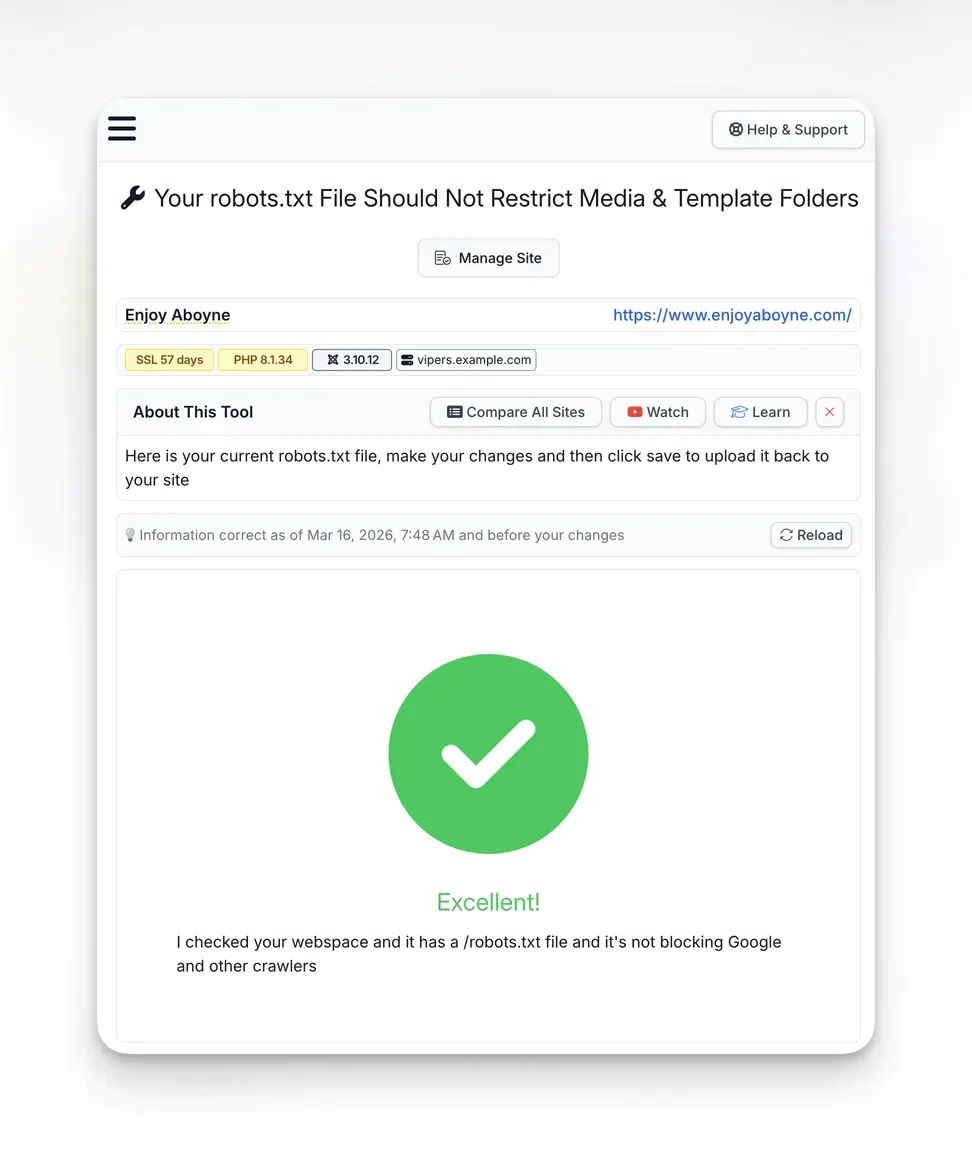
If either is found, the snapshot flags it as an issue: “Your robots.txt File Should Not Restrict Media & Template Folders.” The check appears in the Joomla Configuration section alongside other best practice checks, with a clear pass/fail indicator and trend tracking that shows whether the status has changed since the last snapshot.
When the check passes, you get a clear green confirmation:
Deeper audit check
The security audit goes further. During a full audit, mySites.guru reads every file on your webspace and checks whether your robots.txt has been modified from the Joomla default. If it hasn’t, the audit flags that too: “Distributed robots.txt File Should Be Modified To Suit Your Site.”
This catches the broader problem of sites running completely unchanged defaults. Even if the default doesn’t block /media/ (as in Joomla 5’s default), it still lacks a Sitemap directive and may not reflect your specific configuration.
One-click fix
When the check finds a problem, you get a clear warning with an “Auto-Magically Fix This For Me” button:
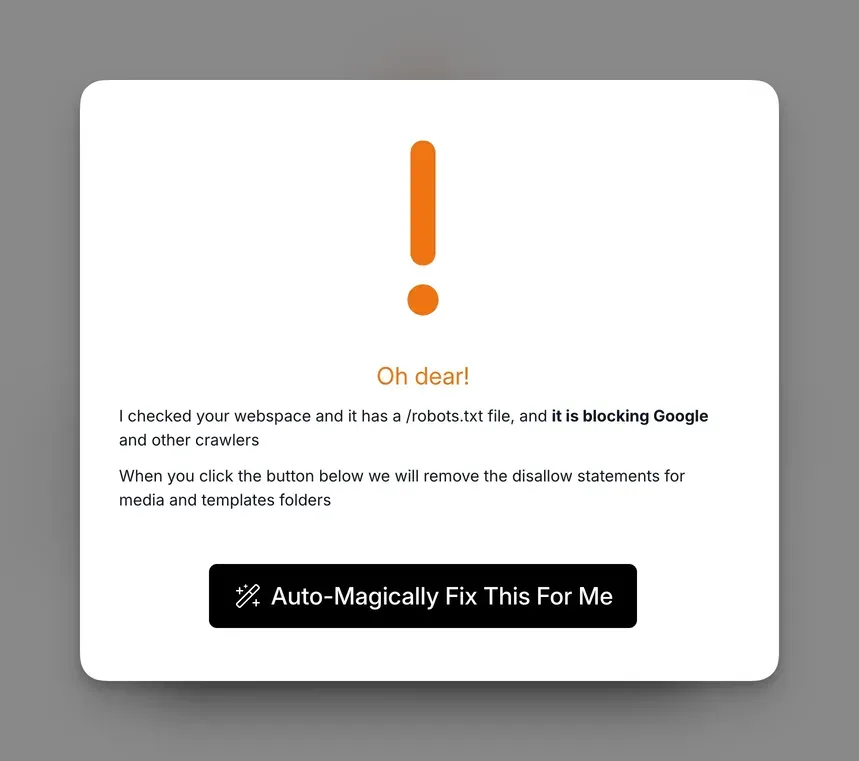
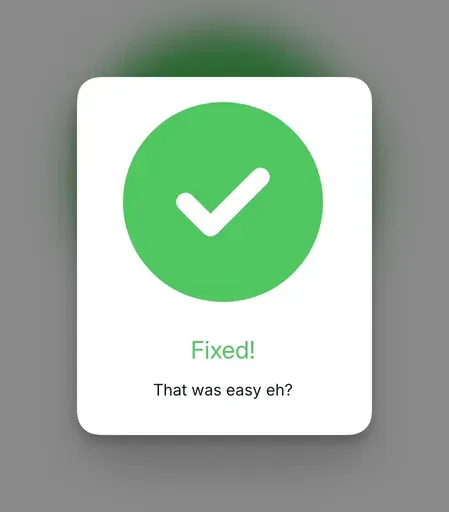
Click it and mySites.guru removes the Disallow: /templates/ and Disallow: /media/ lines from your robots.txt and saves the updated file back to your site.
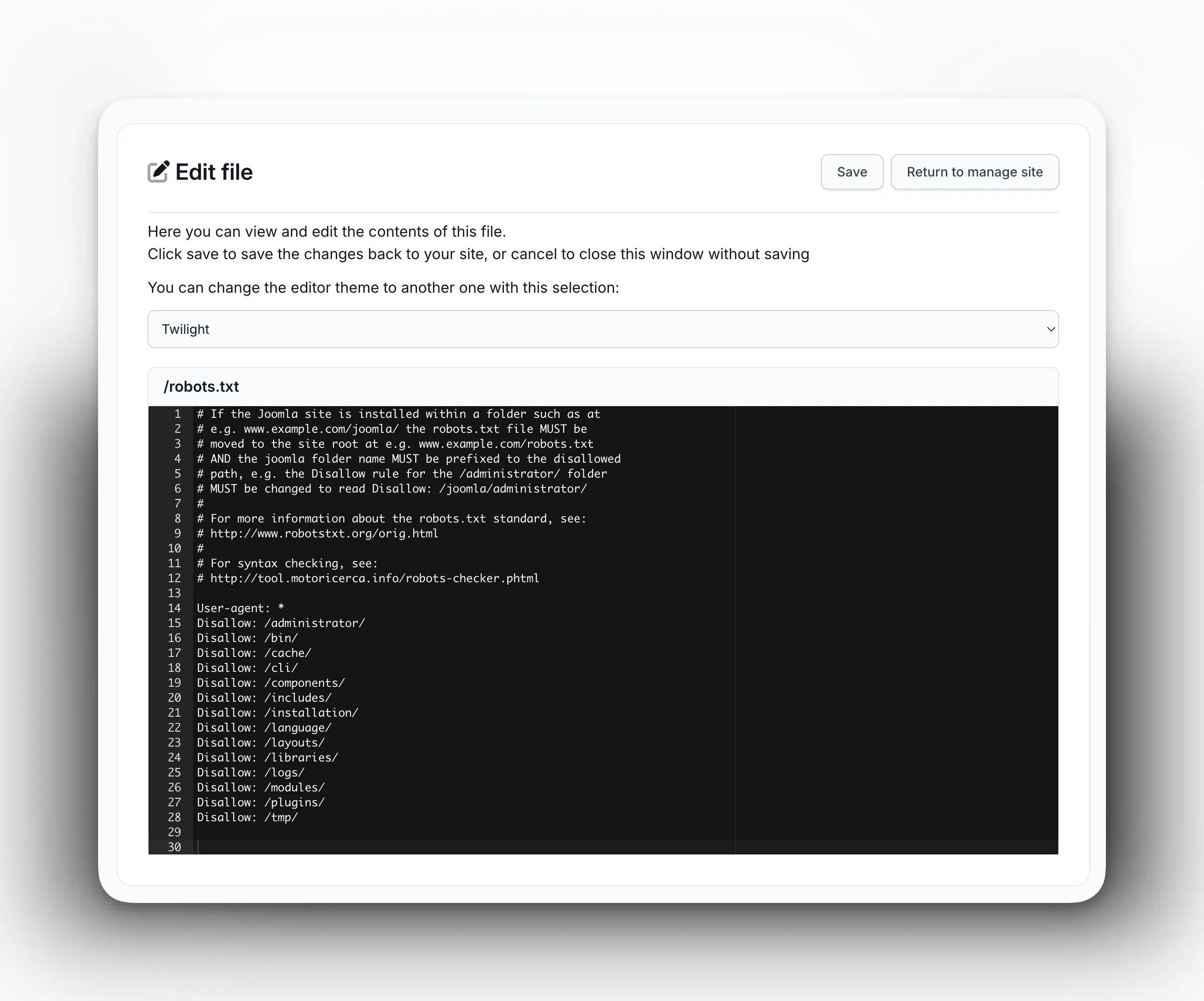
If you need to make more detailed changes, mySites.guru also includes a full file editor for your robots.txt. You can view and edit the raw file contents with syntax-highlighted line numbers, then click Save to push the changes directly to your site:
Check all your sites at once with the pivot page
If you manage multiple Joomla sites, you don’t need to open each one individually. The robots.txt pivot page shows the status of this check across every connected Joomla site on a single screen. Each site shows either “OK” (green) or “1 Issue” (red), with “Investigate” and “Manage Site” buttons for quick action.
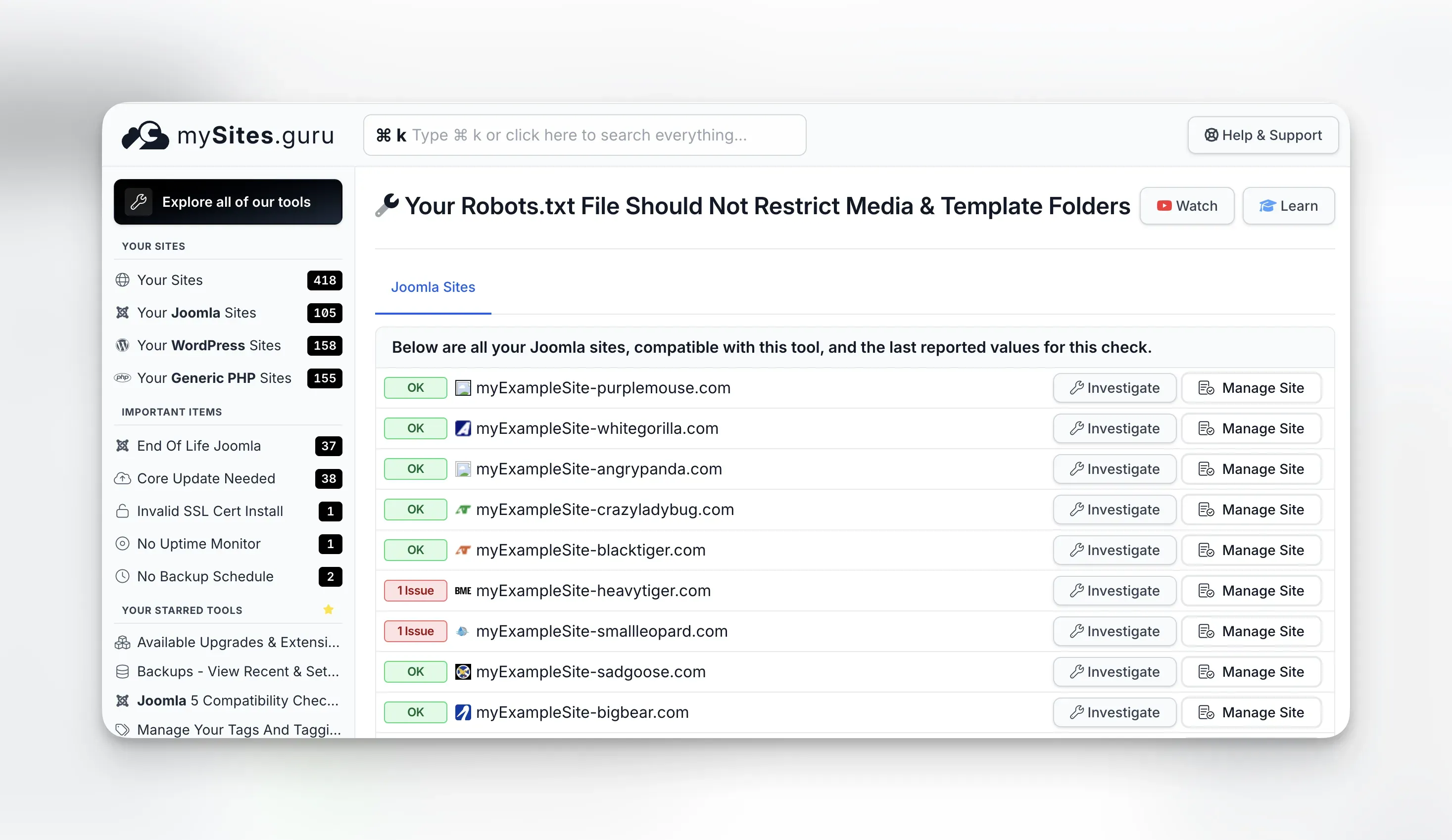
For agencies and freelancers managing client portfolios, this view saves a lot of time. Instead of logging into each site’s snapshot results, you can scan dozens or hundreds of sites in seconds and jump straight to the ones that need attention.
You can also schedule automated audits so the deeper robots.txt analysis runs on a regular cadence without you having to remember to trigger it.
What Is robots.txt and Why Should You Care?
The robots.txt file lives at https://yourdomain.com/robots.txt. It’s a plain text file that search engine crawlers read before they start indexing your site. The file contains simple directives: which user agents (crawlers) are addressed, which paths they’re allowed to access, and which they should skip.
Here’s a simplified example:
User-agent: *Disallow: /administrator/Disallow: /cache/Disallow: /tmp/Allow: /Sitemap: https://example.com/sitemap.xmlThe User-agent: * line means “this applies to all crawlers.” The Disallow lines tell crawlers not to access those paths. The Allow line explicitly permits everything else. The Sitemap line points crawlers to your XML sitemap.
robots.txt is advisory, not a security measure
Well-behaved crawlers like Googlebot honor robots.txt rules, but malicious bots ignore them entirely. Never rely on robots.txt to hide sensitive content. Use proper authentication and security headers instead.
Why should you care? Because one wrong line in this file can prevent Google from indexing entire sections of your site. Block the wrong folder and your images vanish from search results, your CSS and JavaScript become invisible to Google’s rendering engine, and your pages might be assessed as broken or low quality.
On the flip side, a well-configured robots.txt helps search engines crawl your site efficiently. It tells them to skip admin directories they don’t need, points them to your sitemap, and makes sure they can access every resource they need to render your pages properly.
What Is Wrong With Joomla’s Default robots.txt?
Joomla has shipped a robots.txt file with every release. The problem is that the default version was overly restrictive for years, and many sites are still running those old defaults.
The pre-3.4.0 mistake
This one affected a huge number of Joomla sites worldwide, and many are still living with the consequences over a decade later.
Before Joomla 3.4.0 (released February 2015), the default robots.txt that shipped with every Joomla installation included these lines:
Disallow: /media/Disallow: /templates/Those two lines told every search engine crawler: don’t look at anything in the media folder, and don’t look at anything in the templates folder. Every single Joomla site installed between September 2005 (Joomla 1.0) and February 2015 (Joomla 3.4.0) got this file by default. That’s nearly ten years of installations.
Think about what lives in those folders:
/media/contains your uploaded images, CSS files, JavaScript libraries, and media assets that Joomla extensions place there. Blocking this folder means Google can’t see any of those resources. Every image you’ve carefully optimised, every product photo, every infographic - invisible to Google Image Search./templates/contains your template’s CSS, JavaScript, images, and font files. Blocking this folder means Google can’t load your site’s stylesheet or scripts when it tries to render the page. To Google’s rendering engine, your site looks like raw unstyled HTML from the 1990s.
The issue came to a head in July 2015 when Google started actively penalising sites that blocked rendering resources. Google sent mass warning emails to every site registered in Search Console (which had just been rebranded from Google Webmaster Tools two months earlier) that was blocking CSS and JavaScript. Tens of thousands of Joomla site owners received that warning on the same day. The Joomla forums and community channels were flooded with confused administrators who had never touched their robots.txt and couldn’t understand why Google was suddenly complaining.
The Joomla project had already fixed the default robots.txt in version 3.4.0 five months earlier, but the damage was done: sites that had already been installed kept the old file. And because Joomla’s updater doesn’t overwrite robots.txt (more on that below), even sites that upgraded to 3.4+ kept the old restrictive rules unless someone manually edited the file.
Why old defaults stick around
Joomla doesn’t overwrite robots.txt during updates. When you upgrade from Joomla 3.3 to 3.4 (or from 3.x to 4.x, or 4.x to 5.x), your existing robots.txt stays exactly as it was. The updated version ships as robots.txt.dist so you can compare, but the actual file serving your site remains untouched.
That means if you installed Joomla before version 3.4.0 and never manually edited your robots.txt, those restrictive rules are still there. Your site could have been blocking Google from your images and CSS for over a decade.
Even sites installed after 3.4.0 aren’t always clean. Some hosting providers use outdated Joomla installation packages. Some site builders copy robots.txt files from other projects without checking what’s in them. And some well-meaning tutorials from 2013 still rank on page one of Google, telling people to add Disallow: /media/ for “security reasons.”
Real-world examples: even joomla.org gets this wrong
You’d think the Joomla project’s own website would have a clean robots.txt. It doesn’t. As of March 2026, joomla.org’s robots.txt blocks both /media/ and /templates/:
Disallow: /media/Disallow: /templates/To work around this, whoever configured it added a series of Allow rules for specific file extensions using wildcard patterns:
Allow: /*.js***************Allow: /*.css**************Allow: /*.png**************Allow: /*.jpg**************Those long chains of asterisks are unnecessary (a single * does the same thing), and the whole approach is backwards. Instead of blocking entire directories and then trying to selectively allow file types back in, the correct approach is to simply not block /media/ and /templates/ in the first place. The joomla.org robots.txt also blocks /components/, /modules/, and /plugins/, which can prevent crawlers from accessing frontend assets served by extensions.
Another example: akeeba.com’s robots.txt has a commented-out Disallow for /images/:
#Disallow: /images/Someone clearly realised that blocking /images/ was a bad idea and commented it out rather than removing the line. But the file still blocks /components/ and /plugins/, and it has no Sitemap directive. It’s also missing any Allow rules for /media/ or /templates/, though at least those aren’t explicitly blocked either.
These are prominent Joomla community sites maintained by experienced developers. If they can get this wrong, it’s a safe bet that plenty of smaller sites have similar or worse configurations sitting unreviewed.
What Are the Five Most Common robots.txt Mistakes on Joomla Sites?
After analysing robots.txt configurations across thousands of Joomla sites through mySites.guru, these are the mistakes I see again and again.
1. Blocking /media/ and /templates/
This is the big one. As covered above, blocking these folders prevents Google from accessing your images, stylesheets, and scripts. The impact hits two areas:
Image SEO is dead. If Google can’t crawl your /media/ folder, your images won’t appear in Google Image Search. For many sites, image search is a significant traffic source. Product images, portfolio photos, infographics, all invisible to Google.
Page rendering fails. Google renders pages using a headless Chromium browser to assess layout, content visibility, and user experience. If it can’t load your CSS and JavaScript, it sees a broken, unstyled page. That affects your Core Web Vitals scores and can hurt your rankings.
You can verify this yourself. Open Google Search Console, go to the URL Inspection tool, and click “Test Live URL.” Then look at the rendered screenshot. If your page appears unstyled or broken, robots.txt blocking is a likely culprit.
2. No Sitemap directive
The Sitemap line in robots.txt is one of the simplest SEO wins available, and most Joomla sites don’t have it.
Sitemap: https://example.com/sitemap.xmlThis line tells every search engine that visits your robots.txt exactly where to find your XML sitemap. Without it, crawlers rely on you manually submitting your sitemap through Google Search Console, Bing Webmaster Tools, and every other search engine’s webmaster interface.
With the Sitemap directive, any crawler that reads your robots.txt (Google, Bing, Yandex, DuckDuckGo, and others) automatically discovers your sitemap. One line, all search engines covered.
If you’re using a Joomla sitemap extension (and you should be), add the sitemap URL to your robots.txt. If you’re running multiple sitemaps or a sitemap index, you can add multiple lines:
Sitemap: https://example.com/sitemap.xmlSitemap: https://example.com/sitemap-images.xml3. Blocking /images/ and /components/
Some Joomla robots.txt files block the /images/ directory. This is where Joomla’s built-in media manager stores uploads by default (alongside /media/). Blocking it has the same effect as blocking /media/, and your uploaded content becomes invisible to search engines.
I also see sites blocking /components/, which contains the frontend output of Joomla components. If a component generates pages, images, or downloadable files through its own routes, blocking /components/ can prevent those from being indexed.
# Don't do thisDisallow: /images/Disallow: /components/4. Overly broad wildcard rules
Some administrators add wildcard rules that accidentally block more than intended:
# This blocks everything starting with /t - including /templates/ AND /terms-of-service/Disallow: /tRobots.txt patterns are matched by simple substring comparison from the start of the URL path. Disallow: /t doesn’t just block /tmp/. It blocks every URL that starts with /t, including valid content pages.
The correct approach is to be specific and include trailing slashes for directories:
Disallow: /tmp/Disallow: /cache/5. Using the unchanged Joomla default
Even the current Joomla 5 default robots.txt.dist is designed as a starting point, not a finished configuration. It covers the basics (blocking /administrator/, /api/, /cache/, /cli/, /tmp/, and similar system directories) but it doesn’t include a Sitemap directive, and it may not reflect your specific site structure.
If your Joomla site uses SEF URLs (which it should), has a blog section, runs an e-commerce component, or serves content in multiple languages, you likely need a customised robots.txt that accounts for your URL patterns.
How Do You Manually Check Your Joomla robots.txt?
If you want to audit your robots.txt by hand, here’s the process.
Step 1: view the file
Open your browser and go to https://yourdomain.com/robots.txt. You’ll see the raw text contents of the file. If you get a 404, your site doesn’t have a robots.txt file at all, which is a different problem (more on that later).
Step 2: look for red flags
Scan for these specific issues:
Disallow: /media/- blocking your media assets from crawlersDisallow: /templates/- blocking your template CSS, JS, and imagesDisallow: /images/- blocking uploaded images- No
Sitemap:line - missing sitemap reference Disallow: /- blocking your entire site (yes, I’ve seen this)- Broad patterns without trailing slashes - like
Disallow: /tinstead ofDisallow: /tmp/
Step 3: test with Google Search Console
Google provides a robots.txt testing tool in Search Console. Submit your robots.txt content along with URLs you want to test, and it will tell you which URLs are blocked and which are allowed.
Go to Google Search Console, select your property, and use the URL Inspection tool to check whether specific pages are indexable or blocked by robots.txt.
Subfolder installations need special handling
If your Joomla site is installed in a subfolder (e.g., example.com/joomla/), the robots.txt file must be at the domain root (example.com/robots.txt), and all paths must include the subfolder prefix: Disallow: /joomla/administrator/ instead of Disallow: /administrator/.
Step 4: compare against a recommended template
Here’s a solid starting point for a Joomla 5 robots.txt:
User-agent: *Disallow: /administrator/Disallow: /api/Disallow: /cache/Disallow: /cli/Disallow: /libraries/Disallow: /tmp/Disallow: /layouts/Allow: /media/Allow: /templates/Allow: /images/
Sitemap: https://example.com/sitemap.xml
Note the explicit Allow lines for /media/, /templates/, and /images/. While an Allow isn’t strictly necessary if those paths aren’t blocked, including them makes your intent clear and protects against future confusion if someone adds a broader rule later.
What about WordPress?
While this post focuses on Joomla, WordPress sites have their own robots.txt pitfalls. WordPress dynamically generates a virtual robots.txt if no physical file exists, which is actually a reasonable default. But many WordPress users create physical robots.txt files with overly restrictive rules, often blocking /wp-content/uploads/ (where all media uploads live) or /wp-content/themes/ (where template assets live).
mySites.guru checks robots.txt on WordPress sites too. The same snapshot process flags blocked asset directories regardless of which CMS you’re running.
What Does Blocking Media Folders Actually Cost You?
The consequences go beyond missing images. When your robots.txt blocks /media/ and /templates/, you lose Google Image Search traffic entirely - every product photo, portfolio image, and infographic becomes invisible. Your Lighthouse scores drop because Google’s rendering engine can’t load your CSS or JavaScript, so it sees a broken page and your Core Web Vitals suffer. Rich results (snippets, knowledge panels) disappear because Google can’t render the page content needed to generate them. And since Google uses mobile-first indexing, a blocked /templates/ folder means the smartphone crawler sees an unresponsive layout, which is what gets used for ranking.
What Other robots.txt SEO Checks Should You Run?
A thorough robots.txt audit goes beyond just checking for blocked media folders. Here are additional things to verify:
Crawl budget efficiency
Large Joomla sites with thousands of pages need to manage their crawl budget, the number of pages Google will crawl on your site in a given time period. Your robots.txt should block:
/administrator/- Google doesn’t need your admin panel/cache/- temporary cached files/tmp/- temporary upload directory/cli/- command-line scripts- URL parameters that create duplicate content (e.g., print views, sort parameters)
Multiple User-agent blocks
If you want different rules for different crawlers (e.g., blocking a specific AI crawler but allowing Googlebot), you can use multiple User-agent blocks:
User-agent: *Disallow: /administrator/
User-agent: GPTBotDisallow: /
User-agent: GooglebotAllow: /
More specific User-agent blocks take precedence for the matching crawler. Googlebot will follow the Googlebot-specific rules and ignore the * wildcard block.
Monitoring for changes
Your robots.txt should be treated as a living configuration file. Changes to your site structure, new extensions, URL rewrites, and CMS updates can all affect what should be in it. mySites.guru’s trend tracking flags when your robots.txt changes between snapshots, so you’ll know immediately if a plugin, an update, or a well-meaning colleague modified the file.
What Does a Good robots.txt Look Like for Joomla 5?
Based on the patterns we see across thousands of sites, here is a solid, production-ready robots.txt for a standard Joomla 5 installation:
# robots.txt for Joomla 5# Last updated: 2026-03-06
User-agent: *
# Block admin and system directoriesDisallow: /administrator/Disallow: /api/Disallow: /cache/Disallow: /cli/Disallow: /libraries/Disallow: /tmp/Disallow: /layouts/
# Explicitly allow asset directoriesAllow: /media/Allow: /templates/Allow: /images/Allow: /plugins/
# Block common parameter-based duplicate contentDisallow: /*?format=feedDisallow: /*?start=Disallow: /*?print=
# Sitemap locationSitemap: https://example.com/sitemap.xml
Adjust the blocked parameter patterns to match your site’s URL structure. If you use a specific sitemap extension, make sure the sitemap URL matches what the extension generates.
Test before you deploy
Always test your robots.txt changes using Google Search Console's URL Inspection tool before deploying them to production. A mistake in robots.txt can deindex your entire site within days.
How Do You Fix a Broken robots.txt on Joomla?
If your audit reveals problems, here’s how to fix them:
Option 1: fix it through mySites.guru (fastest)
If your site is connected to mySites.guru, navigate to the Joomla Configuration section of the snapshot results and find the “Media & Template” check. Click “Investigate” to see the one-click fix button, or use mySites.guru’s built-in robots.txt file editor to make more detailed changes. Either way, mySites.guru saves the updated file directly to your site. Run a new snapshot afterwards to confirm the fix.
Option 2: edit the file via FTP/SFTP
Connect to your site via FTP or SFTP, navigate to the root directory (the same level as your index.php), and open robots.txt in a text editor. Make your changes, save, and upload.
Option 3: edit through your hosting control panel
Most hosting control panels (cPanel, Plesk, DirectAdmin) include a file manager where you can browse to the site root and edit robots.txt directly in the browser. Some Joomla extensions also provide file editing capabilities, but Joomla itself has no built-in file editor.
After fixing
After updating your robots.txt:
- Visit
https://yourdomain.com/robots.txtin your browser to verify the changes - Test in Google Search Console using the URL Inspection tool
- Request reindexing for any pages that were previously blocked
- Run a fresh mySites.guru snapshot to confirm the check now passes
- Monitor your Google Search Console coverage report over the next few weeks to see previously blocked pages get picked up
Don’t overlook the basics
It’s easy to focus on the flashy parts of SEO (content strategy, backlinks, page speed optimisation) and overlook a misconfigured text file that’s been quietly working against you for years. Your Joomla site’s robots.txt is one of the first things search engines read, and getting it wrong costs you traffic.
If you’re managing multiple sites, checking robots.txt manually across all of them isn’t realistic. That’s exactly why mySites.guru includes it as an automated snapshot check. Connect your sites with a free audit, and you’ll know within minutes whether any of them have this problem.
Check out the full list of features that mySites.guru offers for managing and monitoring your Joomla and WordPress sites at scale.
Further reading
- Google’s robots.txt specification - the authoritative reference for how Google interprets robots.txt directives
- Google Search Central: Create a robots.txt file - Google’s practical guide to creating and testing robots.txt files
- Joomla Manual: robots.txt - Joomla’s official documentation on robots.txt
- RFC 9309: Robots Exclusion Protocol - the 2022 IETF standard formalising the robots.txt protocol
- Google Search Console URL Inspection - how to test whether your pages are blocked or indexable
Configuration hygiene is covered in our Joomla Agency Handbook.