Check your site's security headers
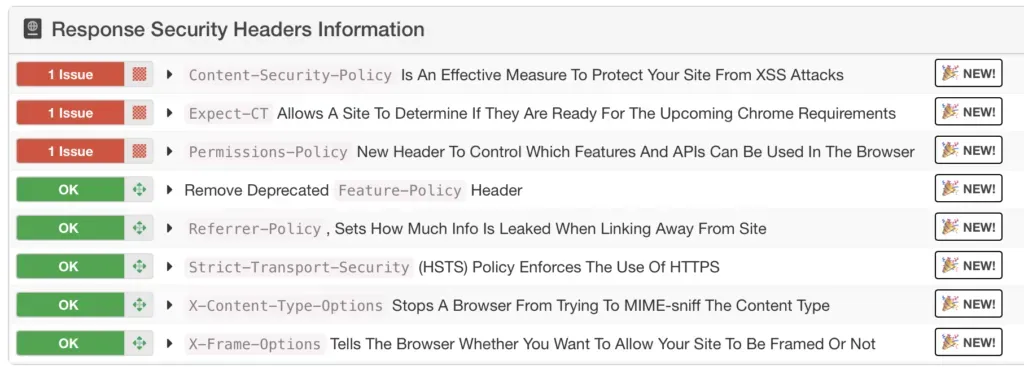
Your web server can send a handful of HTTP response headers that make life harder for attackers. Spoofing, XSS, clickjacking: these headers won’t stop everything, but they raise the bar. mySites.guru checks eight of them on every snapshot, twice a day, and our security headers reference covers the remediation for each one in more detail.
Which eight headers does mySites.guru check?
- Content-Security-Policy - controls which resources the browser is allowed to load
- Expect-CT - enforces Certificate Transparency requirements
- Feature-Policy - flagged if present (this header is deprecated)
- Permissions-Policy - the replacement for Feature-Policy
- Referrer-Policy - controls how much referrer info is sent with requests
- Strict-Transport-Security - forces HTTPS connections
- X-Content-Type-Options - prevents MIME-type sniffing
- X-Frame-Options - protects against clickjacking
⚠️ Headers alone won't save you
Security headers are best practice, not a silver bullet. Learn about them and apply them where possible, but don't assume they make your site bulletproof.
What does each header actually do?
Content-Security-Policy (CSP)
CSP tells the browser which domains are allowed to serve scripts, styles, images, and other resources on your page. Without it, an attacker who finds an XSS hole can inject a script from anywhere and the browser will run it without question.
Content-Security-Policy: default-src 'self'; script-src 'self' https://cdn.example.comThat says: only load resources from my own domain, only run scripts from my domain or my CDN, block everything else. Getting CSP right is fiddly. Too strict and you break your own site. Too loose and it’s decoration. But even a basic policy beats having none.
Strict-Transport-Security (HSTS)
HSTS tells browsers to only connect over HTTPS, even if someone types http:// or clicks an old HTTP link. Without it, the very first request can be intercepted before the redirect to HTTPS kicks in.
Strict-Transport-Security: max-age=31536000; includeSubDomainsmax-age is in seconds. 31536000 is one year. Once a browser sees this, it won’t even try HTTP for that long. includeSubDomains covers your subdomains too.
X-Frame-Options
X-Frame-Options prevents your site from being loaded inside an iframe on someone else’s domain. Why care? Clickjacking. An attacker loads your site in a hidden iframe, overlays it with something innocent-looking, and tricks users into clicking buttons on your site without realising it - changing passwords, making purchases, whatever.
X-Frame-Options: SAMEORIGINSAMEORIGIN means your own site can still iframe itself (useful for admin panels and previews) but no one else can. DENY blocks all framing, including from your own domain.
Content-Security-Policy vs X-Frame-Options
CSP has a frame-ancestors directive that does the same job as X-Frame-Options, and it’s more flexible. But older browsers don’t support frame-ancestors, so the recommendation is to set both. They don’t conflict - browsers that understand CSP use frame-ancestors, older ones fall back to X-Frame-Options.
X-Content-Type-Options
Browsers sometimes try to be clever and “sniff” the content type of a response instead of trusting the Content-Type header. An attacker can exploit this by uploading a file that looks like an image but contains JavaScript - the browser sniffs it, decides it’s a script, and executes it.
X-Content-Type-Options: nosniffOne value. Tells the browser to trust the declared content type and stop guessing. Just set it.
Referrer-Policy
When someone clicks a link from your site to another site, the browser sends a Referer header (yes, the HTTP spec misspelled “referrer” in 1996 and we’re stuck with it) telling the destination where the click came from. That can leak URL paths, query parameters, or session tokens you’d rather keep private.
Referrer-Policy: strict-origin-when-cross-originstrict-origin-when-cross-origin sends just the origin (https://yoursite.com) on cross-origin requests but strips the path. Same-origin navigations still get the full URL, so your own analytics aren’t affected.
Permissions-Policy
Permissions-Policy controls which browser APIs your site can use: camera, microphone, geolocation, payment, autoplay, and plenty more. If you don’t use the camera, disable it. If someone manages to inject code into your page, they still can’t turn on the webcam.
Permissions-Policy: camera=(), microphone=(), geolocation=()Empty parentheses () means “no one, not even this page.” You can also allow specific origins if you need them.
This header replaced the older Feature-Policy header. If your site still sends Feature-Policy, mySites.guru will flag it - you should switch to Permissions-Policy instead.
Expect-CT
Expect-CT was supposed to ensure that certificates for your domain show up in Certificate Transparency logs, catching misissued or rogue certs.
Browsers have made this header redundant. Chrome dropped Expect-CT support entirely, and other browsers enforce Certificate Transparency by default now. mySites.guru still checks for it, but this one’s a footnote. Focus on the other seven.
How do you check your headers without an account?
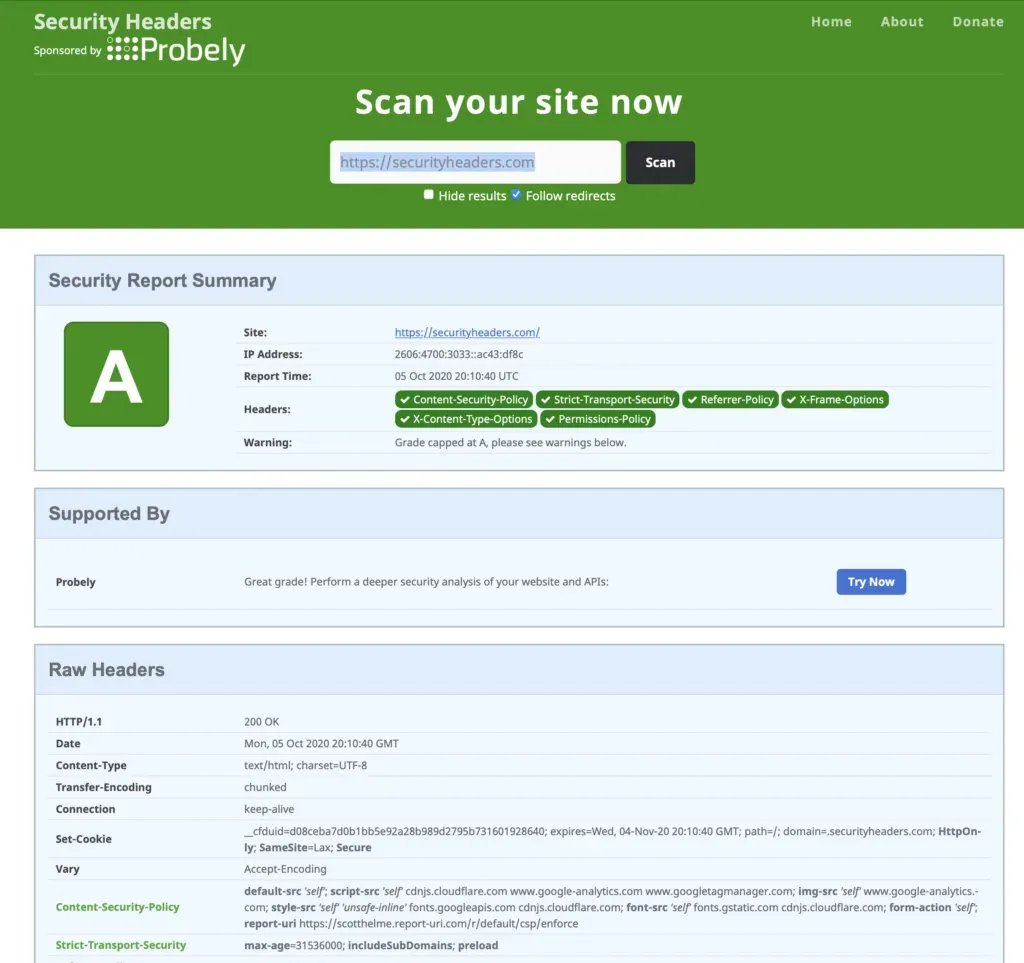
If you want a quick standalone check, securityheaders.com is a good tool. We link to it throughout the mySites.guru snapshot checks too.
Headers are one layer of defence. For file-level detection of existing compromises, the suspect content tool scans your entire webspace for malware, backdoors, and suspicious code patterns. Headers are one of over 140 things mySites.guru checks on each site, from file-level security audits to PHP config to SSL certificates. All visible from your dashboard.
Security headers are covered in our full agency security guide.
Frequently Asked Questions
Which HTTP security headers does mySites.guru check?
How often does mySites.guru check my site's security headers?
Will having correct security headers fully protect my site?
 Written and edited by a human, with AI assistance. Our approach to AI