Monitor site uptime with mySites.guru
We used to provide UptimeRobot Integrated monitors for your sites, but now we are providing UNLIMITED FREE uptime monitors - powered by our own custom-written engine - to all mySites.guru subscribers and connected sites.
How does free uptime monitoring work?
mySites.guru used UptimeRobot for uptime monitoring for nearly a decade. After reliability problems and a 352% price hike, we built our own engine instead. No extra cost to subscribers.
The engine runs as a standalone Node.js service on its own infrastructure, separate from the main mySites.guru servers. It checks your connected sites and alerts you when they go offline (or worse, get hacked) so you can respond quickly. mySites.guru also does SSL checks and much more in our audit tools.
The engine starts with a single HEAD request. If your site responds, great - nothing happens.
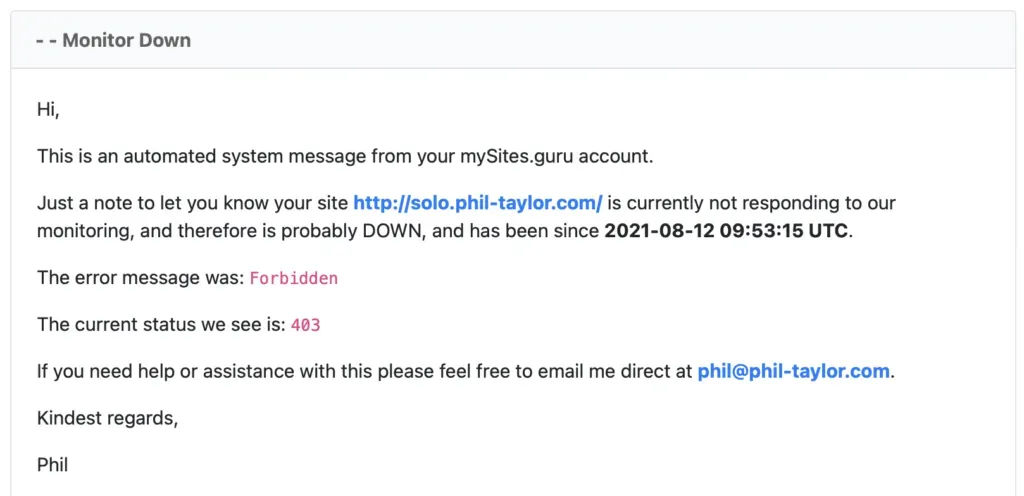
If there’s no response within 45 seconds, it retries with a GET request and waits another 45 seconds. If that also fails, it makes one final GET request from a different location around the world (from a secret IP - your site shouldn’t be blocking IPs, it’s a public site). If all three fail, you get an email alert, and a message in Slack, Teams, Discord or Google Chat if you have set up an uptime webhook. If you get an alert but your site loads fine for you, there are a few common reasons for that.
Sites on the same server are staggered across different check times so we don’t hit your server with a burst of HEAD requests all at once. For a summary of what is checked and how you are alerted, see the uptime monitoring page.
Downtime alerts are an operational email your bookkeeper or accountant does not need to see, which is why the Accountant Portal role is excluded from these notifications by default.
We load-tested the platform to 1 million domain checks per second. The whole thing runs on three $5 servers - a fraction of what UptimeRobot was charging us. We just needed the push to build it ourselves.
Example email alert:
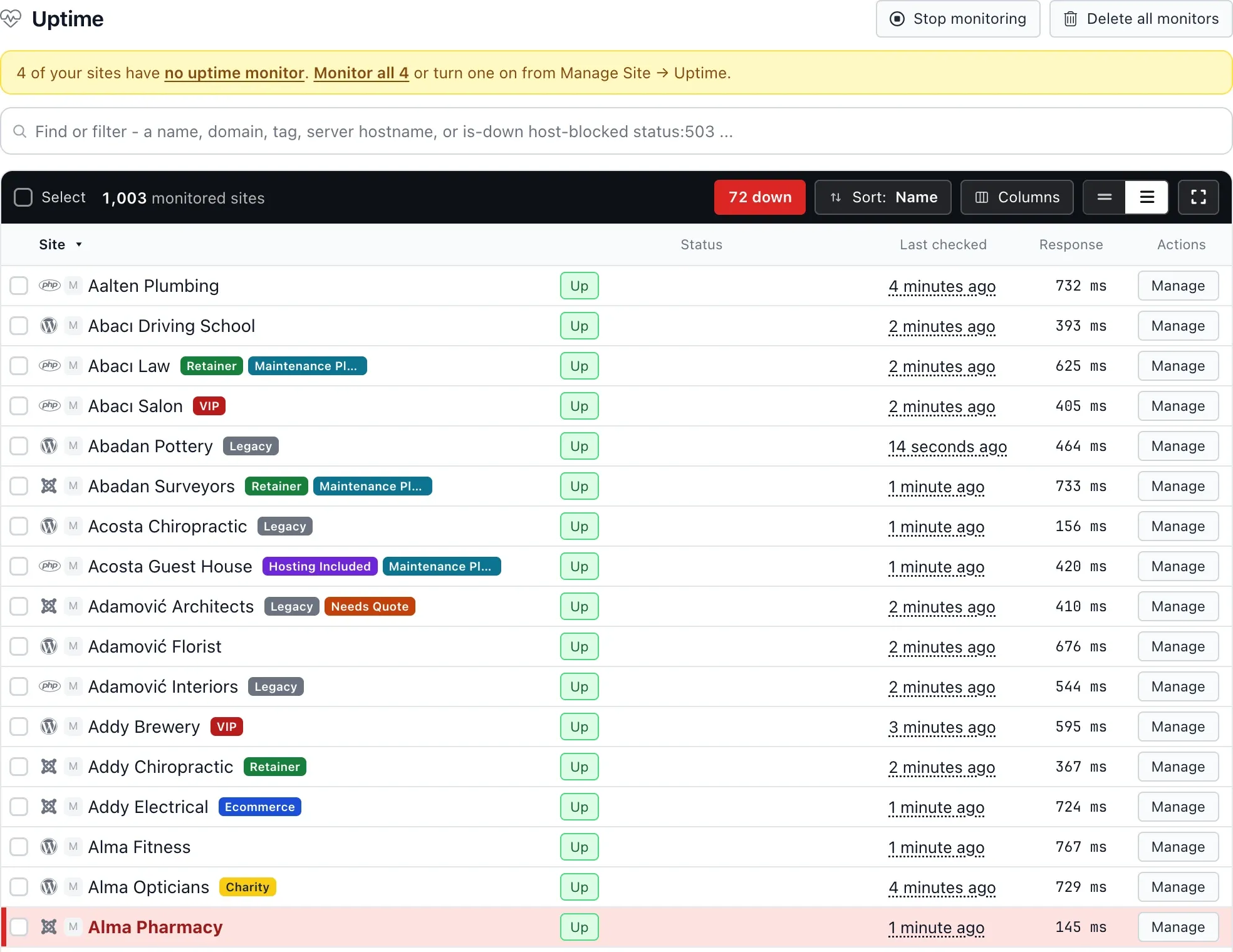
You can see an overview of all your monitors in your account. Each site shows Up or Down, when it was last checked and its response time, and a red button above the table filters to the sites that are down:
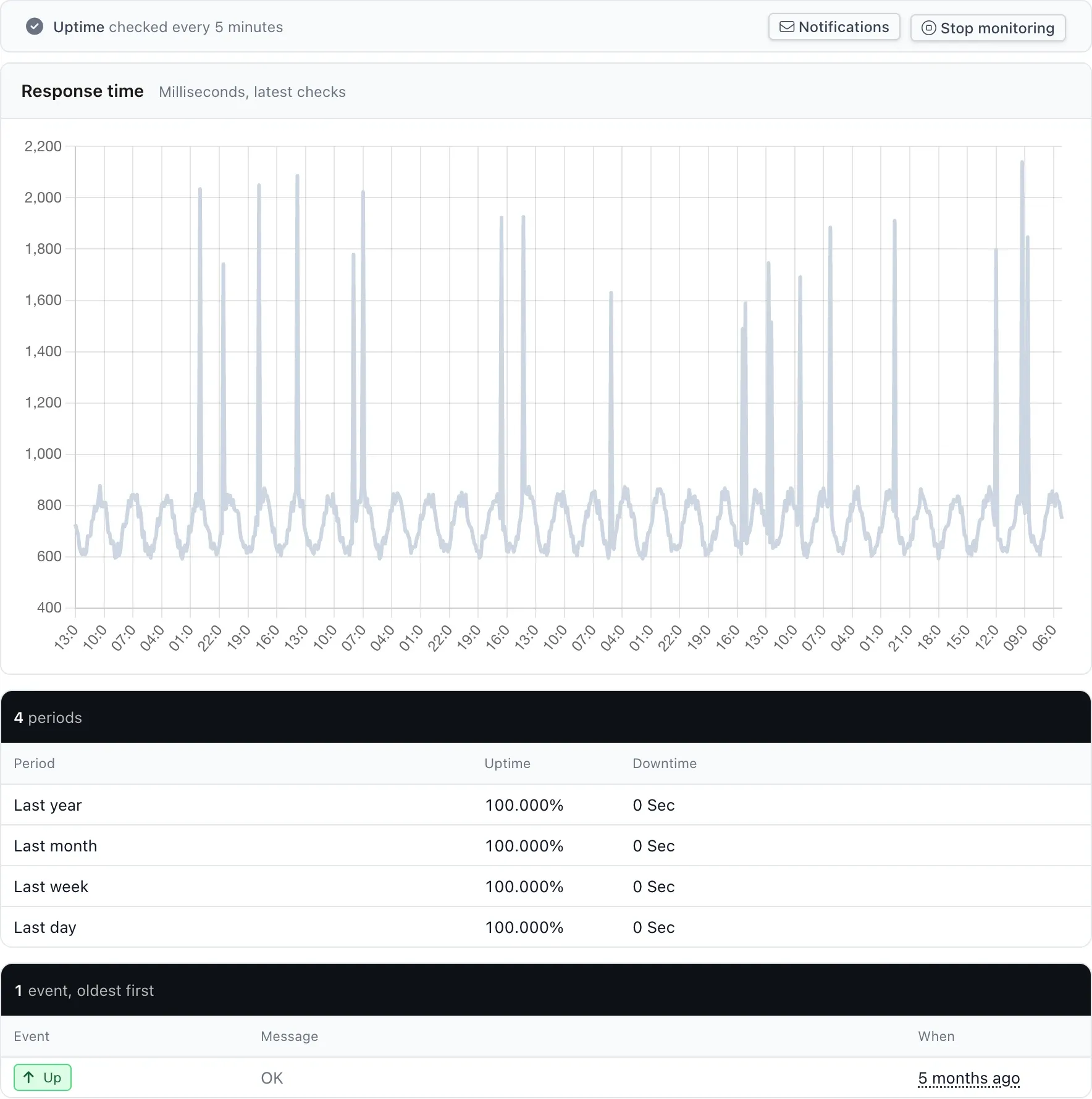
Open a site’s Uptime pane for a response time chart of the latest checks, uptime and downtime for the last day, week, month and year, and a log of up and down events. The chart makes performance problems easy to spot:
Why did we stop using UptimeRobot?
mySites.guru used UptimeRobot for uptime monitoring from 2012 until August 2021. After UptimeRobot was acquired by itrinity in 2019, the service suffered repeated outages and our account was terminated without warning on multiple occasions. In July 2021, the new owners tried to raise our annual fee from $6,792 to $22,416 (a 352.4% increase) with 66 days’ notice. We declined, and on 12th August 2021 we switched to our own custom-built monitoring engine. It handles all our monitoring at a fraction of the cost, with no third-party dependency.
Uptime monitoring is covered in depth in our site monitoring and alerting guide.
Frequently Asked Questions
Does mySites.guru charge extra for uptime monitoring?
How does mySites.guru determine that a site is actually down before sending an alert?
Why did mySites.guru stop using UptimeRobot and build its own monitoring engine?
 Written and edited by a human, with AI assistance. Our approach to AI