|
||||||||||

|
||||||||||
The ten biggest changes to mySites.guru this autumnBetween 27 August and 2 November we added 114 new features to mySites.guru and made 174 improvements to ones that already existed. That is far too many for one email, so this is the autumn round-up: ten highlights, picked for anyone who looks after a lot of Joomla and WordPress sites for other people. Three of them get a proper look below, with a screenshot each. The other seven get a line each, and the blog post has all ten with a link into each tool. |
||||||||||
|
|
||||||||||
The Updates page, rebuilt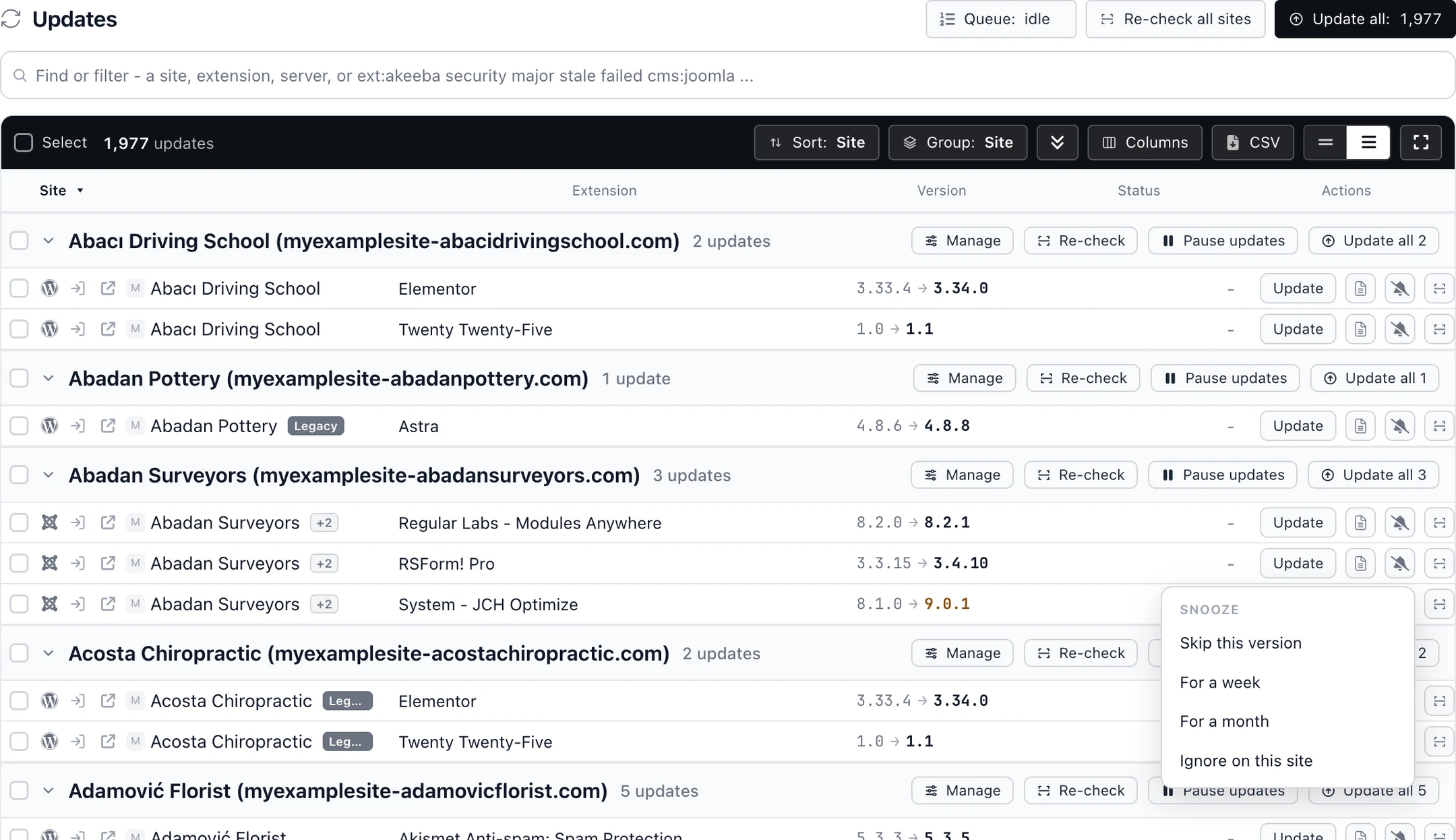
The Updates page is now one table of every extension, plugin and theme update across your sites, and from it you can update one row, a whole extension, a server, a selection or everything. Snooze an update for this version, a week, a month or for good, pause updates on a site so nothing touches it, and take a fresh Akeeba Backup or All-in-One WP Migration backup before updates run, with the updates cancelled if the backup fails.
|
||||||||||
|
|
||||||||||
Permissions for each team member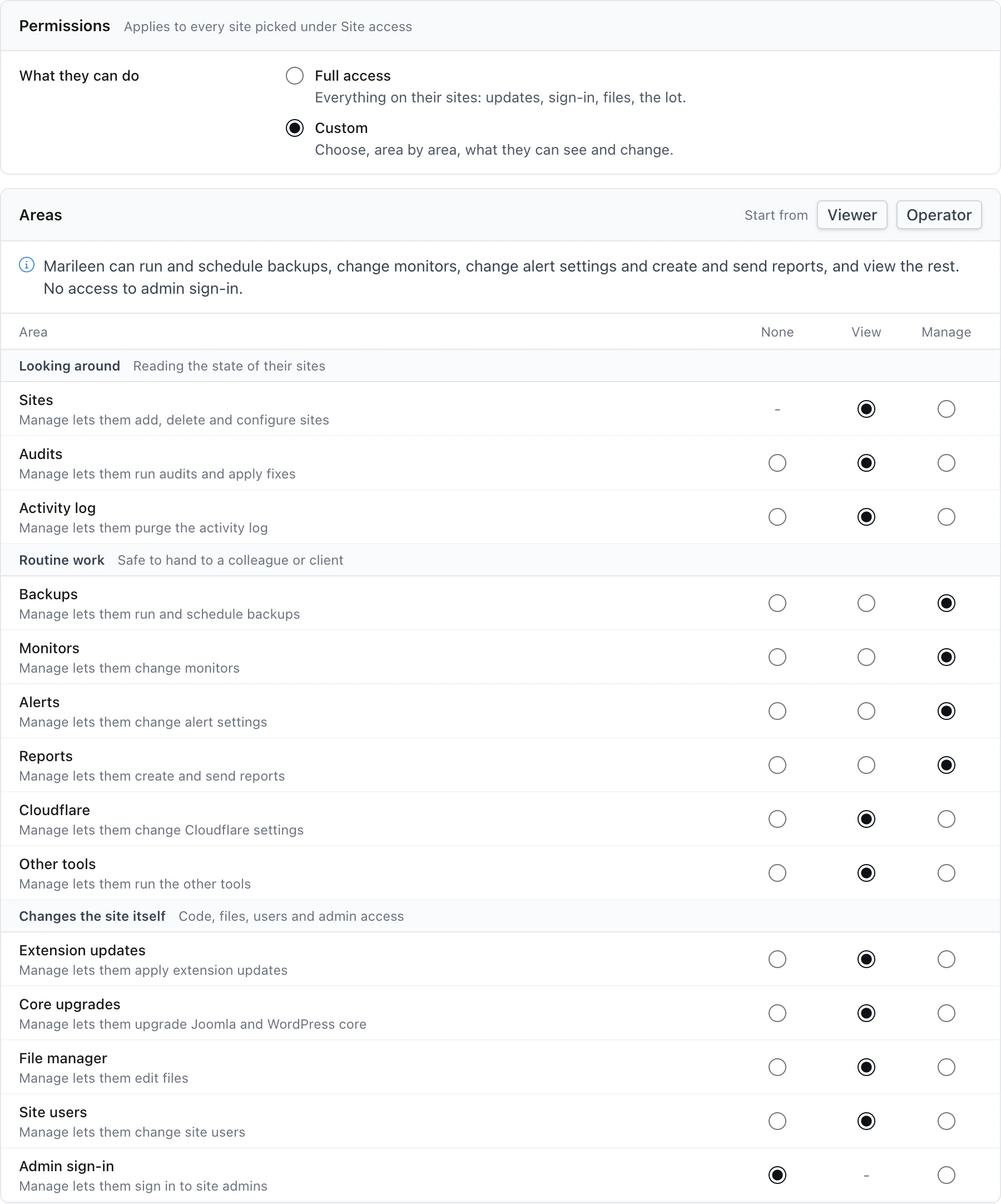
Until now you could choose which sites a team member sees but not what they can do on them. A Permissions section on each team member's page now sets each area (backups, extension updates, core upgrades, admin sign-in, file manager, site users, monitors, reports and more) to no access, view only or manage, so a junior can run backups and read reports without being able to sign in to a client's administrator.
|
||||||||||
|
|
||||||||||
Why does a cleaned site get hacked again?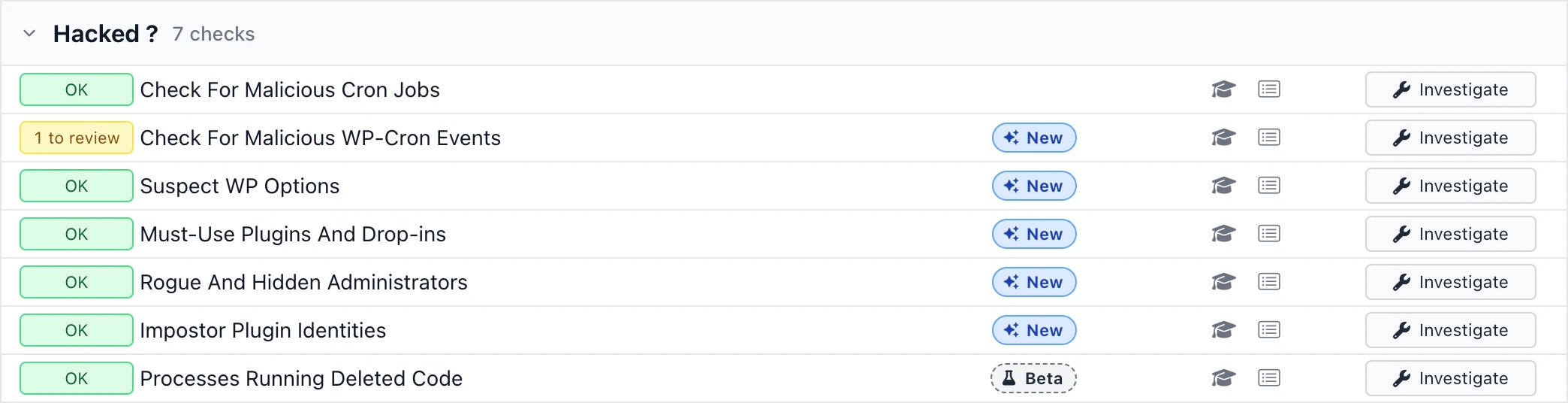
Because the thing that put the files there is still running. Most of this autumn's security work went on the places malware hides that a file scan cannot see: WordPress Scheduled Events that rewrite your files minutes after you delete them, oversized or machine-named rows in wp_options, administrators hidden from your own Users screen, and Joomla Scheduled Tasks that no installed plugin registers.
|
||||||||||
|
|
||||||||||
Seven more from the same autumnEach site now has a User Manager tab, and one action adds a colleague to many sites or offboards a leaver everywhere. The sites list loads straight away and can audit all the sites it shows, and Cmd+K finds any site or tool from one box. Search Engine Visibility parses your live robots.txt and warns when it blocks Googlebot, Bingbot or the AI crawlers that decide whether you get cited. Template Overrides To Check shows which overrides a Joomla update changed across your sites, compares each with the new core file and lets you mark it checked. PHP back-ports can now be marked, so a host's patched build counts as patched, and sites on end-of-life MySQL or MariaDB get a red badge. Uptime alerts can go to Slack, Discord, Teams or any webhook, plus desktop notifications in your browser and new emails for extension changes and failed core upgrades. Release Radar narrows new Joomla and WordPress extension releases to the software your sites run, with security fixes listed first. |
||||||||||
|
||||||||||
|
The price has not changed since 2012, and we have never charged for the continual investment in the platform. Everything in this email is part of the subscription: £19.99 a month for unlimited sites, or £5 a month for a single site. |
||||||||||
|
|
||||||||||
Found something wrong with your Joomla or WordPress site? If it were simple, you'd have fixed it already. I offer same-day expert help at a flat rate of £120 per incident. No hourly billing surprises.
If I can't add value, you don't pay |
||||||||||
|
 mySites.guru