Schedule Audits, Updates & Backups
mySites.guru runs a scheduler for Joomla and WordPress sites that handles audits, snapshots, backups and updates. It works on both a time-based and an action-based model.
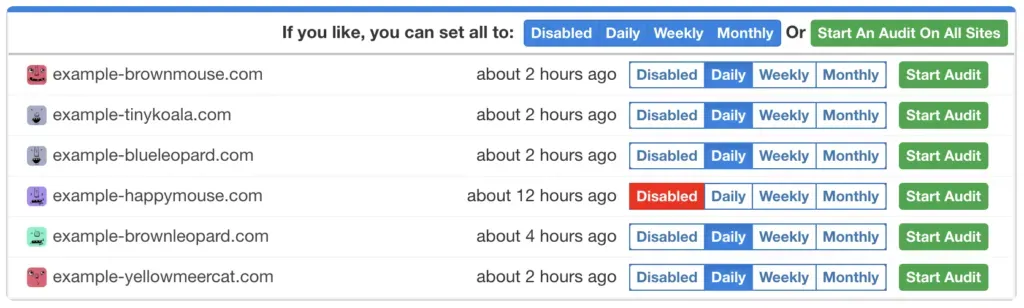
Audit schedule
For example. Audits are run either daily, weekly, or monthly, based on the last time an audit was taken. The time based part is “daily/weekly/monthly” and the action based part is the “time an audit was last taken”. If you manually start an audit then the time is reset, and your schedule is based on that time. So the next audit will be a week after that time (or a day/month depending on what you select)
Please note: We only run one audit per hostname (server hostname) at a time, and queue any others that are due on the same server to restrict the load we place on a single server. No one wants 100s of audits of sites on the same server at the same time… not even us!
The audit scheduler allows you to see your chosen schedule, and if you have chosen to disable the schedule you can see that too. Weekly is the default and suits most sites, because the snapshot already runs twice a day; snapshot vs audit explains when a daily audit is worth it.
Backup schedule
mySites.guru has support for Akeeba Backup for Joomla and WordPress, and (currently) All-in-one Migration Plugin for WordPress.
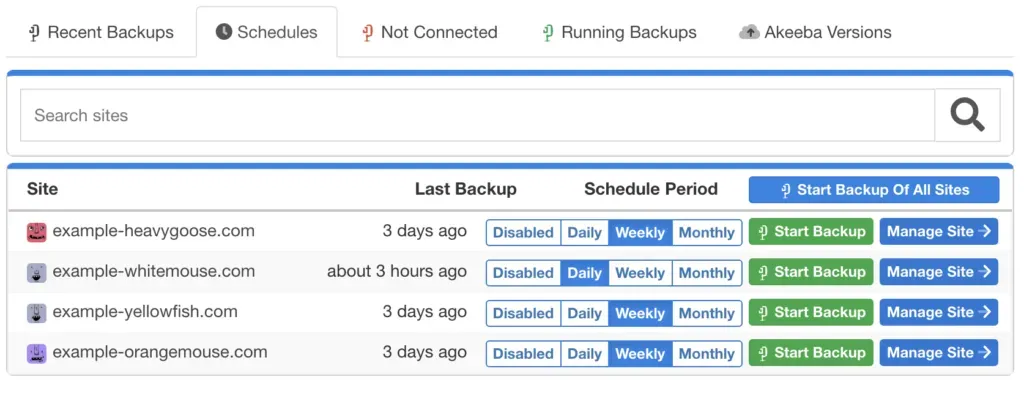
Again, you can set daily, weekly, or monthly backup schedules in your mySites.guru account, you can even start backups from the same screen or queue the start of backups on all your Joomla and WordPress sites.
Updates schedule
The updates scheduling is slightly different.
You don’t specify a time for updates of extensions and plugins to happen, you can enable auto updates for any extension on a per site, or per update site basis

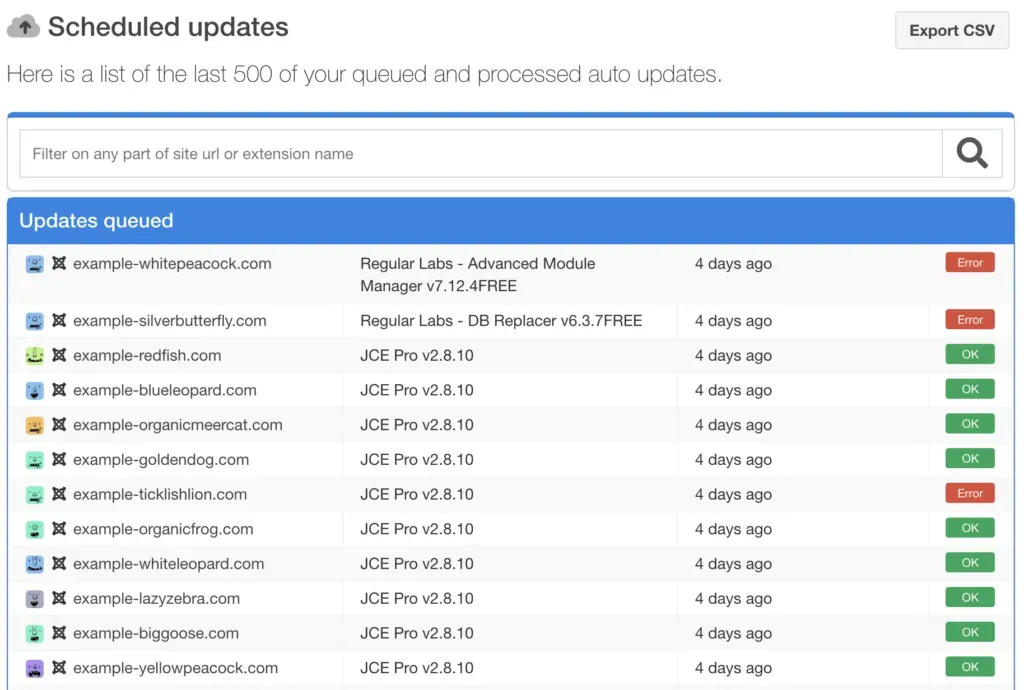
On the next snapshot we take (currently twice every 24 hours) if we spy that an update is available, then we will attempt to apply the update, and notify you (according to your preferences) if the update was successful or not.

You can view the result of the scheduled updates in your account too
Can you schedule white label reports?
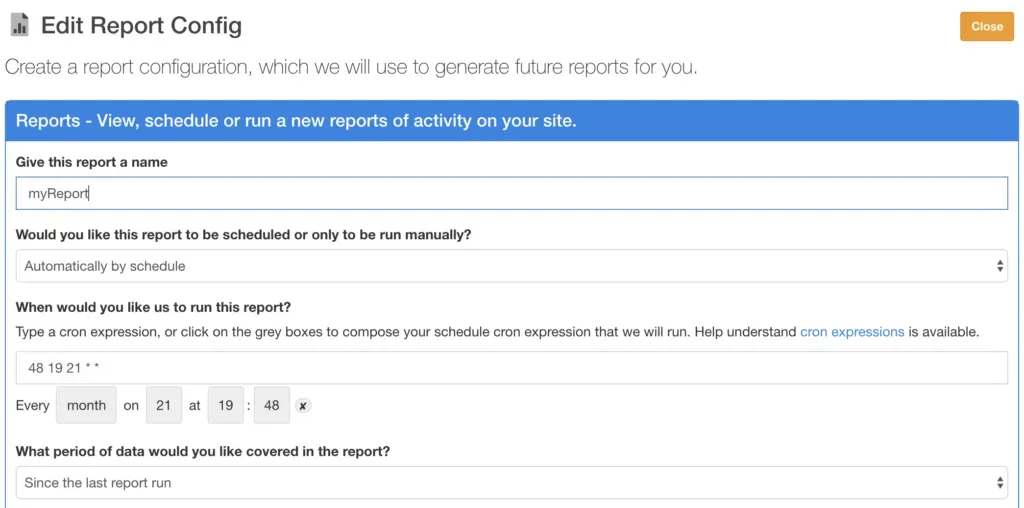
Upcoming in the mySites.guru service shortly, you will also be able to schedule white label reports to be sent to you or your clients about their sites, a subset of sites or just one site. More on this soon. Shhh its a secret!
Real-time triggers and near real-time alerting
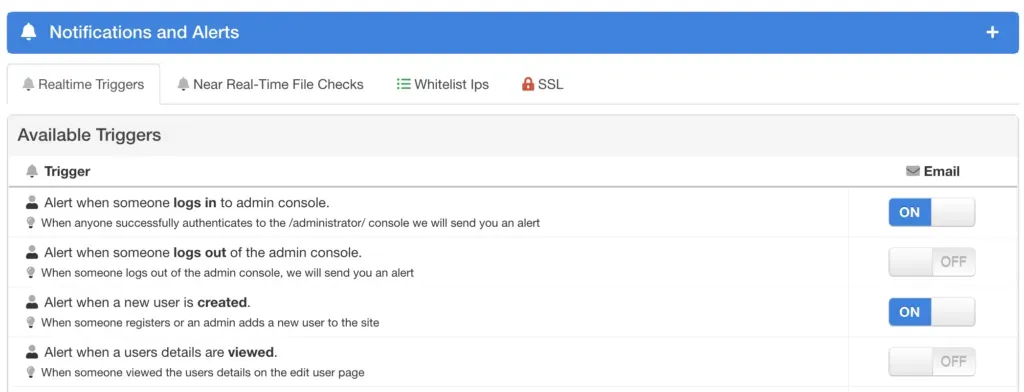
Not so much scheduled, but in almost real-time, the mySites.guru service can alert you to events happening on your website such as
-
When a user logs in
-
When a new user is created
-
When a non-admin tries to login to admin
-
When your templates file is modified
-
When your sites configuration file is modified
-
etc…
These alerts are sent to you according to your notification preferences and can be a real lifesaver if your site has been hacked in the past and you want visibility on whats happening. Regular audits also surface hidden files lurking in your webspace that real-time triggers alone won’t catch.
For a complete guide to keeping CMS updates, backups, and audits in sync across a large portfolio, see managing CMS updates at scale. If you want to go further with alerting, the site monitoring and alerting guide covers what to watch for and how to act on it.
Not yet a subscriber? Run a free site audit to see what mySites.guru finds on your site.
Frequently Asked Questions
What scheduling options are available for security audits in mySites.guru?
How does mySites.guru handle automatic extension and plugin updates?
Can mySites.guru alert me to real-time security events on my site, not just scheduled ones?
 Written and edited by a human, with AI assistance. Our approach to AI