Breeze, Cloudways Cache Plugin, Has a Remote Code Execution Bug
Wordfence blocked 3,936 attack attempts against the Breeze Cache WordPress plugin in a single 24-hour window in late April 2026. CVE-2026-3844 is an unauthenticated arbitrary file upload, scored CVSS 9.8, and ends in remote code execution. Breeze has 400,000+ active installs, and Cloudways ships it as the default cache plugin on its WordPress hosting platform.
This is a Cloudways-flavoured problem. Breeze is Cloudways’ own cache plugin and ships preinstalled on every new WordPress install on the Cloudways platform. If you are not a Cloudways customer and you have not specifically chosen to install Breeze on a self-hosted site, you are not affected by this CVE and you can stop reading. If you are on Cloudways, or if you reached for Breeze as a free WP Rocket alternative on a self-hosted site, read on.
The plugin author patched it in version 2.4.5 on April 21, 2026, and shipped two follow-up versions (2.4.6, 2.4.7) since. The technical fix takes a minute per site. The harder question is which sites in your portfolio are still on a vulnerable build, and how quickly you can prove it.
We queried our own extension inventory the day Wordfence’s advisory was published. Hundreds of paying mySites.guru subscriber sites were running pre-2.4.5 Breeze. One was on Breeze 1.0.10, an eight-year-old build. We emailed every affected customer the same day.
This post covers what CVE-2026-3844 actually is, how to detect a compromise, and how to find every Breeze install across a portfolio of WordPress sites without logging into 50 dashboards.
How to Find Every Breeze Cache Install with mySites.guru
If you manage more than three or four WordPress sites, manual inspection is the wrong tool for a vulnerability like this. mySites.guru’s extension inventory tracks every plugin on every connected WordPress site, with the version each one is running. Search for breeze, and the dashboard returns every site with the plugin installed, colour-coded against the patched version.
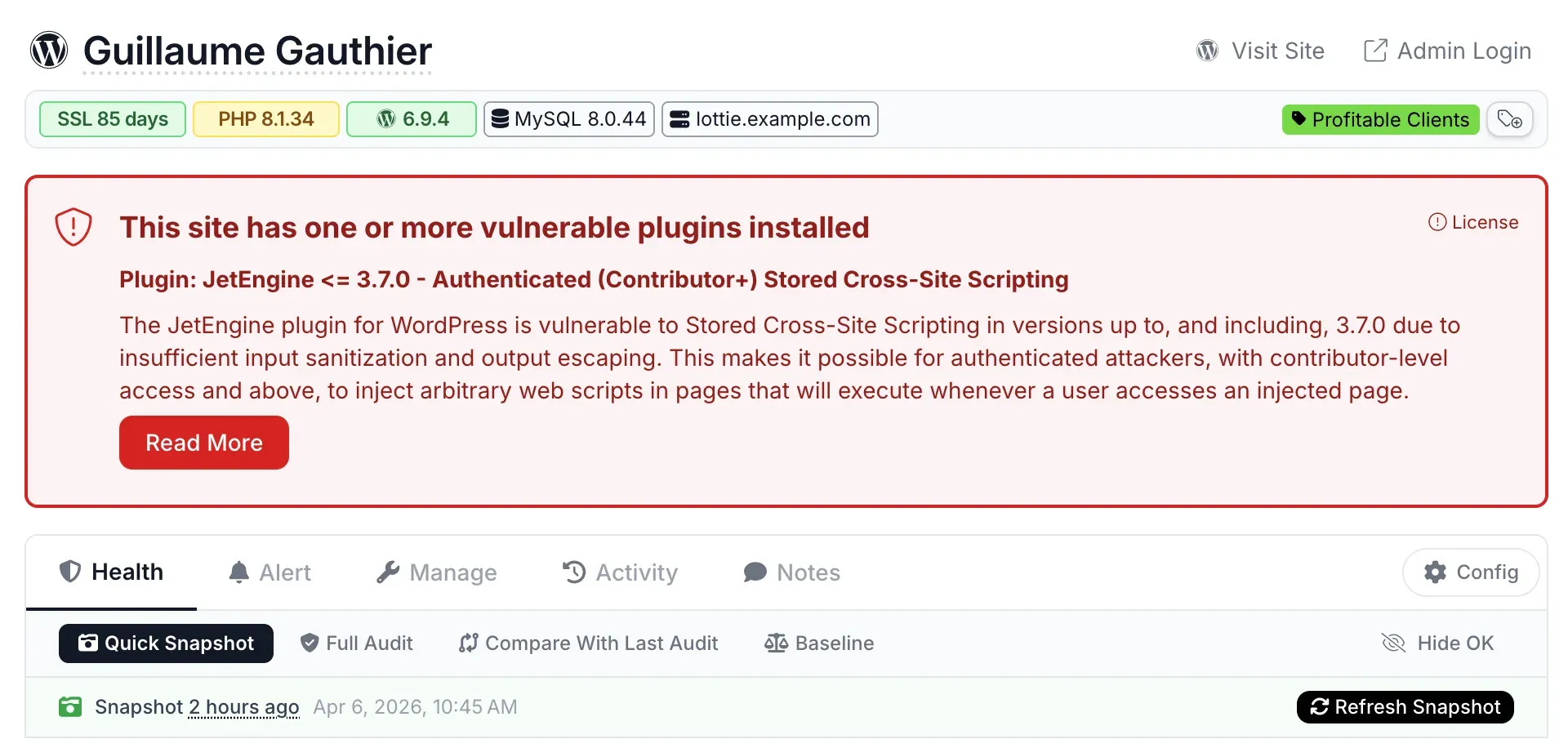
mySites.guru subscribers: jump straight to the Breeze inventory
If you have a mySites.guru account, this link opens the extension search filtered for Breeze across every WordPress site you have connected. Anything below 2.4.5 needs an update before you close your laptop today: Breeze Cache - extension search.
If you do not subscribe yet, you can connect your sites and run the same search in a free audit. The extension inventory is one of the things the audit covers.
What Is the Breeze Cache CVE-2026-3844 Vulnerability?
CVE-2026-3844 is an unauthenticated arbitrary file upload vulnerability in Cloudways’ Breeze Cache plugin. NIST scored it CVSS 9.8 (critical) and assigned CWE-434.
The bug lives in fetch_gravatar_from_remote inside class-breeze-cache-cronjobs.php. When the “Host Files Locally - Gravatars” option is enabled, the plugin downloads avatar images from a URL passed in via a parameter, with no validation that the URL points to Gravatar or that the response is actually an image. An attacker passes their own URL, the plugin fetches whatever the attacker is serving, and writes it to the filesystem. From there it is one HTTP request to drop a webshell.
The exploit pre-condition is the Host Files Locally - Gravatars option, which is off by default. Cloudways’ own security advisory notes that the platform’s default safeguards block direct PHP file access, which breaks the file-upload-to-RCE chain on Cloudways-hosted sites unless that protection has been removed. Self-hosted WordPress sites and customers on hosts without that safeguard get the full RCE.
The patch in 2.4.5 enforces official Gravatar sources only. Affected versions are everything up to and including 2.4.4.
Why Breeze Cache Is on So Many WordPress Sites
Breeze is a free WordPress cache plugin from Cloudways and reports 400,000+ active installs on WordPress.org. Its scale comes from two distinct populations:
- Cloudways-hosted sites. Breeze is the default cache plugin on the Cloudways managed-WordPress platform. New WordPress installs on Cloudways get it automatically.
- Self-hosted sites. Site owners reach for Breeze as a free alternative to WP Rocket. It does enough of the same job to be the obvious pick when budget is the constraint.
Both populations have the same problem with this CVE: it was installed once, configured once, and then forgotten about. Plugin updates auto-applied or did not. No one routinely audits which sites have which version of which cache plugin until something like Wordfence’s advisory appears.
How Bad Is the Breeze Cache Active Exploitation?
Wordfence’s active-exploitation report says the firewall blocked 3,936 attack attempts in the 24 hours preceding their post. Public proof-of-concept exploits are already on GitHub. BleepingComputer and SecurityAffairs ran follow-up coverage in the same window.
The CVSS-9.8 score combined with the “unauthenticated” qualifier is what makes this serious. The attacker needs no login, no admin click, no chained exploit. They need to find a site running pre-2.4.5 Breeze with the Gravatars option on, and the file upload works.
How Do I Check If a Breeze Cache Site Has Been Compromised?
Cloudways’ advisory points at one specific path. The Breeze cache directory is:
/wp-content/cache/breeze-extra/gravatars/That directory should only ever contain image files. Per Cloudways’ guidance, anything else in there is suspicious:
- PHP files (
.php,.phtml,.phar) .htaccessoverrides (attackers use these to make image-extension files execute as PHP)- Files with no extension
- Files with double extensions (
avatar.jpg.php)
If you find any of those, treat the site as potentially compromised. Pull the site offline if you can, run a full malware scan against the whole webspace (not just /wp-content/cache/), and inspect wp-config.php and other entry-point files for injected code.
Webshells rarely sit alone
If an attacker dropped a payload through the Gravatars cache path, assume they used it to drop additional files elsewhere on the site. Scope a malware scan against the entire webspace, including theme and core directories. The original entry point is usually the smallest piece of the infection.
Update to Breeze 2.4.7, Not Just 2.4.5
Cloudways shipped two more Breeze releases after the original CVE patch. The summary is:
- 2.4.5 - Patches CVE-2026-3844 by restricting Gravatar fetches to official sources.
- 2.4.6 - CPU and multisite fixes after 2.4.5.
- 2.4.7 - Fixes a Varnish purge regression introduced in 2.4.6.
If you are auditing now, target 2.4.7. Sites stuck on 2.4.5 are no longer vulnerable to CVE-2026-3844, but they are running into the regressions the later versions fix. mySites.guru’s bulk update will push every site to the current version with backups taken first, so a regression on one site does not stop the rollout.
Hundreds of Our Own Subscriber Sites Were Vulnerable
When Wordfence published, we ran one extension-inventory query against the platform. The number was bigger than we expected. Hundreds of paying mySites.guru subscriber sites were running Breeze versions below 2.4.5. We emailed every affected customer the same day with the list of their specific sites and the versions installed.
The patterns in that data:
- The vulnerable population was spread across every Breeze customer we had. Not most. All. Two weeks after the patch, none of our subscribers were on 2.4.5 or later through their own update workflow.
- Version drift inside a single account was the norm. One customer had ten sites running six different Breeze builds, ranging from 2.0.24 (June 2022) to 2.4.2 (March 2026). All were vulnerable, but they had nothing in common operationally except “we forgot about this”.
- The oldest install we saw was Breeze 1.0.10. That build is from around 2018. The site has been running an eight-year-old cache plugin under continuous CMS updates since then, with no one noticing.
This is the same shape of problem that the Essential Plugin backdoor and the Smart Slider 3 Pro supply chain compromise exposed earlier in 2026. The plugin you installed once and never thought about again is the one attackers find first. When the next disclosure happens, the operational question is the same one Breeze just asked: can you list every site where this plugin is installed, and the version each one is running, before you close your laptop today?
Manual Detection: How to Audit Breeze Without mySites.guru
If you only have a handful of WordPress sites and do not use a portfolio dashboard, here is the manual sequence:
- List sites. Write down every WordPress site you manage. Include staging environments. Include sites that are technically retired but still resolving DNS.
- For each site, log in to wp-admin. Open Plugins. Look for “Breeze”. Note the version.
- Update. Anything below 2.4.5 needs immediate update to 2.4.7.
- Check the Gravatars setting. In Breeze settings, find Host Files Locally - Gravatars. Disable it on any site that does not specifically need locally-hosted Gravatars.
- Inspect the cache directory. SFTP into each site and look at
/wp-content/cache/breeze-extra/gravatars/. Confirm only image files are present. - If anything looks wrong, scan. Use a deep file scanner (WPScan, Wordfence’s own scanner, or any of the malware scanners that scan the whole webspace, not just plugin files).
Steps 1 through 4 take roughly five minutes per site if you have all the credentials at hand and nothing fights you. Step 5 doubles that. Across 50 sites, that is a working day for one plugin disclosure. The next disclosure costs you another working day.
Why Plugin Audits Should Be Continuous, Not Incident-Driven
mySites.guru exists because incident-driven plugin audits are the wrong shape of work. Reacting to every Wordfence advisory by manually auditing your portfolio is skilled work that doesn’t scale, done under time pressure right when calm thinking matters most.
The CMS-management work that does scale looks different:
- A continuously-updated extension inventory. Every time a connected site reports its plugin list, the inventory updates. There is no “audit moment” - the inventory is always current.
- Cross-referenced against vulnerability feeds. When a CVE drops for a plugin you manage, you know within hours which of your sites are affected. Not “which CVEs came out this week” - which of your sites have this CVE.
- Bulk update with backup-first. When the answer is “update to 2.4.7”, you push the update to every affected site in a batch with rollback available, not by clicking through 50 wp-admin sessions.
- Real-time alerts on file changes. If an attacker did get a webshell onto one of your sites, file-change alerting catches it the moment the new file appears, not weeks later when the SEO spam shows up in Google.
You can build all of this yourself with WP-CLI, cron jobs, and a database. If you have time, do. Most of the agencies and freelancers we work with did the maths on it and decided the £19.99/month was less expensive than building and maintaining the same thing.
Timeline
Breeze 2.4.5 patches CVE-2026-3844
The fix restricts Gravatar fetches to official sources. The flaw is an unauthenticated arbitrary file upload leading to remote code execution, on a caching plugin installed on more than 400,000 WordPress sites.
Late April: Wordfence blocks 3,936 attack attempts in 24 hours
Mass exploitation against sites that had not taken the 2.4.5 update. The technical fix takes a minute per site; the harder question is which sites in a portfolio are still on a vulnerable build.
We publish, and 2.4.7 is the version to be on
2.4.6 and 2.4.7 followed 2.4.5 with CPU and Varnish purge fixes. Sites stuck on 2.4.5 are no longer vulnerable to this flaw, but they are running into the regressions the later versions repair.
Further Reading
- Wordfence active exploitation report (May 2026) - Original telemetry on the 3,936 attacks in 24 hours.
- Cloudways Breeze Cache security advisory - Vendor guidance, including the
/wp-content/cache/breeze-extra/gravatars/IOC path. - BleepingComputer coverage of the Breeze exploitation - Independent reporting with technical detail.
- SecurityAffairs: 400,000 sites at risk - Includes context on the exploitation timeline.
- NVD entry for CVE-2026-3844 - Official CVSS scoring and CPE data.
- WordPress.org Breeze plugin page - Current version, install count, changelog.
Run a free audit to see every plugin on every WordPress site you manage, including which ones still need the Breeze 2.4.5+ update.
Frequently Asked Questions
What is CVE-2026-3844 in the Breeze Cache plugin?
Which versions of Breeze Cache are vulnerable?
Is the Breeze Cache vulnerability being actively exploited?
Does the Breeze Cache vulnerability affect Cloudways customers?
How do I check if a site has been compromised through Breeze Cache?
How can I find every site running Breeze Cache across my client portfolio?
Should I uninstall Breeze Cache or just update it?
 Written and edited by a human, with AI assistance. Our approach to AI