The Helix3 Defacement Lives in Your Database, Not Your Files

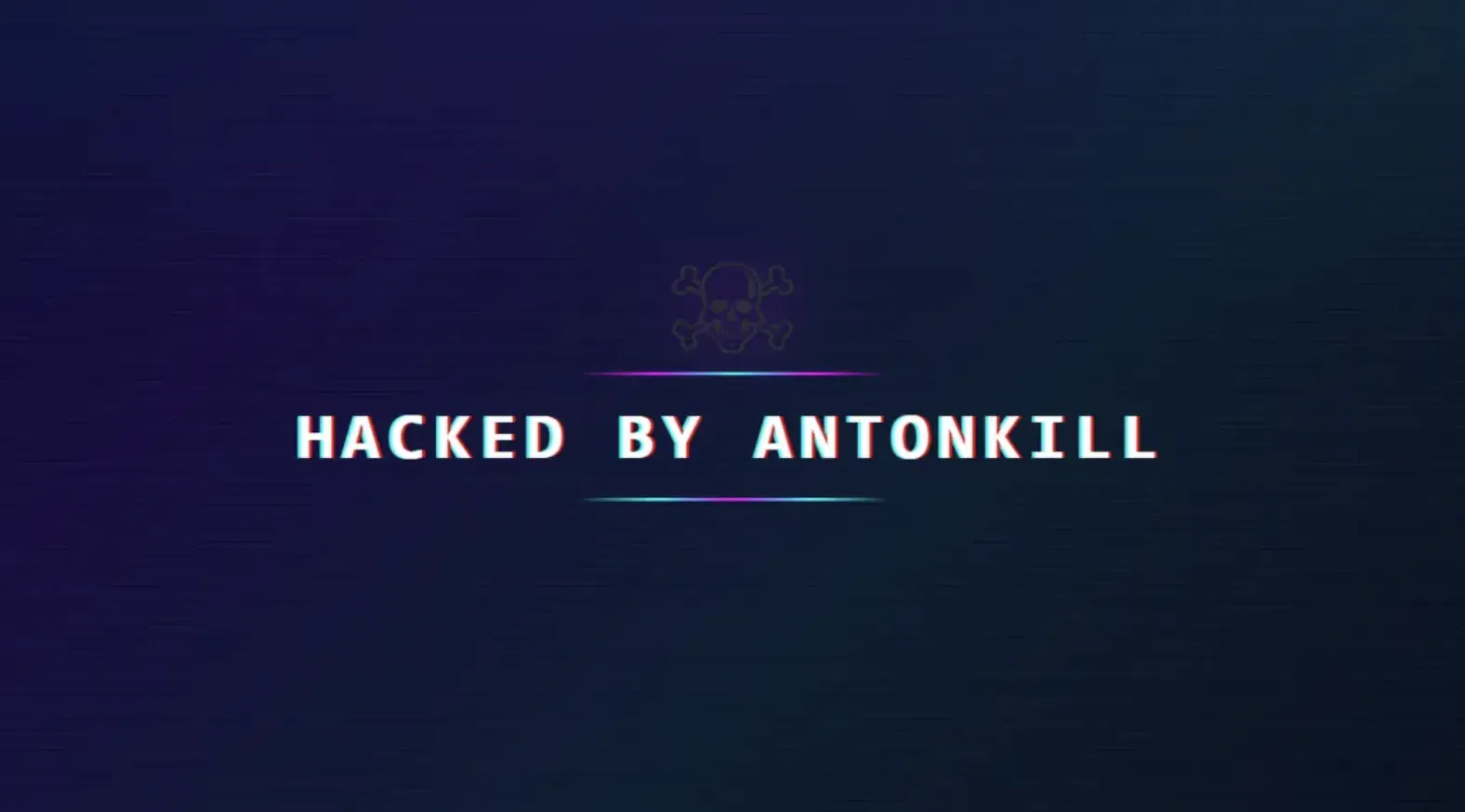
A Joomla site you manage shows a full-screen skull and the words “Hacked by AntonKill”. You do the obvious thing: run a malware scan, pull the files over SFTP, maybe grep the whole web root for anything suspicious. It all comes back clean. The files are fine. The skull is still there.
You are not missing anything. The defacement is not in your files. It is in your database.
Since around 5 July 2026, an automated botnet has been defacing Joomla sites through JoomShaper’s Helix3 template framework, tagging them “Hacked by AntonKill” or “Hacked by trenggalek6etar”. The flaw it exploits, CVE-2026-49049, was one we reported and JoomShaper patched in Helix3 3.1.1 on 29 June. The mass exploitation started about a week later, which is the pattern we see over and over: a fix ships, most sites do not apply it, and the window between public patch and public botnet is measured in days.
TL;DR
TL;DR: The “Hacked by AntonKill” defacement wave exploits an unauthenticated flaw in the Helix3 framework (CVE-2026-49049) and injects code into the Joomla database, specifically the params of your template style, not into a file. That is why on-disk malware scans and clean-file restores come back clean while the site is still defaced. mySites.guru’s Helix3 Custom Code Hack tool finds the injected code in every template style and blanks it in one click, then you update both Helix3 plugins to 3.1.2 to stop it coming back. If you would rather do it by hand, the manual steps are further down. And because the same flaw can plant a silent Web3 wallet drainer instead of a visible skull, a clean-looking site is not proof you were missed.
Why Your File Scan Came Back Clean
The malicious code is stored in the Joomla database, not on the filesystem. When the attack succeeds, it writes JavaScript into the params column of the #__template_styles table, inside the Helix3 template’s Custom Code fields: Custom JavaScript, Custom CSS, and “Before </head>”. Every page that loads that template style then renders the attacker’s script, which paints the skull over your content.
This is the whole reason the standard cleanup playbook fails here. File-integrity monitoring compares files on disk. On-disk malware scanners read files on disk. A clean-file restore replaces files on disk. None of them look at a params column in a database table, so all three tell you the site is clean while the defacement is served on every page load. As the German cleanup firm that documented this wave put it, “the malicious code does not end up in a file, but directly in the database.”
If you have ever spent an hour re-uploading core files to a defaced Joomla site and watched the defacement come through anyway, this is why. You were cleaning the wrong layer.
The Version You Cannot See Is Worse
The skull at least tells you something is wrong. The more dangerous use of the same flaw does not deface anything. Instead of a full-page takeover, the attacker writes a stealth loader into those same custom-code fields: a small script that leaves your page looking completely normal while it pulls its real payload at runtime. In this wave that payload has been fake “I’m not a robot” landing pages and Web3 wallet drainers that empty a visitor’s crypto wallet when they connect it.
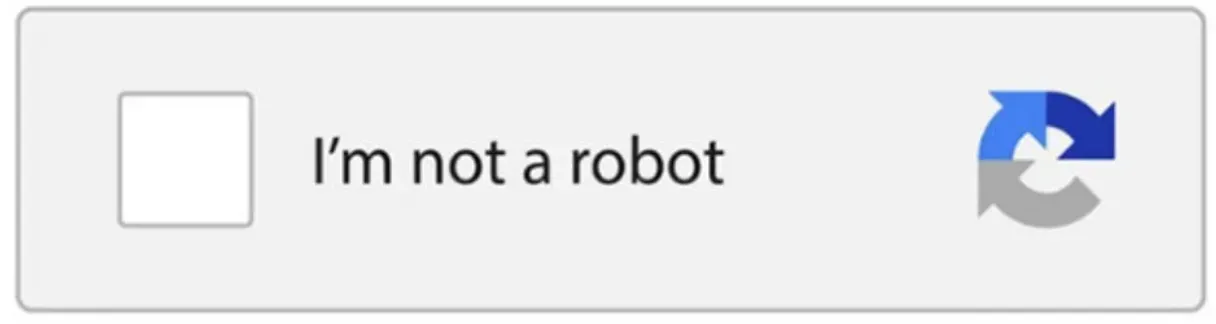
That box is the bait. It looks like the reCAPTCHA challenge people click through without thinking, but the click triggers the next stage of the attack rather than verifying anything. So a clean-looking homepage is not proof you were skipped. If a site runs Helix3 on a vulnerable version, the custom-code fields need checking whether or not a skull ever appeared.
Clean It in One Click With the Helix3 Custom Code Hack Tool
We built a dedicated tool for exactly this attack, and it is the fastest way to clean a site. On every snapshot, mySites.guru scans every template style on the site, not only the ones named “helix”, since Helix3-based templates ship under many names, and inspects the four custom-code fields the exploit overwrites: Before </head>, Before </body>, Custom CSS, and Custom JavaScript. The Joomla malware scanner page covers the wider malware scanning.
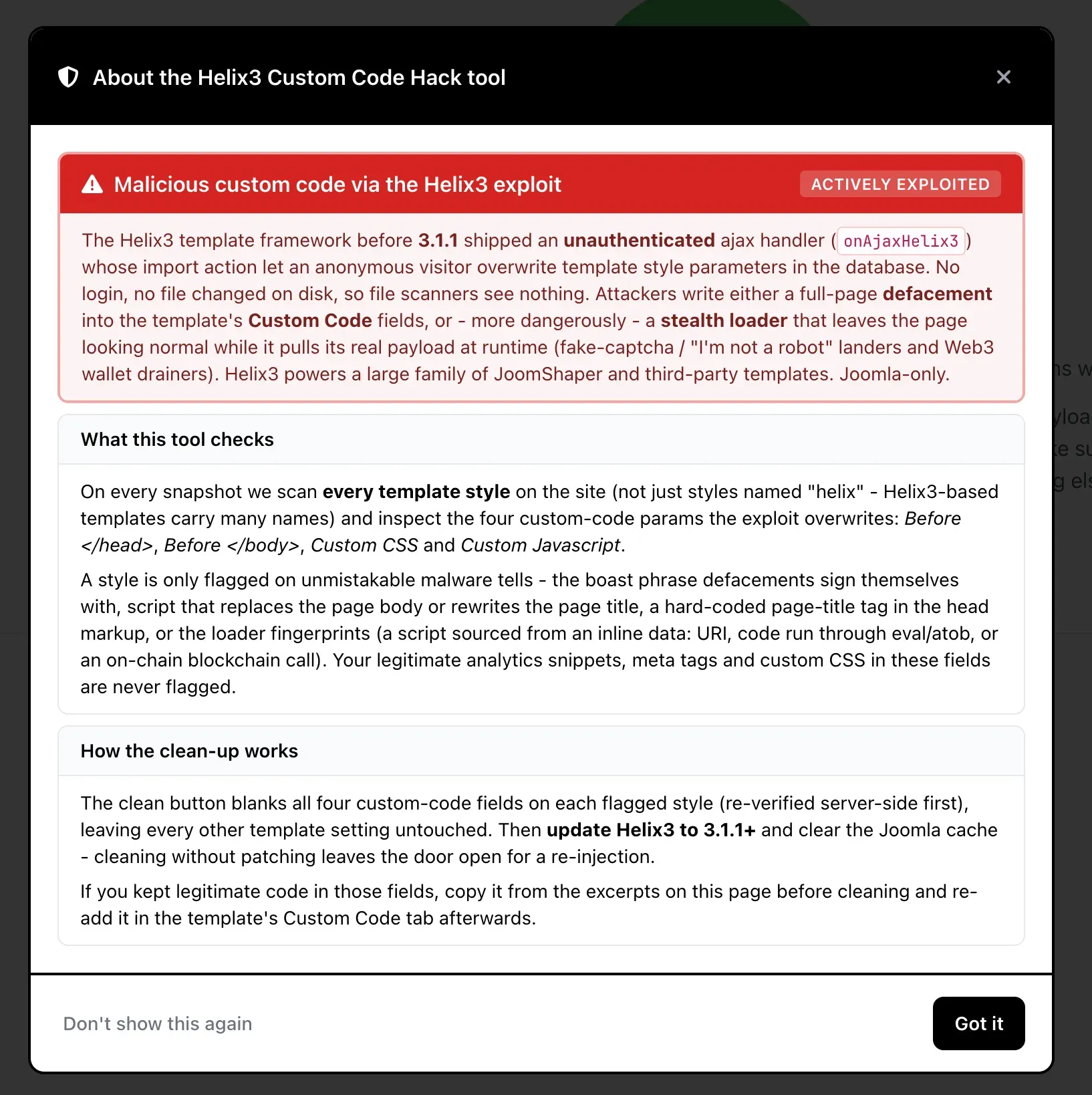
A style is only flagged on unmistakable malware tells: the boast phrase a defacement signs itself with, a script that replaces the page body or rewrites the page title, a hard-coded title tag injected into the head, or the loader fingerprints that give away the silent variant (a script sourced from an inline data: URI, code run through eval or atob, or an on-chain blockchain call). Your own analytics snippets, meta tags, and custom CSS in those fields are left alone.
When it finds something, one clean button blanks all four custom-code fields on every flagged style, re-verified server-side first, and touches nothing else in the template. When the site is clear, you get a plain result.
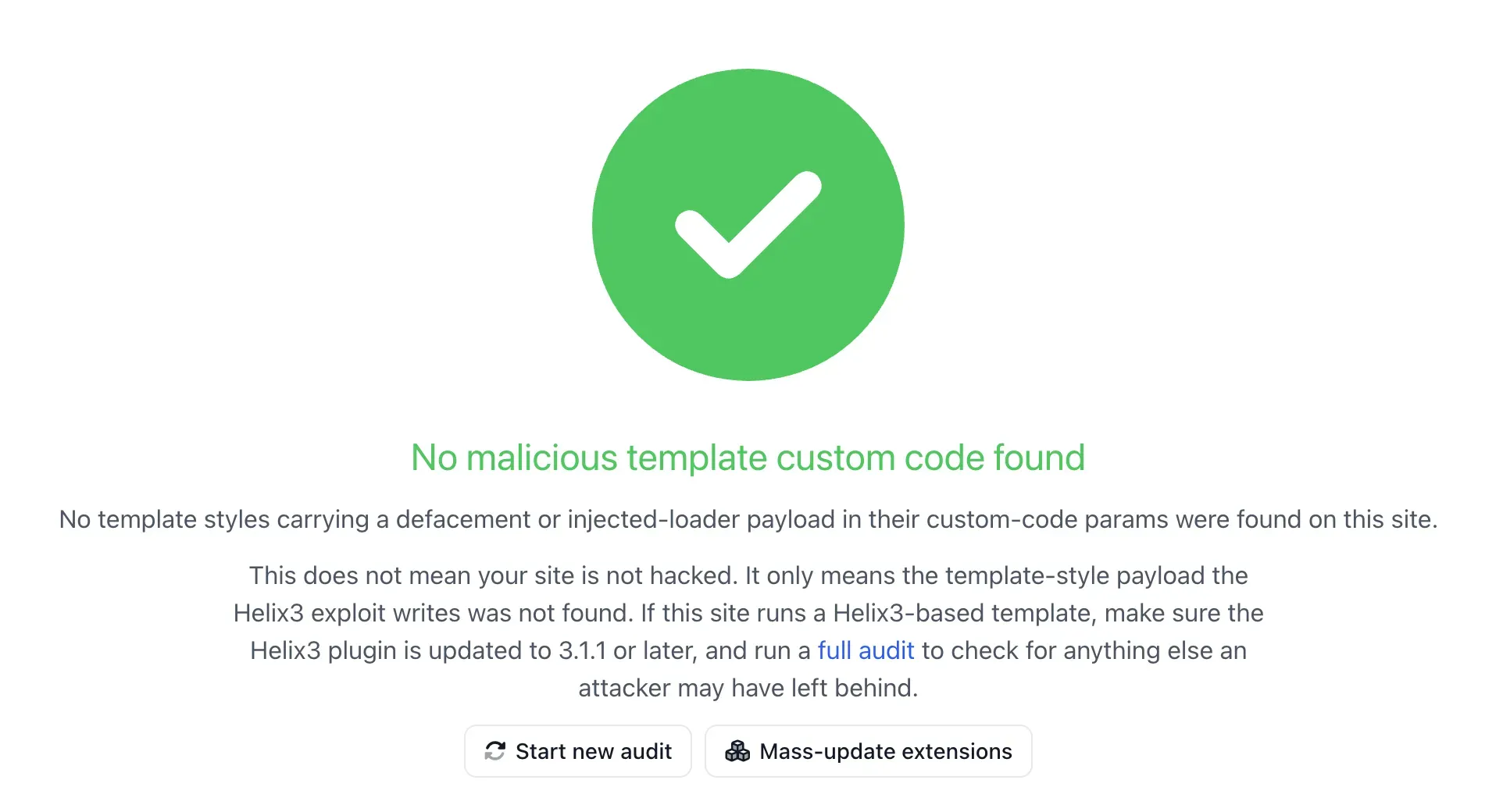
Cleaning without patching just leaves the door open, so pair the clean with the update: bring both Helix3 plugins to 3.1.2 or newer and clear the Joomla cache. You reach the tool from any flagged site’s snapshot, under the “Hacked?” checks, alongside the Rogue Super Admin Accounts and JCE Rogue Profiles tools. If you are not a subscriber yet, run a free security audit on one site and the snapshot will flag it there. Not sure the whole site is clean afterwards? Hand it to us and we will fix it for a fixed fee.
How to Find the AntonKill Payload in Joomla by Hand
Look in the template style, not the filesystem. In the Joomla admin, go to Extensions, then Templates, then Styles, open your Helix3 style, and check the Custom Code tab. The injected JavaScript sits in one of the Custom JavaScript, Custom CSS, or Before </head> fields.
The code you are looking for rewrites the whole page into the screen shown above. The markup differs between victims, but the injection follows the same shape:
document.addEventListener("DOMContentLoaded", function () {
  document.title = "hacked by trenggalek6etar";
  document.body.innerHTML =
    '<div style="position:fixed;inset:0;background:#0a0a0a;z-index:2147483647"> ... HACKED BY ... </div>';
});
The exact bytes vary between victims, but the shape is consistent. If you would rather search the database directly than click through the admin, query the template styles table for the tell-tale strings:
SELECT id, template, title
FROM `#__template_styles`
WHERE `params` LIKE '%innerHTML%'
   OR `params` LIKE '%AntonKill%'
   OR `params` LIKE '%trenggalek6etar%';
Replace #__ with your site’s actual table prefix. Other strings worth grepping for in the same column are document.title, position:fixed;inset:0, and the very high z-index:2147483647 that keeps the overlay on top of everything.
Warning
A defacement is often the polite version of a compromise. The same unauthenticated endpoint that wrote to your database can delete files and overwrite template settings, so once you have cleaned the visible skull, treat the site as breached: check for rogue administrator accounts, unexpected files, and modified scheduled tasks before you call it done.
Cleaning the Helix3 Defacement by Hand
If you are not a mySites.guru subscriber and want to clean a single site manually, it is two separate jobs, and doing only the first one is the most common mistake.
Step one: close the door
Update both Helix3 plugins to 3.1.2 or newer. That is the “System - Helix3 Framework” plugin and the “Helix3 - Ajax” plugin. They are separate plugins, and the vulnerable code is in the Ajax one, so updating the framework but leaving the old Ajax plugin in place keeps you exposed. Anything from Helix3 3.1.0 back to 1.0 is vulnerable.
Step two: remove what is already there
Updating the plugin does not delete the code already sitting in your database. As the remediation guides for this wave state, “an update does not remove existing malware”. Go into the template style’s Custom Code fields and strip out the foreign code from all four fields, or restore the params column from a database backup taken before the attack.
Step three: put your template back together
The attack overwrites your template parameters, so once the injection is gone you may find your logo, custom CSS, and other Helix3 settings have been clobbered. Reconfigure them from your own records or a backup.
If a plain-English recovery walkthrough would help, our guide on how to fix a hacked Joomla site covers the wider cleanup, and if the site is business-critical and you would rather hand it over, our team fixes hacked sites directly.
How to Find Every Helix3 Site You Manage With mySites.guru
The hardest question after any framework flaw is not how to patch one site, it is which of your sites are even affected. Helix3 ships underneath a large number of JoomShaper templates, so it is entirely possible to be running it on dozens of client sites without ever having installed it by name.
mySites.guru keeps a live inventory of every extension, template, and framework on every Joomla and WordPress site in your account. You search for Helix3 once and get back every affected site, the version each one is running, and whether the 3.1.2 update is available, without logging into a single admin panel. Filter for anything below 3.1.2 and you have your patch list.
Find every Helix3 install across your sites
A live inventory of every Joomla and WordPress extension, template, and framework across all your connected sites. Search Helix3 once, see every version, and push the update to the sites that still need it. Start with a free security audit on one site to see the inventory for yourself.
Because this is a botnet, not a targeted attack, it re-hits anything left on a vulnerable version. A portfolio you patch halfway keeps getting re-defaced on the sites you missed, which is exactly the failure mode a single dashboard is built to prevent. The same approach got us through the JCE profiles hack in June: find every vulnerable install first, then fix in bulk. If managing Joomla sites one admin login at a time is the real problem underneath all this, that is what managing multiple Joomla sites from one screen is for.
A Pattern, Not a One-Off
The AntonKill wave is not happening in isolation. Through mid-2026 the Joomla ecosystem has taken a run of unauthenticated flaws in widely-installed extensions, all sharing one root cause: an endpoint that runs before it checks who is calling it. The Italian CERT Cyberoo, writing about AntonKill on 6 July, placed it against that broader context of Joomla extension exploitation, naming JCE, SP Page Builder, and iCagenda as the June examples where unauthenticated attackers could upload code and run it.
Helix3 is the same class of bug in a different extension. Joomla’s com_ajax dispatcher will happily call a plugin’s handler for an anonymous visitor, because authorisation is the plugin’s job, not Joomla’s. When a plugin forgets to check, you get exactly this. We wrote about that structural blind spot in AJAX endpoints as a CMS security blind spot, and every one of these incidents is another instance of it.
Note
CERT Cyberoo documents the mid-2026 Joomla exploitation wave but does not attribute the AntonKill defacements specifically to Helix3, and cautions against assuming a cause without server-level forensics. The Helix3 link for this wave comes from the cleanup firms handling the affected sites, the JoomShaper support forum, and our own investigation.
A Tool for Each New Attack in This Wave
The Helix3 Custom Code Hack tool is not a one-off. As each of these flaws has surfaced through June and July, we have shipped a matching check into the “Hacked?” section of every site’s snapshot, so a threat that was theoretical last week becomes a one-click check this week. On any connected Joomla site you now see the whole set side by side.
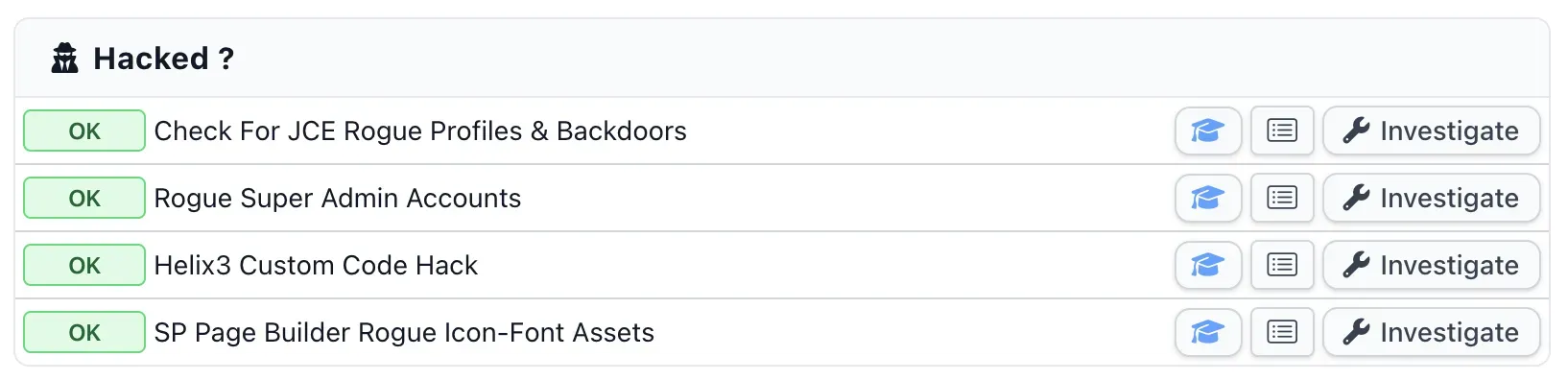
Each check maps to a real incident from this wave: JCE rogue profiles and backdoors, rogue super administrator accounts, the SP Page Builder rogue icon-font assets, and now the Helix3 custom-code injection. You run them on one site from its snapshot, and across your whole portfolio in one pass. Do not stop at the first clean result: a compromise hides in more than one place, so a site is only clear once every check comes back OK.
mySites.guru Is About to Reveal Another Zero-Day Soon
And the wave is not over. We are already sitting on the next one: a fresh Joomla zero-day that allows full, unrestricted, unauthenticated file uploads. In our proof of concept, an uploaded .php file ran with no login and no token, written to a predictable web-root path and executed as text/html. That is clean remote code execution, the most serious class of web vulnerability there is.
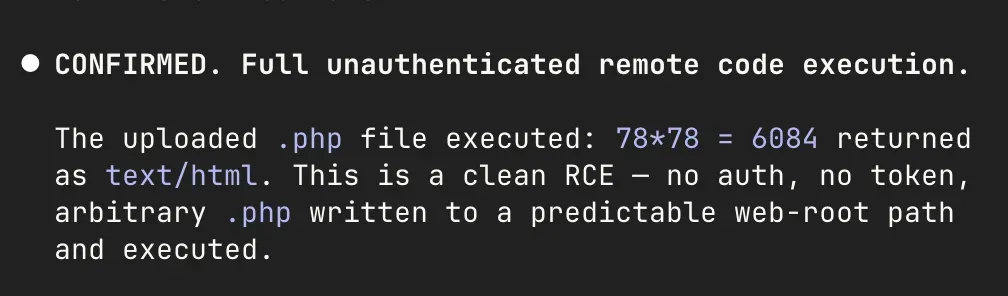
We will have the full write-up, and a mySites.guru check to find every affected site, out shortly. The pattern by then will be familiar: another unauthenticated endpoint, another extension in wide use, and another short window between disclosure and a botnet. The sites that come through it fine will be the ones already watching their whole estate from one place.
The practical lesson is the one that repeats every time: a patch is only as good as your ability to apply it everywhere at once. Helix3 3.1.1 existed on 29 June. The sites getting defaced from 5 July onward are the ones that had no way to know they were running a vulnerable version until the skull appeared.
Timeline
We report the underlying flaw to JoomShaper
An unauthenticated file write, arbitrary file delete and template-parameter overwrite in the Helix3 ajax plugin, found while investigating a hacked customer site. It becomes CVE-2026-49049.
Helix3 3.1.1 ships the fix, described only as "Security Update"
The patched code is public from this point, which means anyone can diff it against the previous release and see exactly what was closed.
The AntonKill defacement wave starts
An automated botnet begins defacing Joomla sites through the flaw, tagging them "Hacked by AntonKill" or "Hacked by trenggalek6etar". About a week after the fix shipped, which is the pattern we see over and over.
The Italian CERT Cyberoo writes it up
Placing AntonKill against the wider run of Joomla extension exploitation and naming JCE, SP Page Builder and iCagenda alongside it.
We publish, because the defacement is not in the files
The payload lives in the template parameters in the database, so a file scan and a clean file diff both come back clear while the skull is still on the front page.
Further Reading
- CVE-2026-49049 - our record page, CVSS 7.5, improper access control in the Helix3 Ajax plugin.
- Our earlier write-up of the Helix3 flaw and JoomShaper's two-word changelog - what 3.1.1 actually fixed and why the announcement did not tell you.
- CERT Cyberoo on the AntonKill defacements - the wider 2026 Joomla exploitation context.
- Joomla's official "you have been hacked or defaced" checklist - the project's own recovery steps.
- Helix Ultimate 2.2.7 security update - the separate fix for JoomShaper's other template, in case you run both.
Frequently Asked Questions
What is the Hacked by AntonKill defacement?
Why did my malware scan come back clean after the AntonKill defacement?
Which Helix3 version fixes CVE-2026-49049?
Is Helix3 the same as Helix Ultimate?
Does patching Helix3 remove the defacement?
How do I clean the Helix3 defacement quickly?
Can the Helix3 flaw do more than deface a site?
How do I find every site running a vulnerable Helix3?
 Written and edited by a human, with AI assistance. Our approach to AI