A New mySites.guru Tool to Find, and Fix, the JCE Profiles Hack (June 2026)
Current secure version: JCE 2.9.99.11
Released 15 September 2026, and the last release to add features to the 2.9 series. JCE 3.0 arrives within days, and the developer has rebuilt how 2.9 handles files, uploads and requests so it matches 3.0 and a single fix applies to both branches. The 2.9 series moves to maintenance from here, with security fixes continuing. Patch every site to 2.9.99.11: it sits on top of the security lineage that matters here, the 2.9.99.10 file rename fix (CVE-2026-65891), the 2.9.99.8 File Browser hardening, the 2.9.99.7 upload-regression fix and group whitelist, the 2.9.99.6 audit, and the 2.9.99.5 fix for the flaw itself. Anything below 2.9.99.5 still has the unauthenticated profile upload flaw this attack exploits.
The whole story in one place
Our JCE Profiles Hack page is the page of truth for this attack, with the indicators of compromise, the tool that finds and fixes it, and links to every post below.
JCE (Joomla Content Editor) ships on more Joomla sites than any other editor extension. It sits in the top two of our live extension ranking, neck and neck with Akeeba Backup. So when the JCE profiles attack started hitting real sites this month, “Are any of the sites I’m responsible for hacked!?” became a question every Joomla agency suddenly needed to answer. mySites.guru now answers it for you, automatically, on every site you manage.
We have added a new dedicated check, Check for JCE Rogue Profiles & Backdoors. It runs on every snapshot, twice a day, on each connected Joomla site, and finds the fingerprint of this attack automatically: rogue editor profiles and the webshells they drop. When it flags something, fixing it is a one-click action you trigger yourself, on Joomla 4, 5 and 6 you remove the profiles, delete the backdoors, and update JCE to the patched version, all from one screen. It does not delete anything on its own, because you want to see what is there and take a copy first. This post covers what it checks and how to use it, and the live hack that prompted us to build it.
We built it because we kept finding the real thing. While looking into why a Joomla site was throwing a template error, we found the aftermath of the JCE profiles attack on the live site: a rogue editor profile built to allow file uploads, and a set of webshells dropped through it. The site was running a JCE version old enough to have the unauthenticated profile upload flaw, CVE-2026-48907. When we swept the rest of that portfolio, two more sites had it too. Doing that sweep by hand across 40 client sites is exactly the work that does not get done, so we automated it.
TL;DR
- mySites.guru now has a dedicated Check for JCE Rogue Profiles & Backdoors that runs on every snapshot, twice a day, on every connected Joomla site
- It finds rogue editor profiles and the webshells they drop automatically. When it flags something, you fix it manually from one screen: on Joomla 4, 5 and 6 you remove the profiles, delete the backdoors, and update JCE with a click each
- It is scoped to this attack’s fingerprint, so a permissive profile (one with
allow_phpon for legitimate reasons) is not flagged. The discriminator is whether a profile lets you upload a script file - The attack itself abuses the unauthenticated editor profile upload patched in JCE 2.9.99.5 (CVE-2026-48907): import a rogue profile that allows php and txt uploads, then use it to drop a webshell
- It started with three sites in one portfolio. We have since seen hundreds, and with working exploit code for CVE-2026-48907 published on GitHub on 9 June, we expect thousands over the coming days. One compromised site is rarely the only one
- To find every install still on a vulnerable build, pair the check with the mySites.guru extension search and patch them in one batch with the mass updater
- Removing the files without updating JCE invites reinfection: patch the entry point, do not just clean up after it
Watch: check and clean a JCE-hacked Joomla site
Basic Joomla Tutorials walks through spotting the JCE Profiles hack and cleaning it up with mySites.guru.
Tim Davis publishes clear, no-nonsense Joomla guides on his Basic Joomla Tutorials channel. If you run Joomla, it is well worth a subscribe.
The new tool: Check for JCE Rogue Profiles & Backdoors
Everything in the manual cleanup further down this post (the database query, the file hunt across tmp, media and images, the careful “is this profile rogue or just permissive” judgement) is work that does not get done by hand at scale, repeated for every site you manage. So we built it into mySites.guru as a dedicated check.
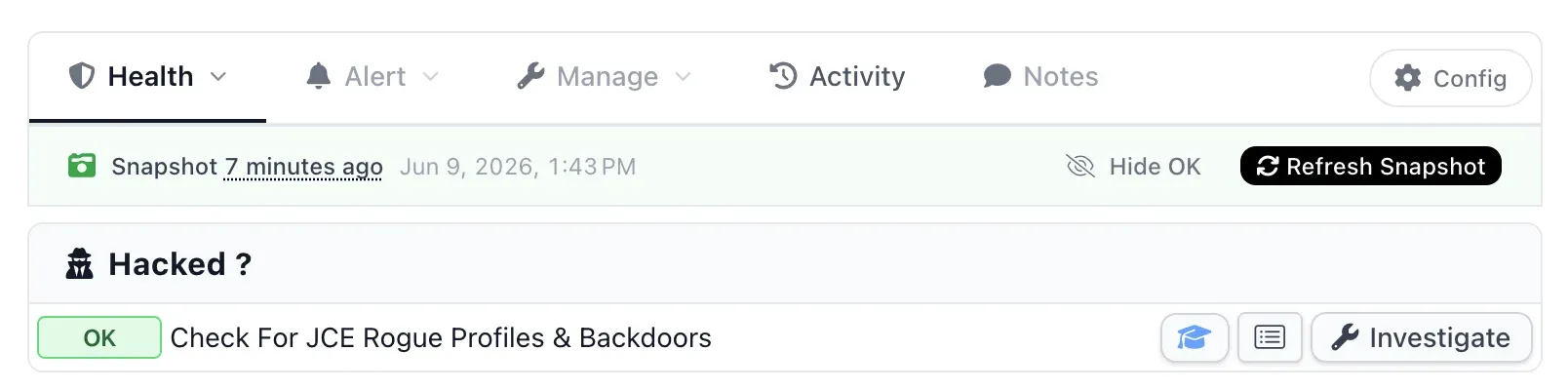
It runs on every snapshot, so it is already looking at your connected Joomla sites twice a day. On the site health view it sits in its own Hacked? section, with a single OK on a clean site or a red count of threats on a compromised one.
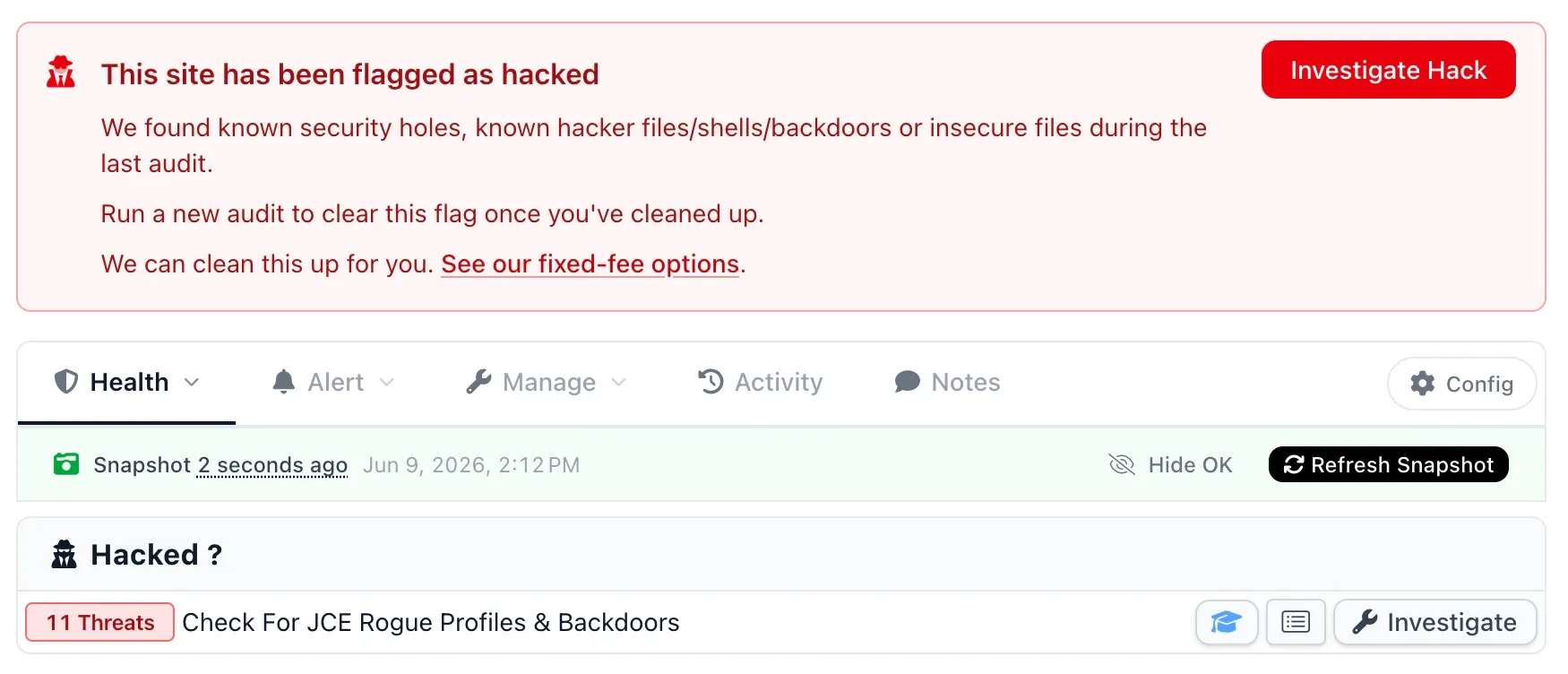
When a site is flagged, the whole snapshot leads with a red “This site has been flagged as hacked” banner, and the check shows the threat count, eleven on this site, with an Investigate button to drill in.
What it actually checks
The check looks for the fingerprints of this specific attack, in the specific places it leaves them, rather than scanning your whole site (that is the job of the separate suspect content audit). It looks at three things:
- The JCE profiles table. It flags editor profiles that match the attacker signature: a machine-generated name matching
Jfollowed by six digits (J940401), labels such asPwnedwith a description ofRCE via JCE, a large negative ordering that forces the profile to the top, or upload filetypes that allowphporphtml. Crucially, a profile that only hasallow_phpenabled is not flagged, because that setting governs PHP inside article content, not file uploads. The discriminator is whether the profile lets you upload a script file, which is what makes the attack work. - Malicious profile imports. The rogue profile is usually dropped as an
.xmlfile in a writable directory before it is imported. The check looks for those import files in the known drop locations. - Dropped backdoors. It checks the exact locations this kit uses (
tmp,images,media/system/js,libraries/joomla) for hidden.xml.phpdroppers,eval(gzinflate(base64_decode(...)))webshells,shell_execcommand shells, andNxploitedmarker files.
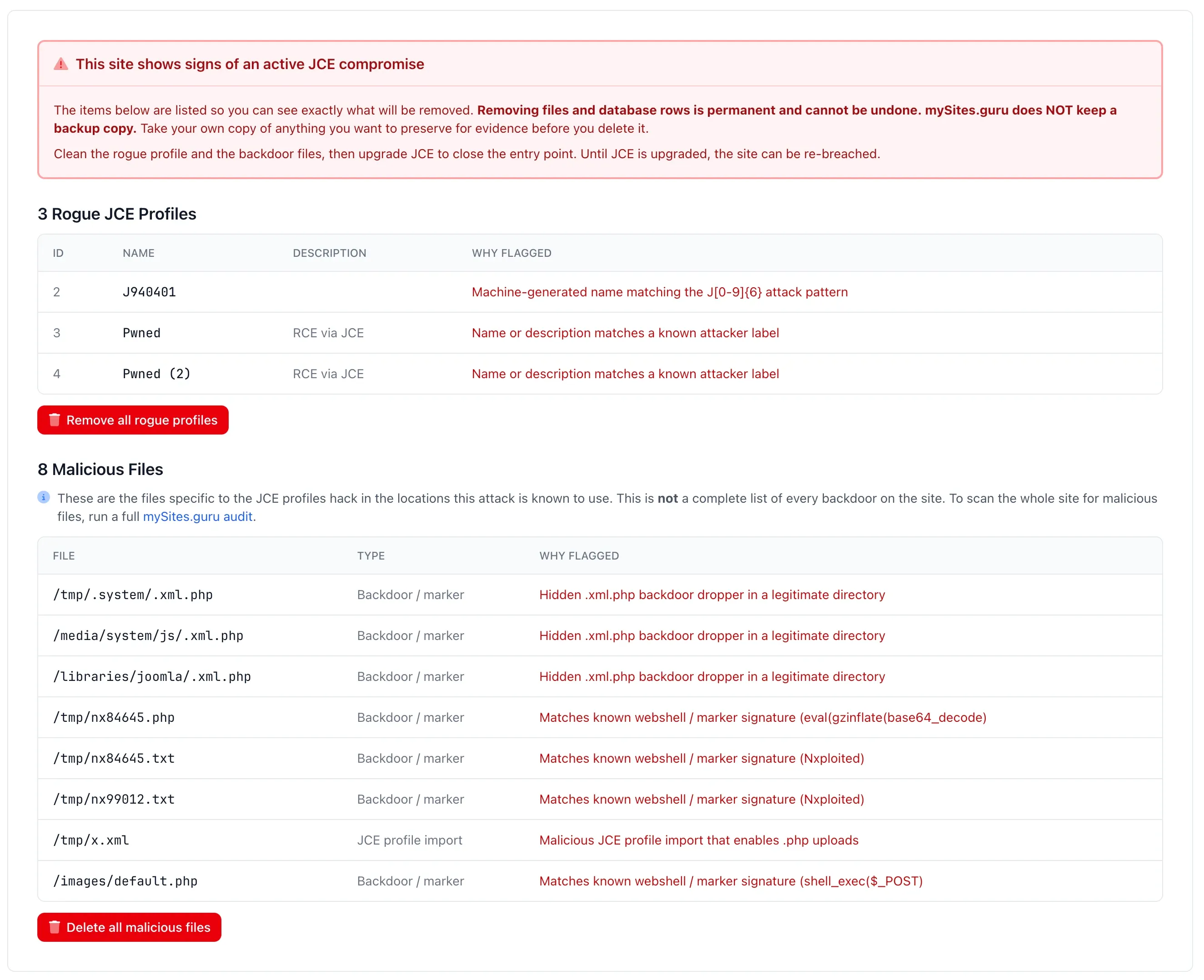
When it finds something, Investigate lists every rogue profile (with the reason each one was flagged) and every malicious file (with its path and why it matched), so you can see exactly what is there before you touch anything. Here it is on a compromised site, showing both kits’ signatures side by side: the J940401 machine-generated name and the Pwned labels from earlier, plus eight malicious files spanning the hidden .xml.php droppers, the eval(gzinflate(base64_decode)) and shell_exec($_POST) webshells, the Nxploited markers, and the profile import .xml itself, each with a plain-English reason it was flagged.
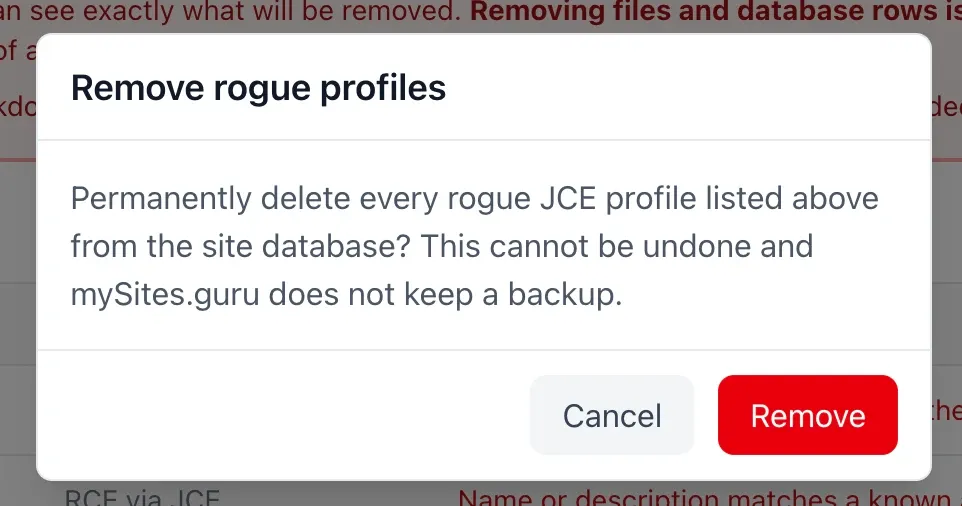
From the same screen you can remove the rogue profiles, delete the backdoor files, and, on Joomla 4, 5 and 6, upgrade JCE to the patched version through Joomla’s own updater to close the entry point. The deletions are permanent and mySites.guru does not keep a backup, so the tool lists everything first, warns you before it acts, and asks you to take your own copy of anything you want for evidence.
It is scoped to this attack on purpose. The file list it shows is the JCE-specific set, not a full backdoor sweep, and it says so: if you want to scan the whole site for malicious files, that is a one-click link through to a full audit.
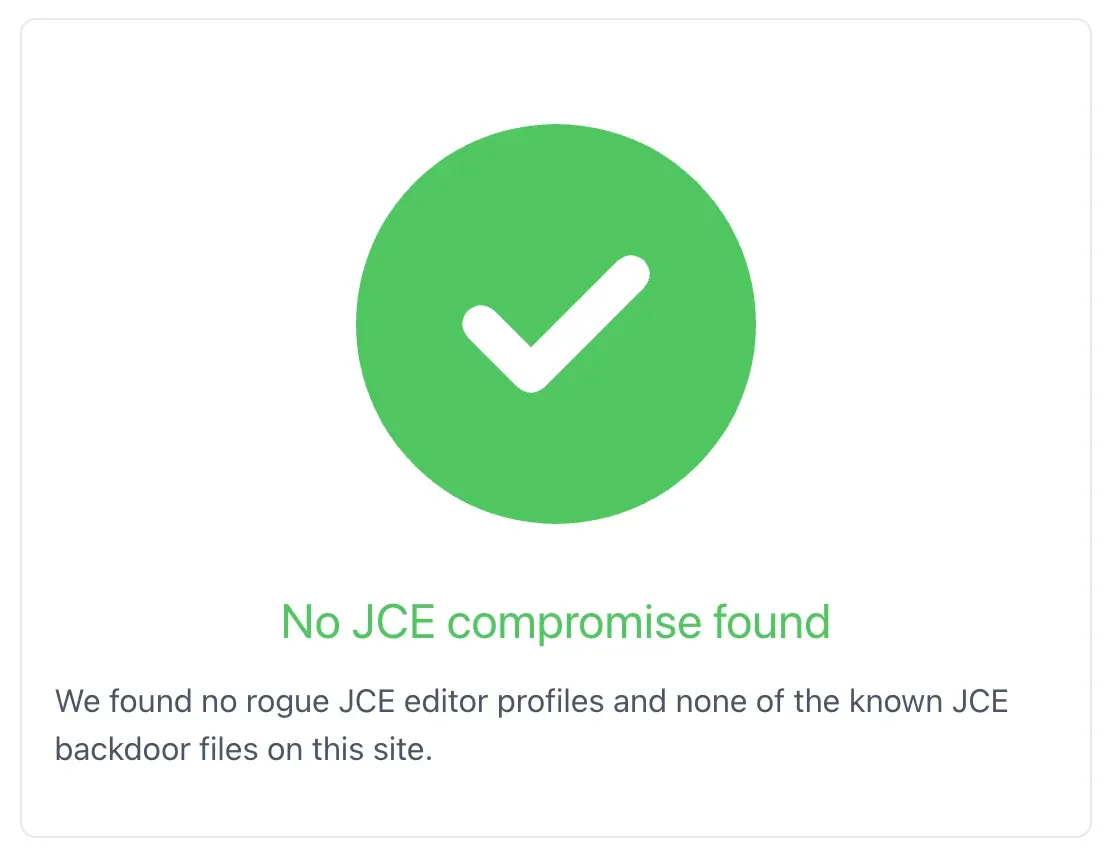
When a site is clean, which is the common case, the check just confirms it.
Think you are too big, or too careful, to be hit?
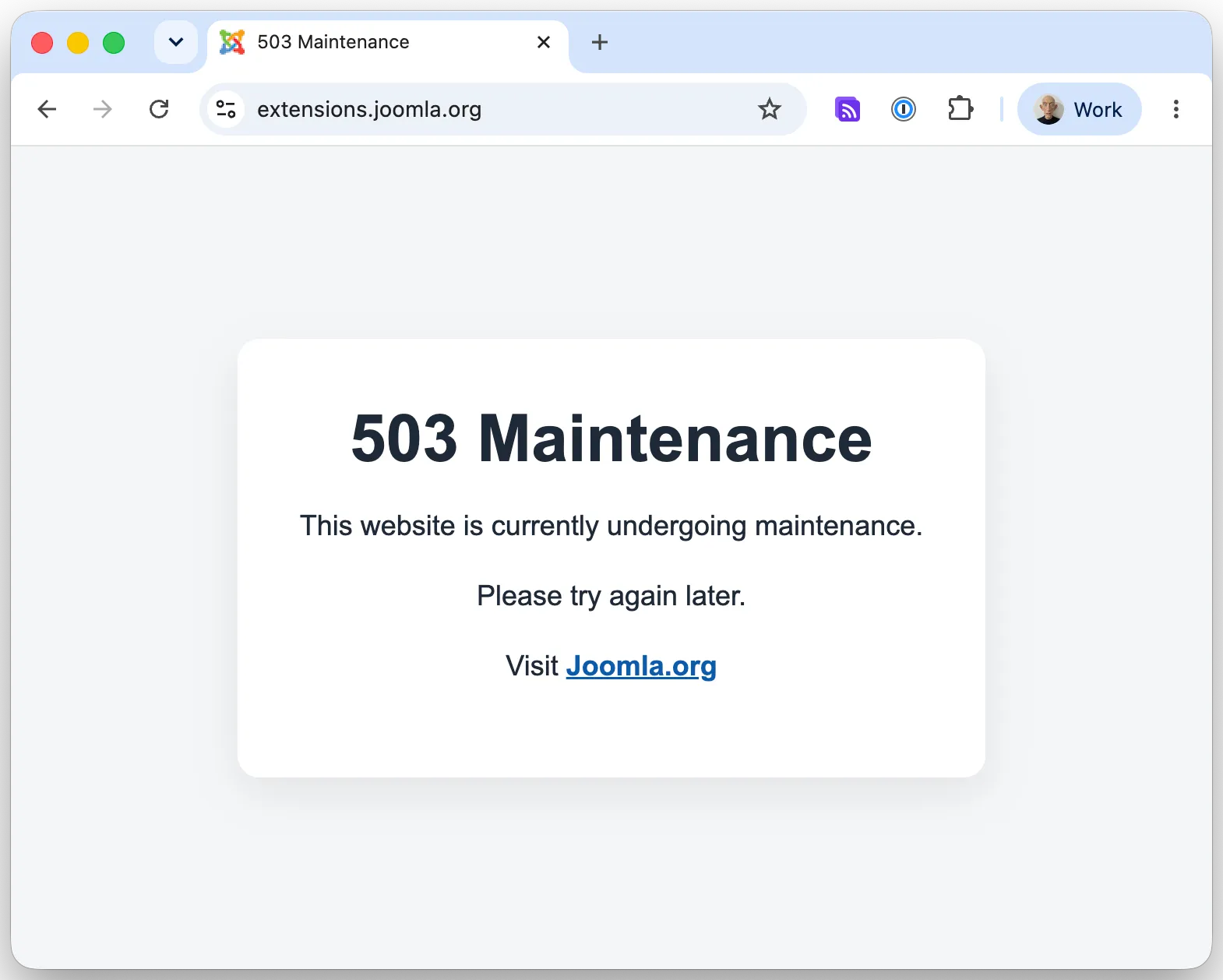
If you are tempted to assume this only happens to neglected sites run by people who do not patch, look at what it did to the most prominent Joomla sites there are. The hack did not stop at one property. The official Joomla Extensions Directory, extensions.joomla.org, the place every Joomla administrator goes to find and install extensions, was taken down and replaced with a bare “503 Maintenance” holding page. So were community.joomla.org and certification.joomla.org. Three of the Joomla project’s own flagship sites, all serving the same maintenance page at the same time.
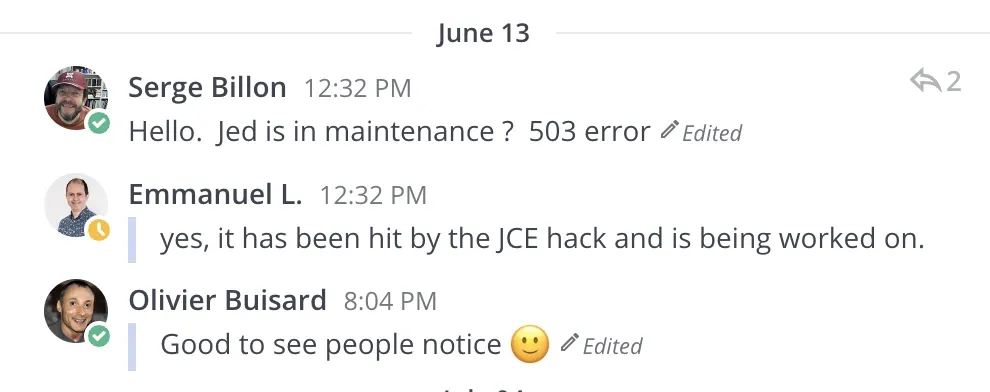
No one had to guess at the cause either. In the Joomla community chat the same day, someone asked why the directory was throwing a 503, and the answer came back straight away.
Sit with that for a second. These are not hobbyists’ abandoned brochure sites. They are flagship properties run by the Joomla project itself, maintained by people who know Joomla security better than almost anyone, on infrastructure that is watched closely. JCE is one of the most-installed editors in the Joomla world, so any site running it was about as exposed to this attack as a site could be, and exposure plus an unauthenticated, fully automated exploit is all it takes. The botnet spraying this exploit does not check who owns a site or how competent its administrators are before it fires. It finds a reachable JCE install, imports the rogue profile, drops the shell, and moves on, and a 503 maintenance page is what the cleanup looks like from the outside.
The lesson for everyone managing Joomla sites is blunt. “My sites are well looked after” and “I would have noticed” are not the protection they feel like, because this needs no login, leaves no failed-login trail, and hits every reachable install at once. If the Joomla project’s own extensions directory, community site, and certification site can all be taken offline by it at once, the handful of older Joomla sites sitting forgotten in your portfolio absolutely can be too. The only thing that actually protects a site is the JCE version it is running, and the only way to know that across a whole portfolio without logging into every administrator panel by hand is to have something watching all of them for you. That is exactly the gap the check in this post closes.
How the JCE profiles attack works
JCE’s defining feature is its Editor Profiles system. Rather than handing every logged-in user the same editor, JCE lets an administrator define different profiles for different user groups. A registered user might get a stripped-down toolbar with no file uploads. A content editor might get image and file managers scoped to one media directory. A super user gets the full editor with broad file operations.
Each profile defines, among other things, which file types may be uploaded and into which directories. A profile is, in effect, a set of filesystem permissions wearing an editor’s clothes. Control the profile and you control what file operations JCE will run.
The flaw patched in 2.9.99.5 was an access control gap on the action that imports an editor profile: before the patch, an unauthenticated request could reach it. Put the two facts together and the attack writes itself. If an anonymous actor can upload a profile, and a profile dictates which file types may be uploaded, the attacker imports a profile permissive enough to allow a PHP upload, then uses it to upload a webshell. That is the chain the 2.9.99.5 advisory points at with “upload arbitrary files to the server,” and it is the chain we watched happen.
What it looked like on disk
The clearest tell was the rogue profile itself, delivered as a JCE profile import file. Stripped down and with the dangerous values redacted, it looked like this:
<jce>
  <profiles>
    <profile>
      <!-- machine-generated, e.g. a letter plus six digits -->
      <name>[redacted]</name>
      <published>1</published>
      <!-- forced to the top so it takes precedence -->
      <ordering>-99999</ordering>
      <!-- area 0 applies to all users... -->
      <area>0</area>
      <!-- ...and type 1 is the Public group, i.e. anonymous visitors -->
      <types>1,8</types>
      <!-- the file browser plugin is enabled -->
      <plugins>browser,image,media,link,file</plugins>
      <params><![CDATA[{
        "browser": {
          "filetypes": {
            "images": "jpg,jpeg,png,gif",
            "_comment": "php is in the upload allow-list",
            "files": "php,txt,..."
          },
          "upload": {
            "_comment": "mime checking switched off",
            "validate_mimetype": "0"
          }
        }
      }]]></params>
    </profile>
  </profiles>
</jce>
It is configured the way an attacker would configure it and no legitimate site ever would. Four lines do all the damage: the ordering of -99999 forces it to the top of the profile list; the area of 0 with the Public type applies it to anonymous visitors; the file plugin turns the upload browser on; and the upload filetypes include php with mime validation switched off, where a normal profile restricts uploads to images and documents.
That filetypes line is the whole game. A profile that lets you upload a .php file through the JCE file browser is a profile that lets you upload a webshell. (The full payload is redacted here. There is no reason to publish a working copy.) On this first site the profile had a machine-generated name, J940401, a throwaway label no human editor would ever type. That name turned out to be a pattern: across the sites we have looked at since, this particular kit names every profile it imports with a capital J followed by six digits, J938560, J991471, J940401, and so on. If you manage Joomla sites, “any JCE profile whose name starts with J and is followed by digits” is a fast, specific thing to grep your databases for.
Alongside it were the webshells the profile was used to drop. A short PHP file that ran shell commands straight from a request parameter, the classic one-line backdoor wrapped in eval(gzinflate(base64_decode(...))) so it does not read as obvious code at a glance. Then several copies of a second backdoor hidden behind innocuous .xml.php filenames, planted inside legitimate directories like media/system/js and libraries/joomla where an extra file is easy to miss. And a scatter of small marker text files, the sort automated kits drop to fingerprint a successful hit and find their way back to it later.
None of this required a login. That is the part worth sitting with. The site had no public registration to speak of, and it did not matter, because the entry point was an unauthenticated profile import, not a user account.
One vulnerable site rarely travels alone
The single site is where we started, not where it ended. Once we knew the fingerprint, we swept the rest of the Joomla sites in that portfolio, and the same attack was sitting live on two more of them. Same mechanism, same upload-everything profile, but a different kit this time, and this one did not bother to hide. Each affected site had three of them:
Pwned, descriptionRCE via JCEPwned (2), descriptionRCE via JCEPwned (3), descriptionRCE via JCE
with the upload extensions list padded out to php,phtml. Put that next to the J940401 profile on the first site and you are looking at two different toolkits doing the same thing. Whoever ran these was not doing it by hand. The throwaway names, the repetition, and the identical config across unrelated sites all point at automated tooling spraying the same profile import at every JCE install it can reach.
That portfolio was just where we started. As the check has rolled out across more connected sites, the count has climbed into the hundreds, and the shape of it (automated tooling spraying the same exploit at every JCE install it can reach) is the same shape that took the 2012 ImageManager bug to tens of thousands of sites. It got worse on 9 June, when working exploit code for CVE-2026-48907 was published openly on GitHub. Until then, every attack we logged came from someone’s private toolkit. Now the exploit is a download away for anyone, and the 2012 pattern says that is the point where the long tail of un-updated installs really starts getting swept. We fully expect this to reach the thousands over the coming days.
That is why this is not a single-site story. If one of your sites is running a vulnerable JCE, the others running the same build are not safe by virtue of being a different site. They are simply ones the scanner has not got to yet, or has, and you have not looked.
What it looked like in the access logs
The profiles on disk tell you what was installed. The web server logs tell you how it got there, and they are blunt about it. The Apache logs on this site had been dead since 2024, but nginx was fronting the site and had captured everything. Across two days we counted three different attacker IPs, all running the identical exploit: a profiles.import request to create the rogue profile, immediately followed by a plugin.rpc upload to drop the shell through it.
The core of the chain is two requests, back to back, and it is unmistakable once you have seen it once (the host is redacted; the attacker IPs are left in so you can block them):
# 1. Create the rogue editor profile (unauthenticated, CVE-2026-48907)
107.149.130.5 - POST /index.php?option=com_jce&task=profiles.import          200   <- creates the "Pwned" profile
# 2. Use that profile to upload the webshell via the file browser plugin
107.149.130.5 - POST /index.php?option=com_jce&task=plugin.rpc&plugin=browser&method=upload&id=RCEc37&name=m.php&...   200   <- uploads shell
# 3. Confirm the shell runs
107.149.130.5 - GET  /m.php?cmd=id                                           404   <- wrong path, first guess
107.149.130.5 - GET  /images/m.php?cmd=id                                    200   <- shell confirmed working
Three things in there are worth pinning down, because they are what you grep for:
- The two-request signature. A
task=profiles.importPOST followed within the same second by atask=plugin.rpc&...&method=uploadPOST is the attack, near enough verbatim. Theid=RCExxxparameter (RCEc37,RCE401,RCE770across the IPs we saw) is the attacker’s own literal marker, baked into the toolkit. - Every upload returned
200. The exploit succeeded on each attempt, because JCE was unpatched. There was no failed-then-retry pattern to give anyone breathing room. - Three distinct source IPs, two days apart. Two of them sent a
python-requestsuser agent, one came through as a browser. Different IPs, same payload, sameid=RCE...marker. That is a botnet spraying a published exploit, not one person targeting one site. The IPs we logged were107.149.130.5,92.38.150.143, and45.153.129.241, and the second one alternated between hitting the site by raw IP and by hostname, so the requests included both a bare-IP and a hostnameReferer. Block the lot at your firewall, but treat them as a sample, not the whole set.
None of this needed a session cookie. Every one of those requests is unauthenticated, which is the entire point of CVE-2026-48907 and the reason “we have no public registration” offers no protection here. If you keep nginx or Apache access logs, a search for task=profiles.import and method=upload across them will tell you fast whether anyone tried this on your sites, and whether they got a 200 back when they did.
Telling a malicious profile from a permissive one
This is where a naive “scan for scary settings” sweep produces noise, because not every permissive profile is an attack.
JCE profiles have an allow_php setting. It is tempting to treat any profile with allow_php enabled as proof. It is not. allow_php governs whether PHP is allowed to run inside article content, not whether files can be uploaded. Plenty of legitimate, developer-built profiles have it on because the site’s templates or content really do use inline PHP. On the very site we investigated, the real, developer-created working profile had allow_php enabled and referenced the site’s own template CSS. It was entirely legitimate.
The attacker signature is different, and it is about uploads, not content:
| Legitimate profile | Rogue profile | |
|---|---|---|
| Name | Descriptive (Default, Lightweight, Editors) | Machine-generated, e.g. J plus six digits (J938560) or names like Pwned |
| Ordering | Normal positive value | Large negative, forced to the top |
| Upload filetypes | Images and documents only | Includes php, txt, or phtml |
| How it got there | Created by the site’s developer | Imported, often with no matching admin action in the logs |
allow_php in content | May be on for legitimate reasons | Irrelevant to the attack |
Judge a profile by what it lets you upload and by whether anyone on your team actually created it. A profile whose upload filetypes include a script extension is the one to act on, whatever its allow_php setting says.
A note on JCE’s history with file uploads
There is a reason an unauthenticated file upload in JCE specifically should make you move quickly, and it predates this year’s bug by well over a decade.
Back in 2012, an unauthenticated arbitrary file upload in JCE’s ImageManager (tracked as CVE-2012-2902) became one of the most widely exploited Joomla vulnerabilities of its era. Automated bots scanned the internet for vulnerable JCE installs, uploaded an innocuous-looking image, then renamed it to a .php extension to drop a web shell. Security vendors including Sucuri and Trustwave documented the campaign, it shipped as a ready-made Metasploit module, and sites were still being compromised through it years after the patch existed, purely because so many were never updated.
The 2026 profiles flaw is a separate, newly patched issue. But the shape rhymes exactly: an unauthenticated JCE file-upload path, a long tail of installs no one updated, and automated tooling that does not care which site it hits. The 2012 bug got its ready-made Metasploit module; this one got public exploit code on GitHub on 9 June. The single instance we found this week is what that pattern looks like when it reaches one site. The history is what it looks like when it reaches thousands.
Finding every site still running a vulnerable JCE
The hard case is the one that matters: “I look after 40 client Joomla sites, one of them just got hit through an old JCE, and I need to know which of the others are still vulnerable, right now.”
That is what mySites.guru is built for. Twice a day, a snapshot runs against every connected Joomla site and indexes every installed extension, including its exact version. You can answer the “which sites are on a vulnerable JCE” question in seconds instead of logging into 40 administrator panels in sequence. The Joomla vulnerability scanner page covers how that matching works.
Open the extension search in your dashboard and look up the Editor - JCE entry. You see every version of JCE across your portfolio, grouped by version number, with each site that runs it listed underneath. Anything on 2.9.99.4 or earlier has the profile upload flaw and needs the update. Sites already on 2.9.99.5 or later, or which auto-updated overnight, are green, though the current recommended target is 2.9.99.10.
You can also separate JCE Free from JCE Pro if you run a mixed estate, which matters when you start chasing the stragglers, because Pro updates need a subscription key and lapsed keys are the usual reason a site sits on an old version with no one noticing.
mySites.guru subscribers: jump straight to the JCE inventory
Lists every JCE install across your connected Joomla sites, grouped by version. Anything on 2.9.99.4 or earlier needs the patch. Not a subscriber? Sign up free and connect your sites.
Patch the vulnerable sites in one batch
Once you know which sites are exposed, you do not patch them one by one. The mySites.guru mass extension updater lets you select every site running an outdated JCE and trigger the update across all of them at once, straight to 2.9.99.8.
The mass update screen groups every JCE install by the version it can update to, with an “Apply to all” button per group and per-site controls when you want to be selective. Sites stuck on much older branches get patched in the same sweep as ones already on the 2.9.99.x line. Behind the scenes, the platform calls each site’s connector, pulls the package from JCE’s update server, installs it, and reports back with a pass or fail per site. Any site that is offline, firewalled, or running an outdated connector surfaces as a clear failure rather than a silent miss.
For agencies running scheduled automation, JCE updates can be enrolled in the same overnight extension auto-update flow as everything else. The Automatic Updates for Any Joomla Extension feature already covers JCE Free and JCE Pro, which means a site enrolled before this all kicked off was patched before anyone had to think about it.
For sites that cannot update: the free patch
The current JCE releases need PHP 7.4 and Joomla 3.9 or later, and you will have a handful of long-tail sites that cannot meet that yet. For those, the JCE developer has released a free patch package that closes this vulnerability in JCE 2.7.x, 2.8.x and 2.9.x. JCE 2.6.x is not affected in a default configuration, because the unauthenticated profile import path is blocked and no guest-accessible profile exists by default, though it is unsupported and should still be migrated.
Treat the patch as a stopgap, not a fix. It closes the vulnerability only, without the broader hardening in the 2.9.99.6 and later releases, it is provided as-is, and it does not clean a site that was already compromised, so still work through the checks below. Back up and test on a copy first. End-of-life PHP or Joomla leaves the site exposed to other unpatched issues regardless, so the patch buys time to migrate, nothing more. Where a site can reach 2.9.99.8, update it rather than patch it.
Cleaning up a hacked site, step by step
Patching closes the door. On older or higher-risk sites, or any site you have reason to suspect, you also want to check whether anyone already walked through it. The profiles attack leaves a fingerprint you can hunt for, because the malicious request needs no session.
- Audit the editor profiles. Under Components -> JCE Editor -> Editor Profiles on each site, look for any profile your team did not create, especially one with a machine-generated name, a forced ordering, or upload filetypes that include a script extension. The kits we have seen leave an obvious tell here: profile names like
Jfollowed by six digits, or names such asPwnedwith a description ofRCE via JCE. If you would rather query the database directly, the JCE profiles live in the#__wf_profilestable, so aSELECT id, name FROM <prefix>_wf_profiles WHERE name REGEXP '^J[0-9]{6}$'across each site is a quick way to flush them out. Take a copy before you delete anything. - Look for files you did not put there. Check
tmp,media,images, and any custom upload roots for PHP files, hidden.xml.phpfiles, and stray marker text files, especially anything with a recent timestamp that does not match a known change. - Pull the access logs. Grep nginx or Apache access logs for
task=profiles.importandmethod=uploadrequests, the two-request signature shown above. Unauthenticated requests to those actions, especially a pair within the same second that both returned200, are the ones that matter. Remember the Apache logs may be stale if nginx fronts the site, check both.
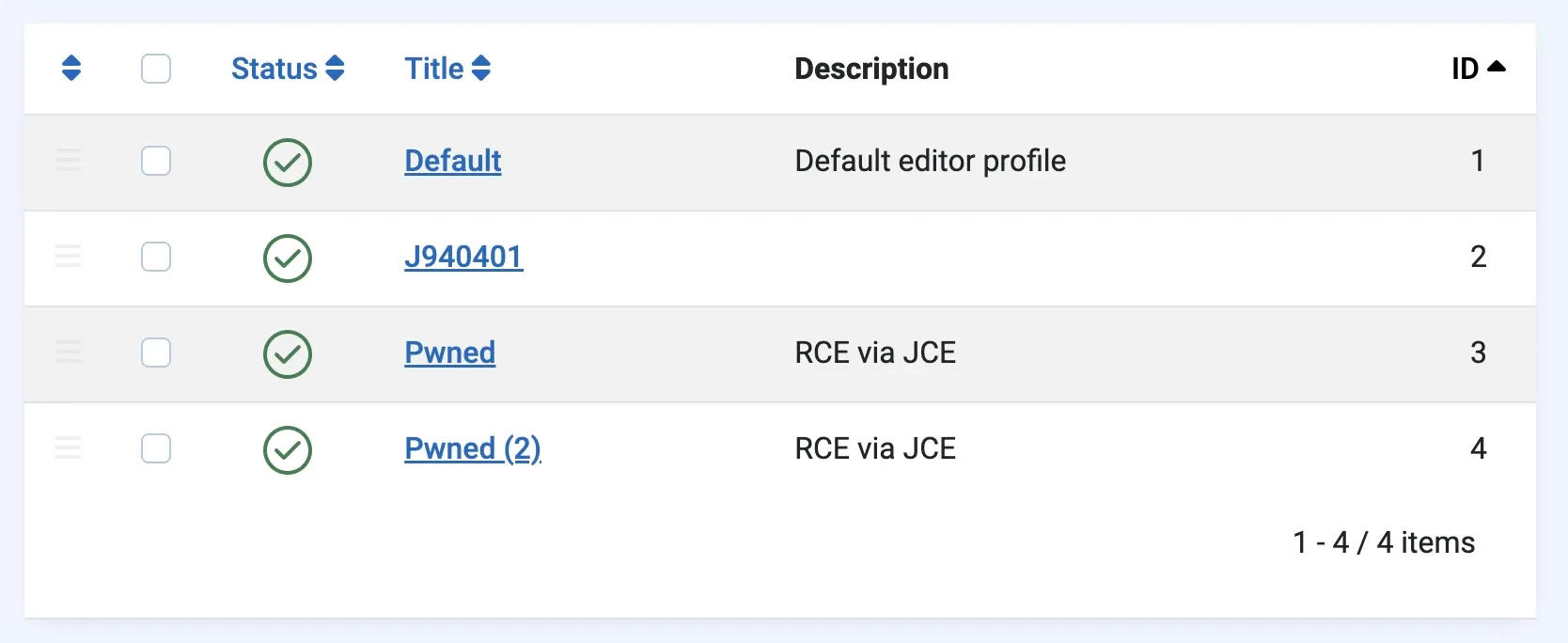
Step one is the most telling. Here is what it looks like in Joomla’s own Editor Profiles list on a compromised site: the legitimate Default profile, and then the rogue J940401, Pwned, and Pwned (2) profiles sitting right beside it, the last two labelled RCE via JCE by whoever dropped them.
Doing this by hand across a portfolio is exactly the kind of work that does not happen, which is why automating it matters. Run mySites.guru’s suspect content scanner across your sites to surface webshells and modified files, and lean on AI-powered malware analysis to triage anything it flags rather than eyeballing obfuscated PHP one file at a time.
If you do find a live compromise, the order of operations matters. Preserve a copy of the rogue profile and the suspect files for evidence, then remove the profile and the webshells, update JCE to 2.9.99.8 so the entry point is closed, rotate Joomla secrets and admin passwords, invalidate active sessions, and run a full scan to confirm nothing else was left behind. Our guide to fixing a hacked Joomla or WordPress site walks through the full recovery. The one mistake to avoid is deleting the files and calling it done: if JCE is still on a vulnerable version, the same automated tooling will be back, and the marker files exist so it can find the site again.
Or skip the manual version entirely and let the new check at the top of this post do all three steps for you on every connected site.
How quickly should you act?
Treat this as a patch-now job on any publicly reachable site running JCE, which is almost all of them. Because the profile upload flaw is unauthenticated, the usual “only sites with registered users are at risk” reasoning does not apply. The site we found had no meaningful public registration and was compromised anyway. And since 9 June, working exploit code has been public on GitHub, so the pool of people who can run this attack is no longer limited to whoever built the original kits.
The JCE developer has now confirmed the same picture publicly: the vulnerability is being actively exploited, the exploit code is public, and the attacks are automated. The developer’s own reliable confirmation matches our logs: unauthenticated requests to index.php?option=com_jce&task=profiles.import, with the earliest matching entry showing when the site was first reached. That advisory points readers here for the full technical breakdown.
Patch today
Do this on every site still on a vulnerable JCE: the underlying flaw is unauthenticated and has a public exploit. The update to 2.9.99.11 is free and config-free for both Free and Pro, and it includes the 2.9.99.7 fix that restored legitimate uploads 2.9.99.6 could block, so there is no reason to hold back.
Check the higher-risk sites second
Look for the fingerprint above: older Joomla installs, sites with a history of neglect, anything where the JCE version sat unpatched for a long stretch. For most sites the check comes up empty, which is the point. Close the chapter properly rather than assuming nothing happened because nothing was reported.
Does this affect WordPress?
No. JCE is a Joomla-only editor extension. There is no WordPress build, no shared codebase, and no equivalent profile-import mechanism. WordPress sites use the core block editor or TinyMCE, which have their own separate histories. If you run a mixed estate, the WordPress half is unaffected by this. The Joomla half needs the update and, on the older sites, the check.
The underlying shape of the bug, an access control missing on a request that should have required authorisation, is a recurring one across both platforms. We dug into it in AJAX Endpoints: The Biggest CMS Security Blind Spot, where endpoints that should check who is calling them simply do not.
Further Reading
- JCE security update and a free patch for older sites - the JCE developer’s own advisory, confirming active exploitation and the free patch package for sites that cannot update
- JCE Free/Pro 2.9.99.5 Security Update - the unauthenticated profile upload, CVE-2026-48907, that this attack exploits
- JCE Pro 2.9.99.6 Security Update - the hardening release to patch to, not just 2.9.99.5
- JCE Free/Pro 2.9.99.4 Security Update - the authenticated-only file browser bugs from the same review
- Find hacked files and backdoors in Joomla and WordPress - the suspect content scanner used to surface webshells like these
- How to fix a hacked Joomla or WordPress site with mySites.guru - full recovery workflow once you find a compromise
- AI-powered malware analysis in mySites.guru - triage flagged files across a portfolio without reading obfuscated PHP by hand
- How to update Joomla, Joomla extensions, WordPress and WordPress plugins from mySites.guru - the mass updater workflow for rolling the patch out
- Automatic updates for any Joomla extension - enrol JCE so the next advisory patches itself overnight
- Top 50 Joomla Extensions - live ranking where JCE consistently sits in the top two
For broader agency guidance on managing Joomla security and updates across a portfolio, see our Joomla agency handbook.
Frequently Asked Questions
What does the new mySites.guru JCE check do?
What is the JCE profiles hack?
How do I know if my Joomla site has been hit by this?
Which JCE versions are vulnerable to the profile upload attack?
What if a site cannot update to 2.9.99.11?
Does enabling allow_php in a JCE profile mean my site is hacked?
How does mySites.guru help find vulnerable JCE installs across many sites?
What do I do first if I find a rogue JCE profile?
Does this affect WordPress?
 Written and edited by a human, with AI assistance. Our approach to AI