Suspect Content vs Hacked Files: Two mySites.guru Tools, One Big Difference
Your audit finishes and you go looking at the files it flagged. mySites.guru now hands you two separate tools for this, not one list. One of them, Suspect content, is a pile of files worth a look. The other, Hacked files, is a pile of files that are hacked, full stop. Knowing which tool you’re in changes what you do next.
The big difference comes down to how a file ends up in each tool. Suspect content matches on the file’s content. Hacked files matches on the file’s hash. That one distinction is why they’re separate, and it’s worth a minute to understand before you start deleting anything. If your sites aren’t connected yet, a free security audit will show you both tools against your own webspace.
Two tools, one source scan
Every mySites.guru audit reads every file in your webspace, every line, including the dormant files a browser-based scanner never sees. The full mechanics of the scan are a post of their own. From that one scan, two different detection methods feed two different tools:
- Suspect content: the file’s content matches one or more of 1,500+ hand-written hack patterns. Translation: worth a look. This is a heuristic, and false positives are expected.
- Hacked files: the file’s MD5 hash matches a file already confirmed as hacked. Translation: confirmed. This is a fact, with no false positives.
You’ll find both sitting next to each other under the Hacked group in your audit:
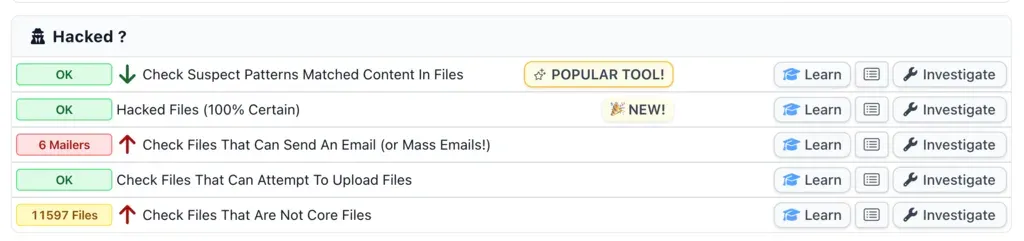
These two used to share a list. Giving each its own tool means you never again confuse a file that needs a human eye with a file that has already been condemned.
One thing surprises people: the Suspect content tool may well contain hacked files. Not files we’ve cleared, files we simply haven’t confirmed yet. A backdoor dropped on your site this morning matches our patterns the moment we scan it, so it shows up under Suspect content. It only moves to the Hacked files tool once its exact hash is on our confirmed list, which happens after a human or the AI reviews it. Suspect content is the inbound net. Hacked files is everything that net has already caught and condemned.
What does a suspect content match actually mean?
A suspect content match means a file in your webspace contains code matching at least one of more than 1,500 patterns built from real hacks found on real Joomla and WordPress sites over two decades. It does not mean the file is malicious. It means the file uses code that hackers also use, and it deserves a look.
Hackers write in the same language as legitimate developers. move_uploaded_file() powers every legitimate upload form, and every dropped webshell. mail() sends your contact form enquiries, and a spammer’s payload. Base64 turns up in CSS image handling as often as it does in obfuscated backdoors. A pattern match without context proves nothing either way, which is exactly why these files end up in Suspect content rather than Hacked files.
False positives here are the design working, not failing. The patterns are inclusive because the alternative is missing the one real backdoor among the 20,000 files on a typical site. The Suspect content tool’s job is to shrink 20,000 files down to a dozen worth reading, and across the 90,000+ sites connected to mySites.guru, that’s exactly what it does. This is the same reason a host’s scanner can wrongly flag legitimate code, as happened when OVH called one of our backup files malware. The difference is what you do with the flag: investigate it, or treat it as a verdict.
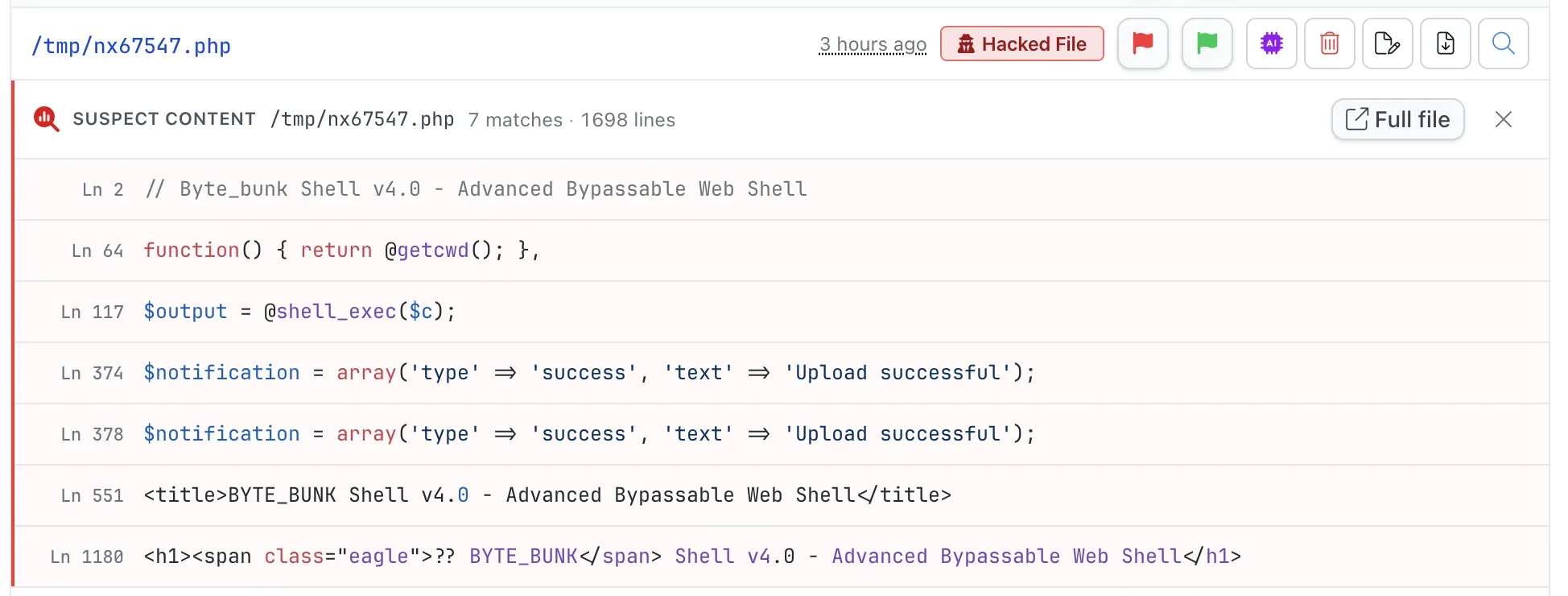
Click any flagged file name and the tool shows you the exact matched lines with line numbers, alongside the file’s modification date, size, and permissions. You can edit the file in place or delete it without ever opening an FTP client, and for cleanup that reaches beyond the flagged list, the same jailed connection now powers a full web file manager for the whole site. Here’s a real one, a BYTE_BUNK webshell caught with 7 pattern matches across its 1,698 lines, from shell_exec() calls to its own boastful title tag:
The Hacked files tool means act now
The Hacked files tool lists files whose MD5 hash matches a file already confirmed as hacked. An identical hash means identical bytes: your file is the same, character for character, as one that has been examined and condemned before. There is no maybe at this confidence level, and no false positives. Where Suspect content judges a file on what it contains, Hacked files judges it on what it is, the full-file hash, which is why this tool gets to call its results facts.
Every one of the 14,000+ hashes on that list has been through review before it earned its place. For years that reviewer was me, reading each backdoor line by line before flagging it. Today the AI malware analysis adds confirmed-malicious verdicts to the same list, and I still see every AI verdict and overrule the wrong ones before they pollute the data.
Important
A file in the Hacked files tool means your site is compromised, not just that one file. The attacker got in somehow. Deleting the file removes a symptom, not the entry point.
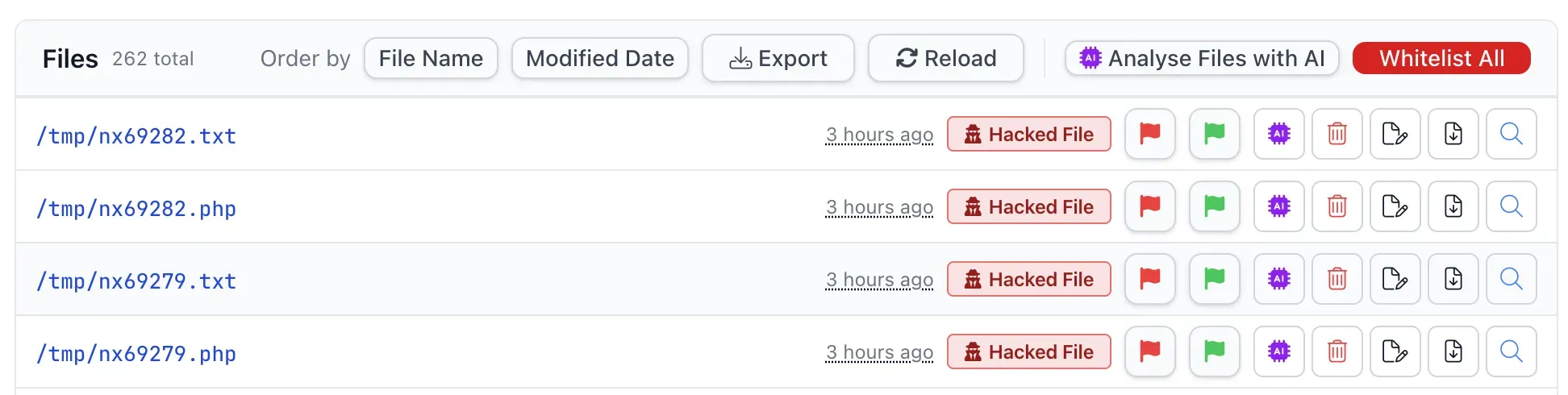
If a file appears in Hacked files, switch from triage to incident response: follow our guide to fixing a hacked Joomla or WordPress site, or hand the whole job to fix.mysites.guru for a set-fee cleanup.
How do I triage a wall of flagged files?
Work in confidence order: the Hacked files tool first, then AI verdicts on the Suspect content list, then manual review. This turns a wall of thirty flags into three short queues, and most of the time the third queue is empty by the time you reach it.
Step 1: open the Hacked files tool
Anything listed here is a confirmed compromise, a full-file hash match. Stop triaging and start cleaning, as above. If this tool is empty, good, but don’t stop: a freshly dropped backdoor we haven’t confirmed yet is sitting in Suspect content, not here.
Step 2: run AI analysis on the Suspect content list
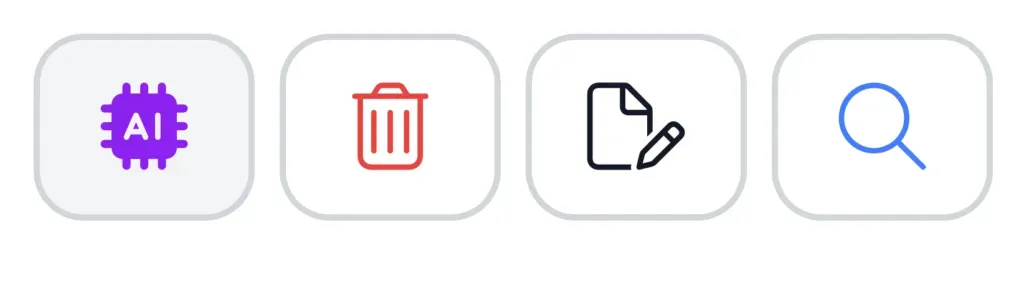
Click the AI icon on any single file, or use Analyse Files with AI to queue the lot. Each file comes back with a verdict: safe, suspicious, or malicious, with the problem lines identified. Verdicts are cached globally by file hash, so the files of a popular plugin have usually been analysed by someone already and come back instantly at no cost. A malicious verdict adds that file’s hash to the confirmed list, so the next time anyone meets that exact file, it moves straight into their Hacked files tool.
Step 3: manually review what’s left
For the handful of files the AI marks suspicious, open the matched lines and apply context the AI may lack. Does the file belong to a plugin you actually installed? Does its modification date match the rest of the package, or did it change last Tuesday at 3am? Is it a PHP file sitting in an images folder? That last question now has its own check: Impostor Files lists everything sitting in a folder Joomla or WordPress owns that the release never shipped. Compare it against the original extension package if you can.
If a file gets through all three steps and you’re still unsure, send it to me and I’ll look at it myself. That offer has been part of the service since 2012.
Your confirmed hack protects everyone else
Every confirmed hacked file makes the whole network safer. The moment a hash is confirmed, whether by my review or an AI verdict I’ve checked, it joins the global hacklist, and the next audit of any connected site checks against it. The same backdoor dropped on a hundred sites only needs to be condemned once.
This crowd-sourced model is why detection improves daily rather than quarterly. We run over 3,000 audits a day and find over 200 hacked sites a week, and every one of those finds feeds patterns and hashes back into the checks that run on your sites tomorrow.
What if I’m still not sure about a file?
Don’t whitelist it, because you can’t: mySites.guru has no user whitelisting, for reasons (including an expensive legal one) covered in the suspect content deep-dive. A file you hide from yourself today is a backdoor you won’t see next month.
Instead, leave it flagged and treat it as a known quantity. A suspect flag costs you nothing while it sits there; you’ll re-confirm it in seconds on the next audit with cached AI verdicts. And if a file ever nags at you, that’s what the manual review channel is for.
Further Reading
- NSA & ASD: Mitigating Web Shells - joint guidance on detecting and blocking web shell malware, with detection scripts.
- PHP Manual: eval() - the official documentation, complete with its famous warning about why this construct is dangerous.
- WordPress.org: FAQ - My site was hacked - the official WordPress recovery checklist.
- OWASP: Code Injection - background on the attack class most webshells belong to.
Frequently Asked Questions
What is the difference between the Suspect content and Hacked files tools in mySites.guru?
Can the Suspect content tool contain actual hacked files?
Can a file in the Hacked files tool be a false positive?
Should I delete every file in the Suspect content tool?
Why does mySites.guru flag legitimate files at all?
How does the AI malware analysis help with triage?
What should I do first if a file appears in the Hacked files tool?
 Written and edited by a human, with AI assistance. Our approach to AI