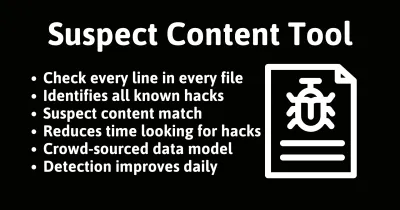
Suspect Content In Files

This check reads the content of every file on your site against roughly 1,500 hack patterns and lists matches for you to read and judge, not confirmed hacks.
How the suspect content scan reads files
Suspect Content reads the content of every file in a Joomla site’s webspace, including image EXIF data and other non-text files, and matches it against a library of roughly 1,500 patterns built up over years of reviewing hacker uploads, poorly written code and insecure implementations. Anything that matches gets listed.
That includes patterns you would expect, like obfuscated code and known backdoor signatures, and patterns that are broader than a single hack: every use of eval(), every direct call to base64_decode, every superglobal like $_REQUEST or $_SERVER used in a way that does not follow Joomla’s own API conventions, and every PHP file sitting inside an /images/ folder, where nothing executable should ever live.
Suspicion, not proof, by design
This is the check that needs the most explaining, because its whole design depends on a distinction most audit tools blur: the difference between Suspect Content and its sibling, Hacked Files.
Hacked Files is certainty. A file lands there only when its hash matches a file already proven hacked, its filename is a known attacker signature, or the scan found direct evidence of a live compromise. There is nothing to read and nothing to judge; the verdict is already made.
Suspect Content is the opposite, by design. A pattern match is a starting point, not a verdict. eval() is a legitimate PHP function that some frameworks and caching systems still use; base64_decode shows up in plenty of image-handling and encoding libraries that have nothing to do with an attacker. We flag them anyway, every time, because the cost of missing one real backdoor disguised as ordinary code is far higher than the cost of you spending a minute ruling out a false positive. False positives here are expected, not a bug. The point of the list is to turn “read every file on the site” into “read this much shorter list”, not to hand you a list of confirmed hacks.
Files we are certain are hacked are never mixed into this list. They live in Hacked Files instead, where every entry is a confirmed match with no ambiguity. Suspect Content is purely the heuristic, read-and-judge half of the pair.
That split matters for triage order. If Hacked Files has anything in it, treat the site as compromised immediately; that is not a judgement call. Suspect Content is where you spend the time afterwards, working file by file, because among the false positives there may be a fresh backdoor we have not seen anywhere else yet and so cannot yet confirm by hash.
Not a zero-length list
The aim is not a zero-length list. On any real site running third-party extensions, a clean site can still return matches: a caching plugin using eval(), a legitimate script reading $_SERVER variables, an old index.html placeholder sitting somewhere odd. The aim is to understand what every file on the list actually contains, and to be able to say, file by file, why each one is there.
If you have non-Joomla applications in the same webspace (phpMyAdmin, a second CMS, a staging copy) expect them to appear too, since they are not part of the Joomla install this check knows about.
Reading each flagged line in context
- Open each flagged file and read the matched lines. The check shows you exactly which line matched which pattern, so you rarely need to read the whole file.
- Check the file’s location and name against what you expect to find there. A pattern match inside a well-known extension’s own code is usually the extension doing something ordinary; the same pattern inside a randomly named file in
/images/is a different story. - Compare against the original package where you can. If the file is meant to be part of a Joomla core release or a specific extension version, download that version and diff it.
- Only install extensions and templates from reputable providers, and where possible have someone who knows PHP review anything installed from a source you are not certain about. Most suspect content on a clean site comes from a poorly written or long-abandoned extension, not from an attack.
- If a file turns out to be malicious, move to the cleanup process on the Hacked Files page rather than deleting it in isolation, since one confirmed hack is usually evidence of more.
Why a pattern match needs a person
There is no one-click fix here, and there should not be: a pattern match needs a human to read it in context before anything is removed. There is also no whitelist or “mark as false positive” option; that feature existed once and was removed after a customer whitelisted a real hack and missed it. Reading every file’s content is part of the full audit rather than the fast twice-daily snapshot, so this list refreshes on the site’s audit schedule, weekly by default, or daily or monthly if you have set it differently. Every match shows the exact lines that triggered it, and you can optionally run AI analysis with your own API key for a plain-English read of what a specific file does, if you have that enabled on your account.
Suspect Content In Files
mySites.guru checks every connected site for this automatically and flags it the moment it appears. These run as part of the full audit, which most sites schedule weekly.
Further Reading
- Suspect Content vs Hacked Files - the full comparison of both tools and how to triage between them.
- Security Audit Tools for WordPress & Joomla - where this check sits inside the wider audit.
Frequently Asked Questions
Is everything in Suspect Content actually hacked?
What is the difference between this and Hacked Files?
 Written and edited by a human, with AI assistance. Our approach to AI