Delete 9,000 Hacker .htaccess Files in One Click
A redirect hack rarely leaves one malicious file behind. It leaves hundreds, sometimes thousands. When a site gets hit with an .htaccess injection attack, the hacker writes a malicious .htaccess file into nearly every folder on the server: every plugin directory, every module, every component, every level of the tree. We have seen affected sites holding close to 9,000 of them. Cleaning that up by hand, without deleting the handful of legitimate .htaccess files that keep your site working, is one of the most tedious jobs in incident response.
The “Multiple .htaccess Files Located In Webspace” check in your mySites.guru audit now has a one-click answer to it: a single button that deletes every stray .htaccess file across your whole site and leaves the legitimate ones exactly where they are.
How mySites.guru deletes stray .htaccess files in one click
mySites.guru lists every .htaccess file it found during your last site audit under the Files Information section of your results, in a check called “Multiple .htaccess Files Located In Webspace”.
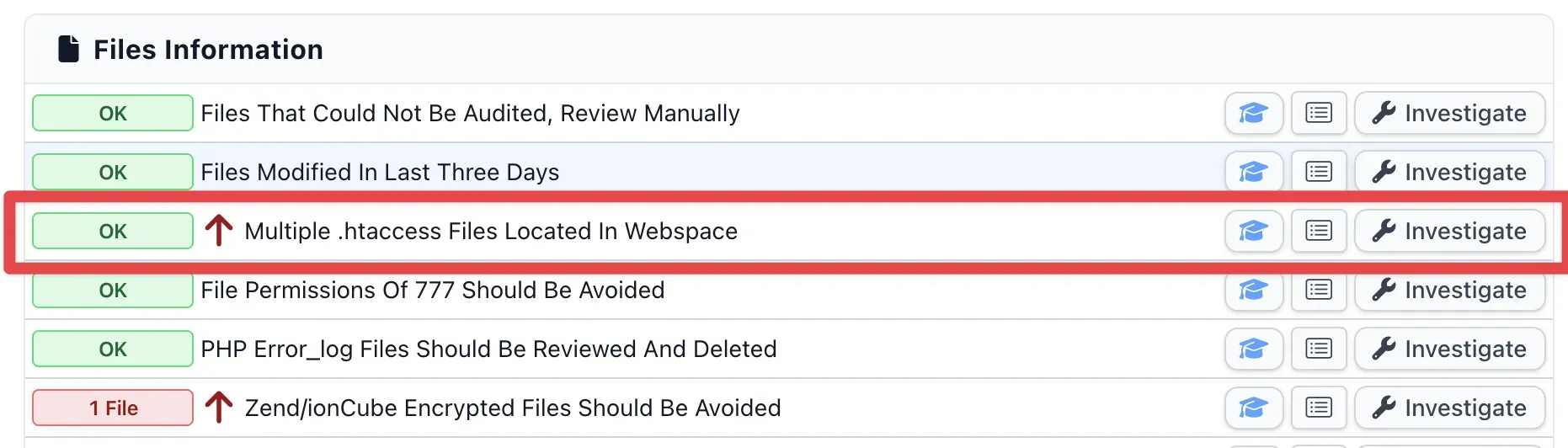
Click Investigate on that row and you get the full list of files, with a red button at the top: Delete all .htaccess files (exc. sensible ones).
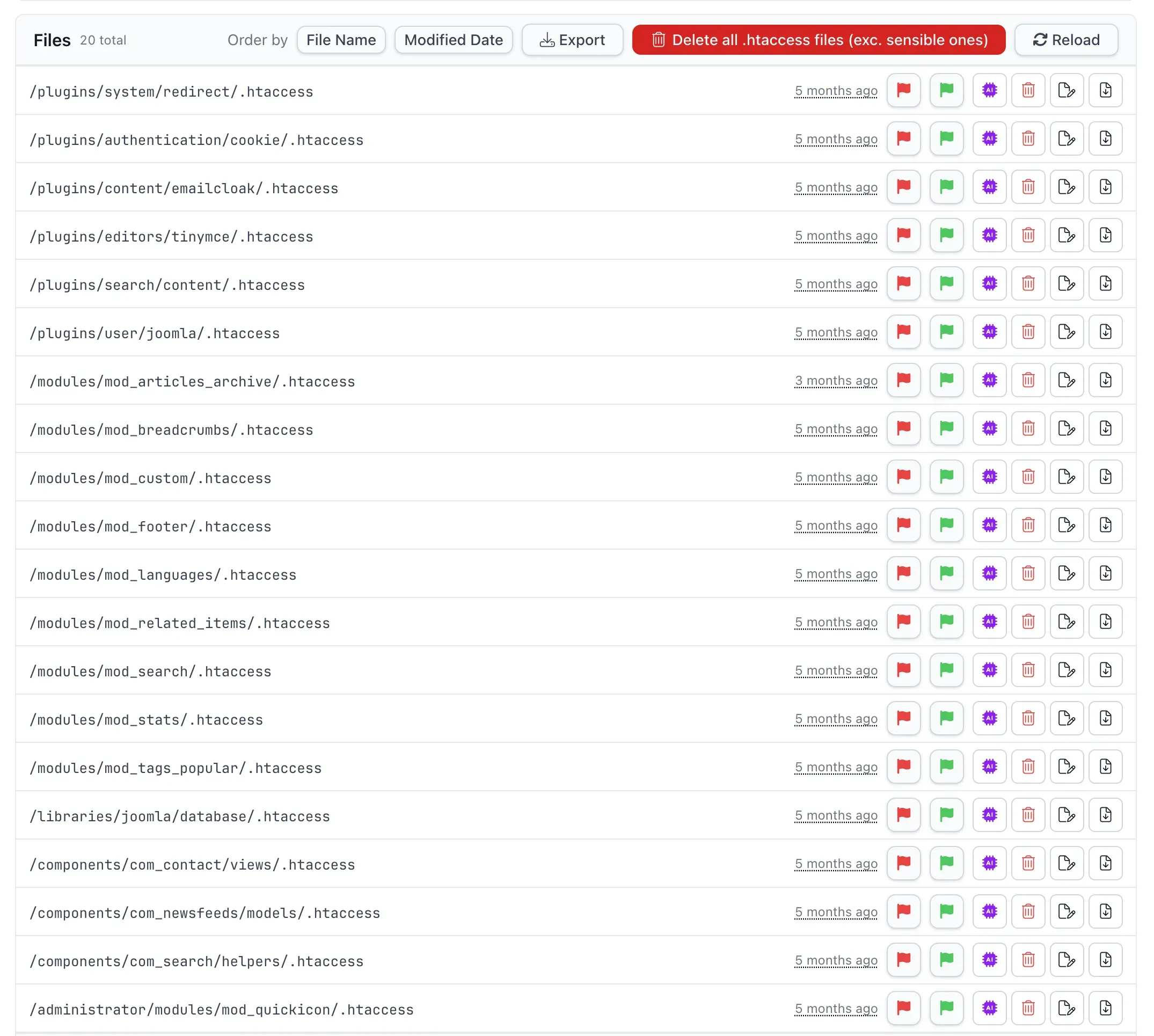
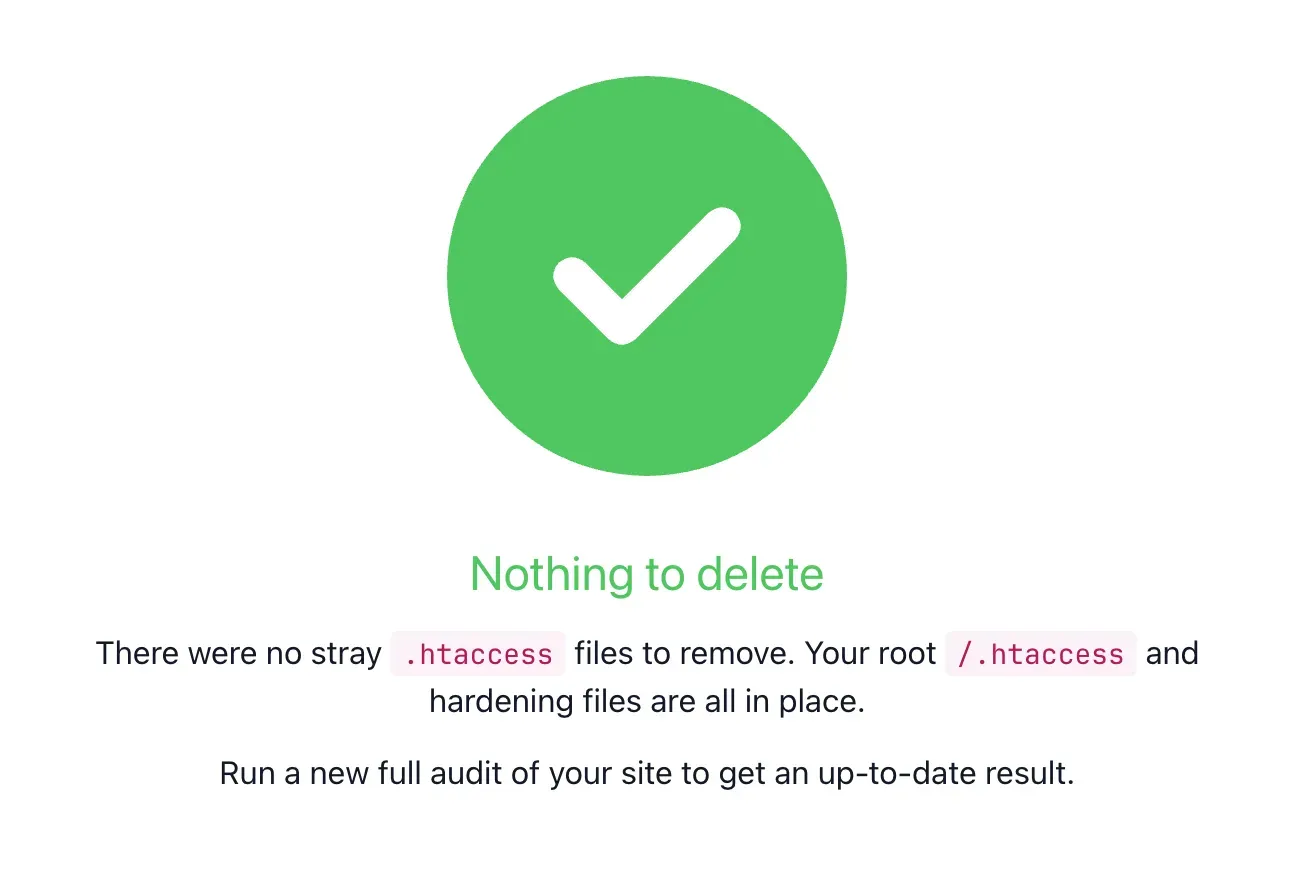
Click it, confirm, and the work happens server-side in a single pass. There is no file-by-file looping in your browser and no half-finished state if your connection drops. When it finishes you get a count of what was removed.
The reason this is safe is the part that takes the longest to get right by hand: the allow-list. mySites.guru never decides what to delete by reading file content or guessing. It keeps a server-side list of the exact places legitimate .htaccess files live, and removes everything else that ends in /.htaccess.
On a Joomla site it preserves the root /.htaccess, /administrator/.htaccess, the /plugins and /libraries hardening files, and the entire Akeeba Backup family, including the guard Akeeba writes into its backup output directory. On a WordPress site it preserves the root /.htaccess, /wp-admin, /wp-content, /wp-content/uploads, the plugins folder and the Akismet guard. Everything else goes.
One intended exception: the /tmp folder is not on the allow-list. It is a favourite hiding spot for injected files, so a .htaccess sitting in /tmp/includes gets removed like any other stray file rather than spared.
Note
The bulk delete removes the malicious .htaccess files and the redirect rules they have. It does not remove a separate PHP backdoor that may be re-creating them. Run a full audit afterwards and check the suspect-content and core-file results so the files do not simply reappear.
What does a malicious .htaccess file actually do?
A malicious .htaccess file abuses Apache’s per-directory configuration to redirect visitors, hide a backdoor or inject PHP, all without touching a single one of your site’s actual scripts. Because Apache reads .htaccess before any of your code runs, the attacker controls the request before WordPress or Joomla even loads.
The most common version is a conditional redirect. The rule only fires for visitors arriving from a search engine or on a mobile device, so when you visit your own site directly it looks perfectly normal, while Google’s traffic gets bounced to spam or a phishing page:
RewriteEngine On
RewriteCond %{HTTP_REFERER} .*google.* [OR]
RewriteCond %{HTTP_REFERER} .*bing.*
RewriteRule .* https://spam-site.example [R,L]
Other variants are nastier. A php_value auto_prepend_file directive injects a backdoor into every PHP request in that folder without editing any of your files. A <FilesMatch> deny-then-allow block locks down every PHP script in a directory except the attacker’s own shell. An ErrorDocument 404 line serves the payload to any request for a missing path. None of these show up if you only look at your theme or your plugins, because the malice lives in a config file most owners never open.
Why do hackers put .htaccess files in every folder?
Hackers spread .htaccess files through every directory for two reasons: coverage and persistence. A per-directory .htaccess applies its rules to that folder and everything beneath it, so a copy in every directory guarantees the redirect fires no matter which URL a visitor arrives at. Cleaning the root file alone leaves every sub-folder still redirecting.
The second reason is what makes these infections so frustrating to remove. The attacker also leaves a hidden PHP backdoor, and that backdoor re-creates the malicious .htaccess files whenever they go missing, often within minutes. Security teams describe sites where the file gets rewritten as fast as you can delete it. It is the same pattern behind why a cleaned site gets hacked again days later: the first wave seeds a dormant backdoor whose only job is to rebuild the payload once you walk away. That is why a successful clean-up is always two jobs: remove the malicious .htaccess files, and find the backdoor that keeps writing them. mySites.guru handles the first job in one click and points you at the second through its hack and backdoor detection.
How do you find and delete these files manually?
The manual route is a recursive find over SSH, and it works, but only if you have shell access and a steady hand. On most shared hosting you do not get SSH at all, which leaves you hunting folder by folder over FTP. Here are the commands a sysadmin would actually run:
# Count every .htaccess file (1-3 on a clean site, hundreds or thousands when infected)
find . -name .htaccess | wc -l

# Triage by recent modification time, the best single filter
find . -name ".htaccess" -mtime -7

# Look for the malicious tells (RewriteRule alone is noisy, WordPress uses it too)
find . -name .htaccess -exec grep -lE "auto_prepend_file|base64_decode|RewriteRule .*http" {} \;
The blanket delete exists, and it is exactly the command you should never run on its own:
# DANGEROUS: this deletes the legitimate files too
find . -name .htaccess -delete
That one line turns a redirect infection into an outage. It removes the root .htaccess (so every internal URL 404s), the Akeeba Backup guard (so your backup archives become publicly downloadable), and the uploads guard (so PHP can execute in your uploads folder again). The whole difficulty of doing this by hand is separating the thousands of malicious files from the small handful of legitimate ones, and a recursive rm cannot tell the difference. Over FTP it is worse: dotfiles are hidden by default, there is no recursive search and no way to filter by date, so you open every directory by hand. Across thousands of folders, no one finishes.
Bulk removal handles exactly this mass-infection case; for a single stray file afterwards, or anything outside a .htaccess sweep, mySites.guru’s web file manager reaches the same folders with no SSH or FTP client needed, and deletes go to a trash first rather than disappearing the moment you click.
Warning
Never run a recursive .htaccess delete without an allow-list. Removing the root file breaks every permalink and SEF URL, and removing a backup-tool guard can expose a full database dump, with password hashes, to anyone who knows the URL.
Which .htaccess files are legitimate on a Joomla site?
On a Joomla site, the .htaccess files that belong there are the root file and the hardening files written by Joomla and Akeeba’s tools. The root /.htaccess, renamed from Joomla’s shipped htaccess.txt, drives SEF URLs and has a set of rules to block common exploits. Delete it and your search-engine-friendly URLs stop resolving.
Akeeba Backup writes a protective .htaccess into its backup output directory, administrator/components/com_akeebabackup/backups, specifically to stop anyone downloading your backup archives over the web. Those archives contain a full database dump and your configuration secrets, so that one file matters a great deal. mySites.guru preserves the whole Akeeba component and plugin family, plus /administrator/.htaccess and the /plugins and /libraries guards, and deletes the rest.
Which .htaccess files are legitimate on a WordPress site?
On a WordPress site, the legitimate .htaccess files are the root permalink file and a few security guards. The root /.htaccess contains the # BEGIN WordPress block that routes every pretty permalink through index.php. Remove it and only your homepage resolves, while every post and page returns a 404.
The other files worth keeping are written by security plugins and core. /wp-content/uploads/.htaccess is the deny-PHP guard that Wordfence and similar tools install to stop an uploaded .php file from executing, which is one of the most important hardening files on the whole site. Akismet ships its own .htaccess in /wp-content/plugins/akismet. mySites.guru keeps the root file, /wp-admin, /wp-content, the uploads guard, the plugins folder and the Akismet file, and clears away everything else.
Run a full audit after the cleanup
Deleting the malicious .htaccess files cleans up the symptom, not the cause. If a backdoor planted them, it can plant them again, so the bulk delete is one step in a wider clean-up rather than the end of it. After you have removed the stray files, run a fresh audit and work through the rest of the results.
The suspect content check flags PHP files containing the obfuscation and injection patterns a backdoor uses. The core-file check tells you which of your WordPress or Joomla files differ from the official release, which is how you spot a modified index.php or a planted shell. Together they help you find the thing that wrote 9,000 .htaccess files in the first place. If you are not certain whether your site is compromised at all, start with our guide on whether your site is hacked and the full hacked-site cleanup process.
mySites.guru manages this across every site you own from one dashboard. You can run the audit, see the .htaccess count, clear the stray files and check for the backdoor without logging into a single site individually. Start a free audit and see what is hiding in your webspace.
Further Reading
- What is .htaccess Malware? (Detection, Symptoms & Prevention) - Sucuri’s breakdown of how attackers scatter malicious .htaccess files across a site.
- How Malware Can Abuse the .htaccess File - Jetpack on the redirect, cloaking and injection techniques these files use.
- Apache .htaccess documentation - the official reference for what per-directory configuration files can and cannot do.
- WordPress .htaccess in the official server guide - the official
# BEGIN WordPresspermalink block, so you can recognise the legitimate root file.
Frequently Asked Questions
How do I delete malicious .htaccess files without breaking my site?
Why does a hacker put .htaccess files in every folder?
Which .htaccess files are safe and should never be deleted?
Will deleting .htaccess files remove the actual malware?
How does mySites.guru know which .htaccess files are malicious?
Does this work on both WordPress and Joomla sites?
 Written and edited by a human, with AI assistance. Our approach to AI