Manage Every Site From Claude Desktop or other AI tools
For a long time we have shied away from adding AI to mySites.guru for the sake of it, while we watched everyone else scramble to bolt AI onto their products in ways that made no sense. We were not interested in a chatbot in the corner that no one asked for.
Now the time has come. We are introducing a suite of AI features that improve how you manage a large number of WordPress, Joomla and general websites through mySites.guru, and today we are announcing the first of many: mySites.guru is now available as an MCP server you can connect to Claude Desktop and other MCP clients. You can hold a natural-language conversation with the AI client of your choice and pull information straight from your mySites.guru account and your connected sites, then act on it.
Think about how a simple client question gets answered today. “Is our site up to date?” To answer honestly you open the dashboard, find the site, check the CMS version, check the PHP version, glance at the extension list, and remember whether the last audit came back clean. Two minutes per site, repeated all day, for something you should be able to just ask. Now you can ask it.
Beta Preview
Limited scope for nowThe set of tools available today is small. We have shipped a focused starting point, we are watching usage and listening to feedback, and we will grow it from there. Treat what follows as the ground floor, not the finished feature.
What you can do once it is connected
Connect the account and your AI client gains a set of tools that map directly onto the things you already do in mySites.guru. You stop clicking and start asking, with questions like:
- “List my sites that have not been backed up this week.”
- “Run a security audit on example.com and tell me if anything looks hacked.”
- “What extensions are installed on this client’s site, and which look old?”
- “Queue a backup for every Joomla site tagged client-retainer.”
- “Take a fresh snapshot of this site so I have a record before the migration.”
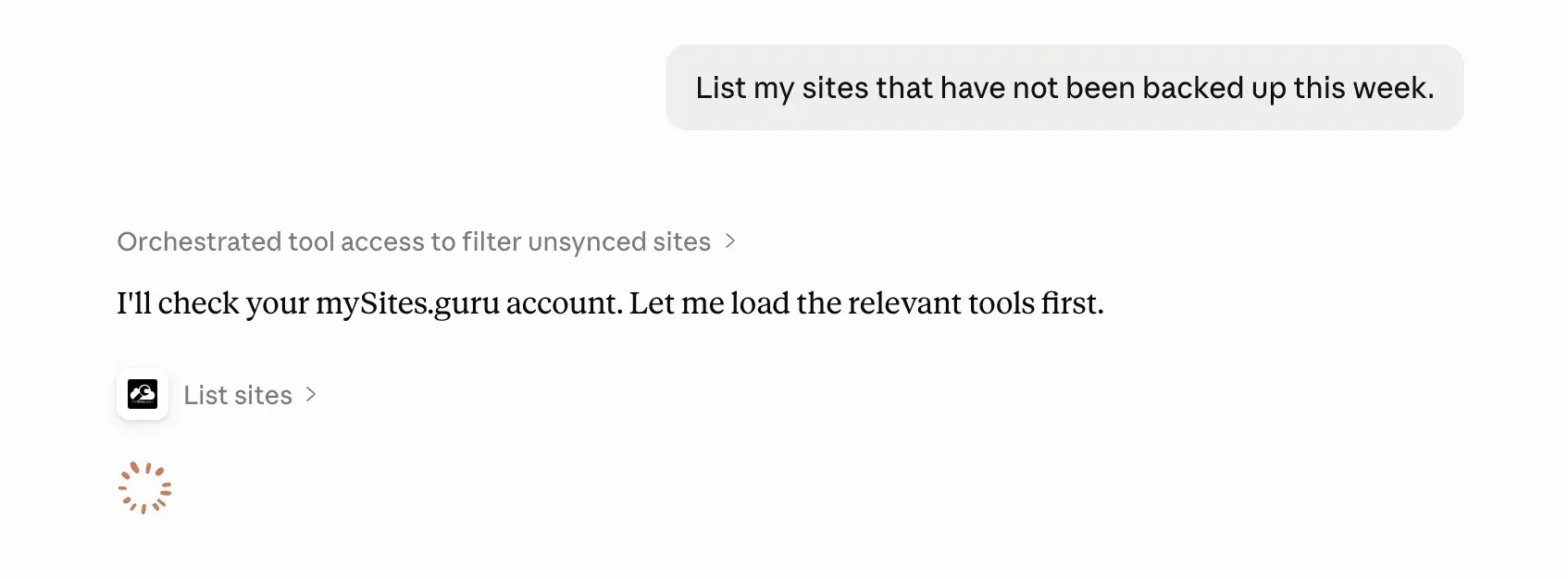
The client reads the live state of your sites, reasons over it, and triggers the action you ask for. It is the difference between an assistant that talks about your sites and one that can actually act on them, bounded by exactly what your account already permits.
This is the beta, so not every one of those examples is wired up yet, and the exact set you can use today is listed further down in What you can do in the beta. The bigger picture is where this is heading: we are working to expose the full range of mySites.guru features through MCP, and that is shipping very shortly. Today is the first slice, not the whole thing.
How to connect it
There is no plugin to install on any site. The connector is your whole account, and it lives at one URL:
https://manage.mysites.guru/_mcpIn Claude Desktop, add it like this:
- Open Claude Desktop and go to the chat tab, then click Customize.
- Choose Connectors, click the + icon, and select Add custom connector.
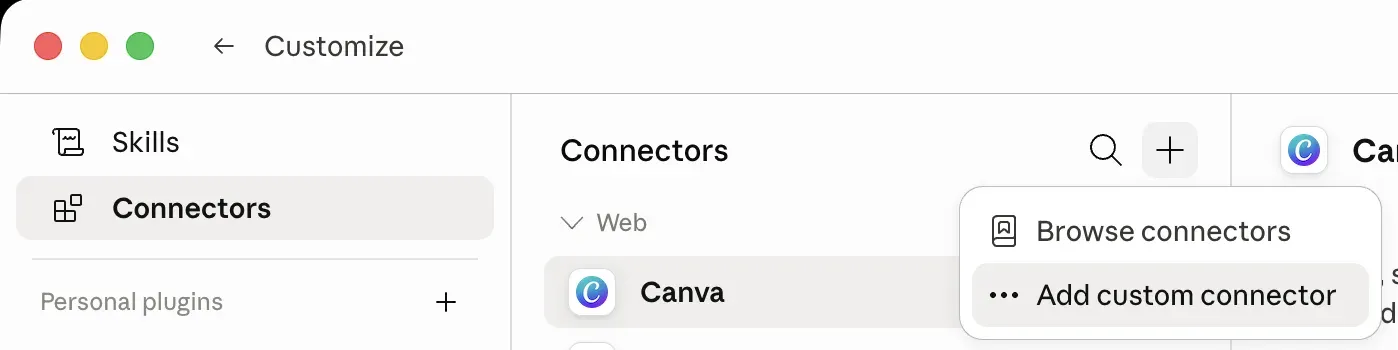
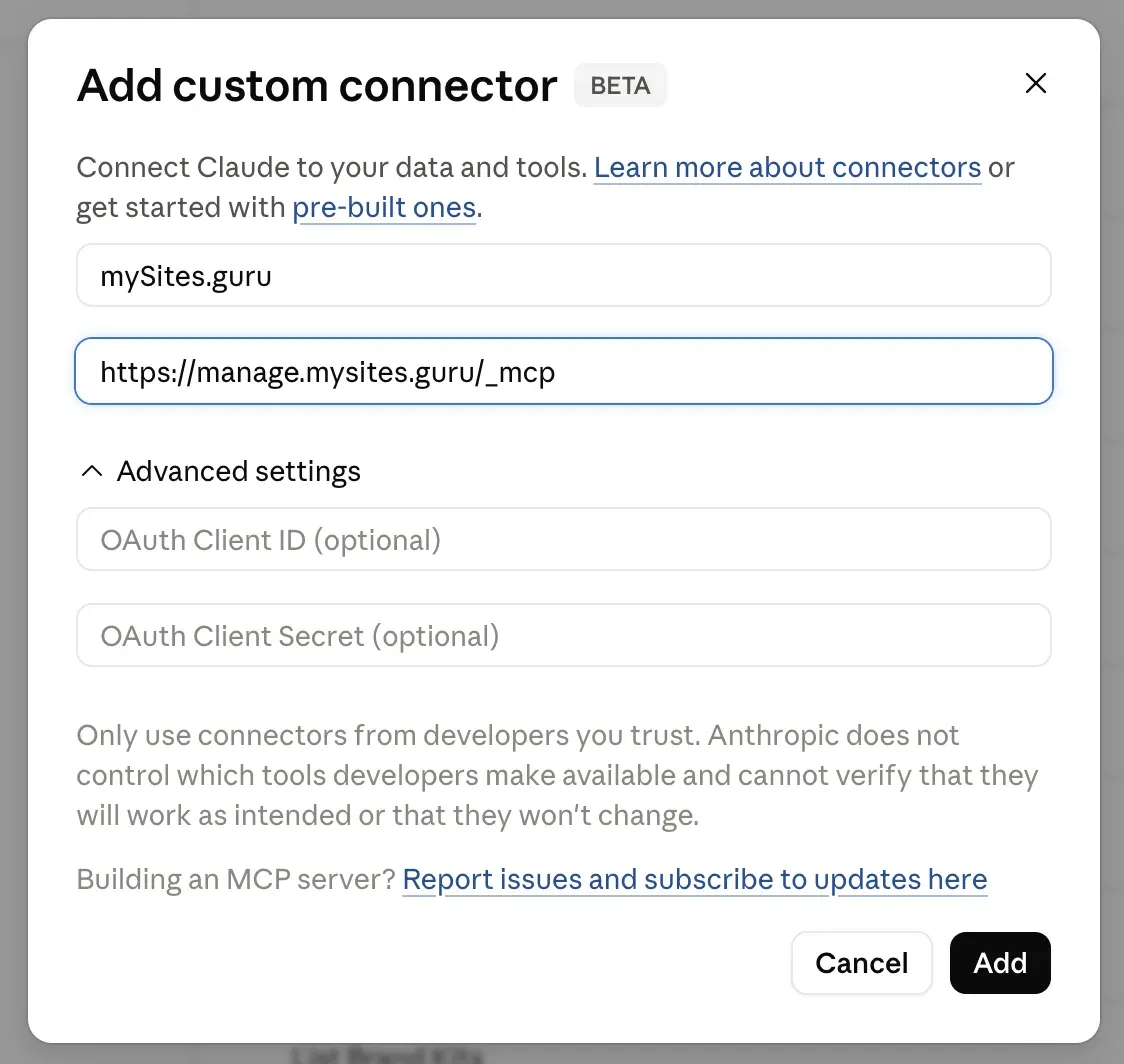
- Paste
https://manage.mysites.guru/_mcpas the remote MCP server URL, give the connector a name, and save. Call itmySites.guruif you like things tidy, or something with a bit more personality. Name itPhiland you get to type “Ask Phil to show me a list of my sites” and have it actually work. You can leave the OAuth fields under Advanced settings blank.
- Claude sends you to mySites.guru to sign in and approve the access. You see exactly which permissions are being granted before you authorize.
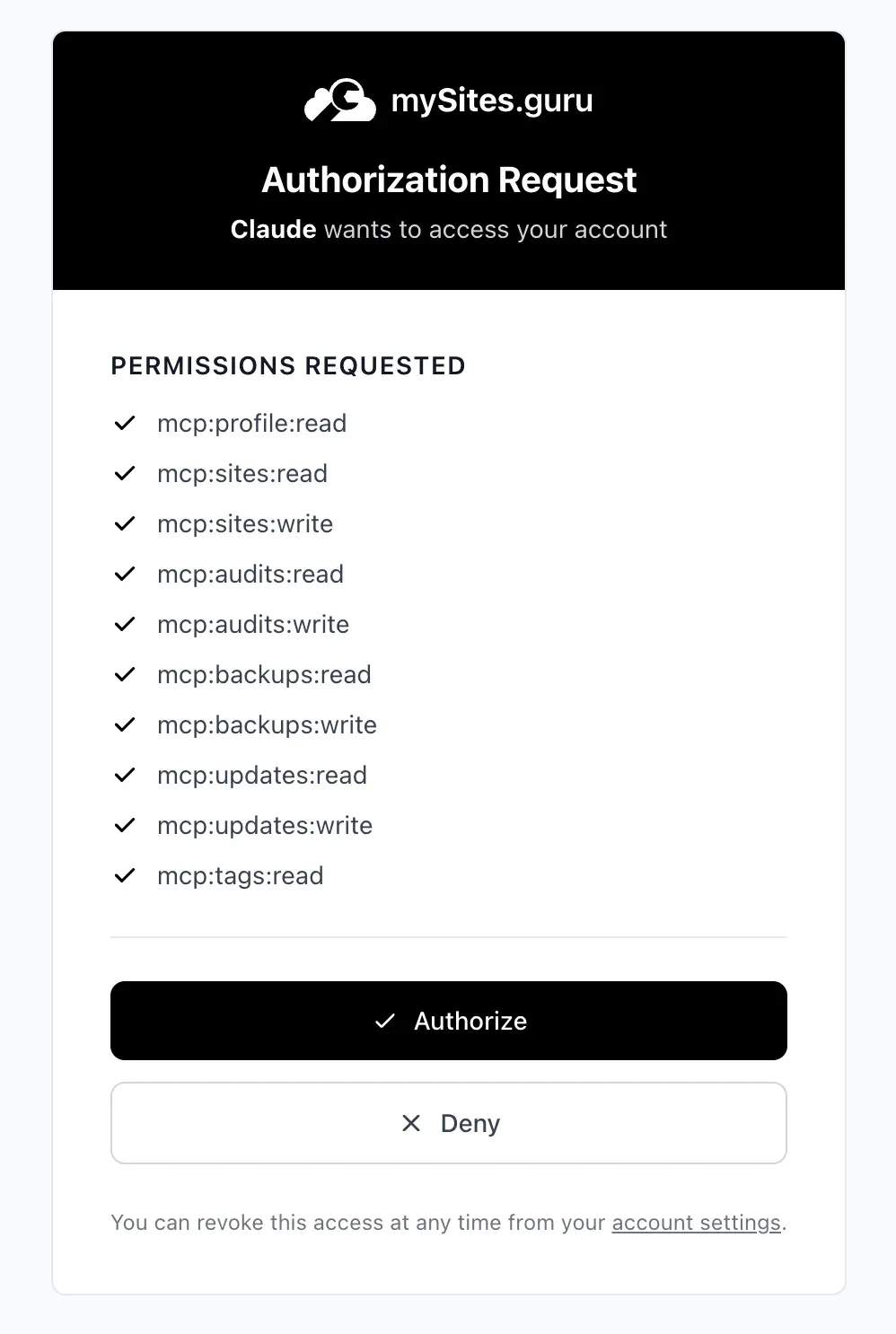
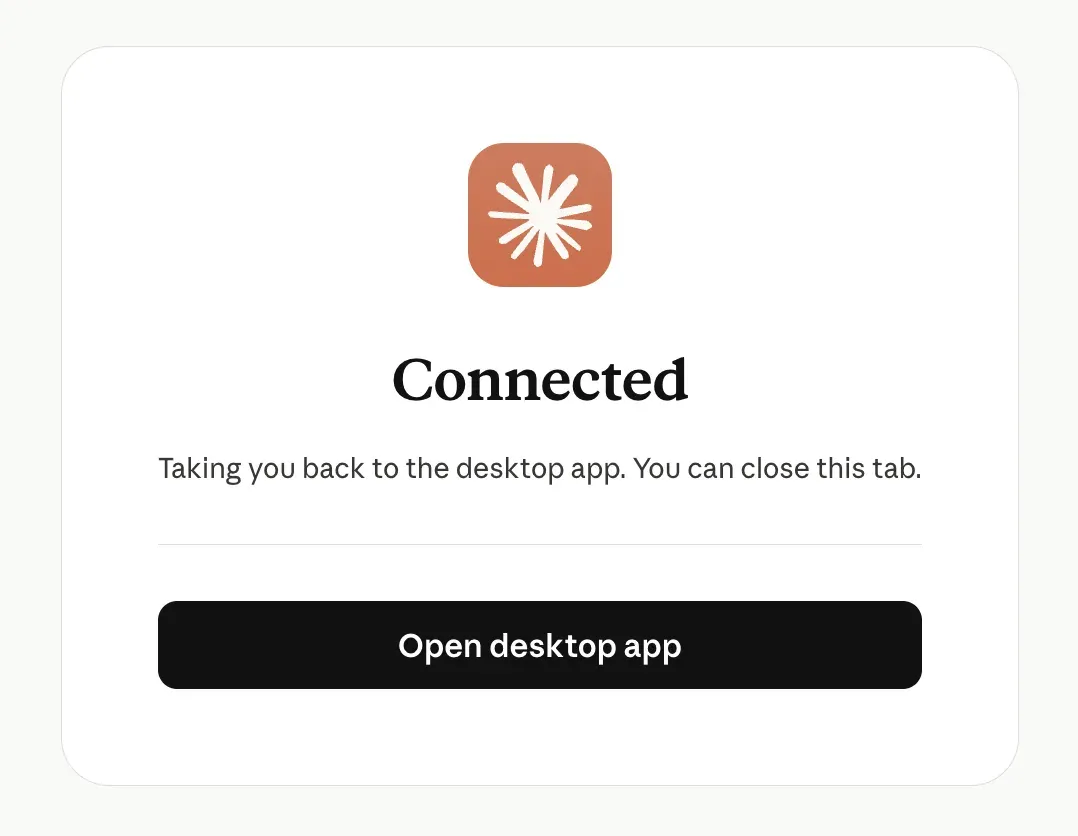
Approve it, and Claude is connected.
Other MCP clients (Claude.ai on the web, IDEs, and anything else that speaks the protocol) each have their own way to add a remote MCP server, but the URL is always the same: https://manage.mysites.guru/_mcp. Add it wherever your client lists custom or remote connectors, then complete the same sign-in and approval step.
That is the whole setup. The connection then shows up in your mySites.guru account as an authorized client, and you can revoke it in one click whenever you want. Because your sites are already connected to mySites.guru through the connector you set up when you added them, the MCP server reaches them the same way. WordPress and Joomla are identical here, which is not something the WordPress-only MCP plugins can say.
No per-site plugin, no API juggling
The point of doing this at the account level is that it scales the way an agency actually works. You authorize once, and every site you manage, now and in the future, is reachable through the same connection. Add a new client site to mySites.guru next month and it is immediately available to your AI client with no extra setup.
What you can do in the beta
Here is the exact, honest list of what the connection can do today. Nothing more is implemented yet, so this is the whole surface for the beta. Every item below maps to something you can already do in the dashboard, and the tools split into reading the state of your sites and acting on them.
Reading your sites
- List every site you manage, with its CMS, PHP and database versions, tags and connection status.
- Summarise every site in one call with
list_site_summaries: updates waiting, vulnerable extensions, last snapshot, audit and backup times, and which sites need attention and why. - Get the full detail of a single site, including SSL expiry and available updates.
- Read your profile (name, email, company).
- List and read security audits, with suspect-file counts and the hacked flag.
- List backups for a site.
- List configuration snapshots for a site.
- List the extensions installed on a site.
- List your site tags, so you can talk about groups of sites by name.
Acting on your sites
- Trigger a security audit on a site.
- Queue a backup for a site.
- Queue a configuration snapshot for a site.
- Queue updates for one or more extensions on a site.
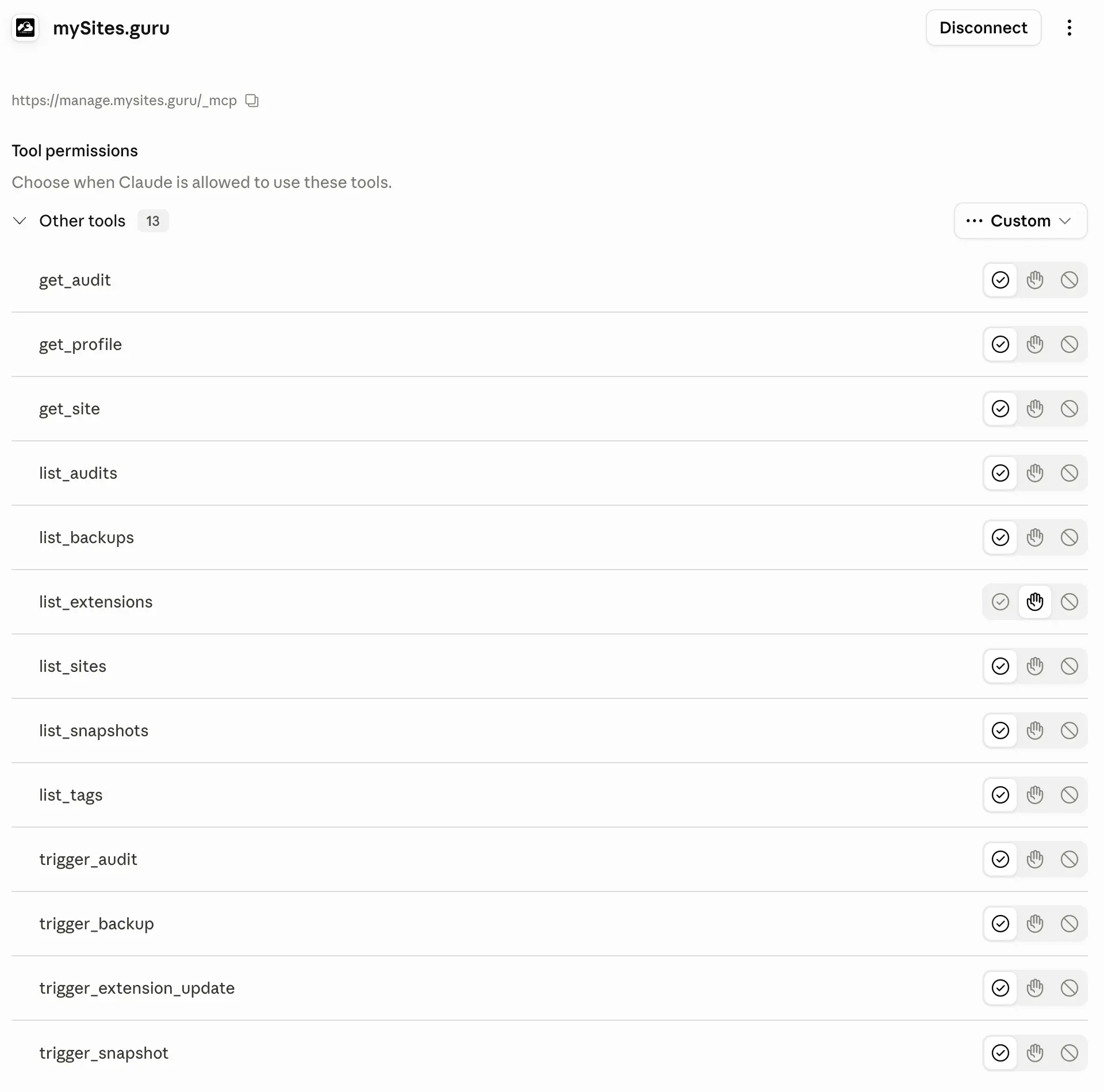
That is it for now: thirteen tools, nine that read and four that act. Each one needs its own permission, so a read-only request can never turn into a write. Listing extensions tells you what is installed; queueing an update is a separate, explicitly-permitted action.
Your AI client shows you the full list and lets you decide, per tool, whether Claude can run it automatically, must ask first, or is blocked entirely:
What comes next
This is a beta preview, and the tool list is the part most likely to grow. Through the beta we are watching our logs like a hawk for how people actually use it, which questions they ask, which actions they reach for, and where the gaps are. We will add tools based on that and on your feedback, rather than guessing at a big list up front. If there is something you want the connection to do, tell us, because right now is exactly when that feedback shapes what gets built.
This sits alongside the AI-powered malware analysis we already shipped. There, you send a flagged file to an AI for a verdict from inside the dashboard. With MCP, the conversation runs the other way: the AI reaches into your account to find the sites worth looking at in the first place.
Why it is safe to hand this to an AI
Letting an AI client touch production sites sounds alarming until you look at what is actually happening underneath. There is no magic backdoor involved. It runs on the same OAuth flow that lets you “Sign in with” a trusted account elsewhere.
When you add the connector, the client and mySites.guru run an OAuth 2.1 authorization with PKCE. In plain terms:
- You are sent to mySites.guru to log in and approve the connection. The AI client never sees your password.
- The approval mints a token that is scoped to your own sites and stamped for this one connection. It cannot be replayed against anything else.
- Permissions are resolved per user at the moment the token is issued, so a shared client used by many people can never leak one person’s access to another.
- Every authorized connection is listed in your account, and you revoke it with one click.
The net effect: the AI can do exactly what you can do in mySites.guru, against exactly your sites, and nothing more. If you would not be allowed to click it in the dashboard, the AI cannot do it for you either.
What this changes for an agency
The dashboard is built for doing things. An MCP connection is built for asking things and then doing them without the round trip.
A morning triage that used to mean opening twenty tabs becomes one message: “Across all my sites, which ones are out of date, have a failed last backup, or flagged suspect files in the most recent audit?” You get a ranked list, and you follow up in the same conversation: “Queue backups for the three with no recent backup, and run a fresh audit on the two with suspect files.”
What makes this more than a search box is that the assistant interprets what it finds. Ask about one site’s extension updates and it does not just dump a list: it tells you nothing is pending, then flags that the real issue is an end-of-life Joomla core, points at the suspect files the last audit surfaced, and offers to dig deeper. That is the kind of read you would normally do yourself across three screens.
![Claude answering "What extension updates were available for [a client] Data Room." Claude replies that none were available as of today's audit, with extensions_needing_update empty and updates_available: 0, then explains the real outstanding item is an end-of-life Joomla 3.10.12 core update that means a 3.x to 5.x migration, and notes the audit also flagged 22 suspect files, 38 hidden files, 9 hidden folders and 19 zero-byte files while marked hacked: false. It offers to pull the per-extension list or investigate the suspect files.](/_astro/mcp-claude-extension-updates-answer.DGnDfYiR_aNecS.webp)
Reporting works the same way. “Give me the CMS and PHP versions for every site tagged acme-corp” is a sentence, not a spreadsheet export. And because the assistant can read tags, you talk about clients and groups the way you think about them, not by hunting through a list.
Build it into your own workflows
Because this is a standard MCP connection, it is not just for typing questions by hand. You can wire mySites.guru into your own skills and AI workflows. Build a morning skill in Claude that runs the same triage every day and hands you a ready-made list of the sites that need work, before you have even finished your coffee. Chain it with the other tools and data your AI client already has, so a mySites.guru lookup becomes one step in a larger routine you have built once and run forever. The connection is a building block, and what you assemble from it is up to you.
None of this replaces the dashboard. The one-click admin login, the real-time alerting, the visual audit reports, all of that is still where it was. MCP is a faster way in for the questions and actions that do not need a screen.
A standard, not a lock-in
MCP is an open protocol. Anthropic introduced it in late 2024 and then gave governance to the Linux Foundation, with OpenAI, Google, Microsoft and others on board. That matters because it means the connector you set up is not a bet on one vendor. Today Claude Desktop and Claude.ai are the obvious clients, but the same /_mcp URL works in any client that speaks the protocol, and the list of those grows steadily.
If you already trust mySites.guru to manage your WordPress and Joomla sites, this is simply a new, faster surface onto the same account. Connect it once, and start asking. If you would rather script it than chat to it, the same account is open to your own code through the mySites.guru Agency API, which runs on the same OAuth layer.
Tell us what you want it to do
This is a beta, and your feedback is what decides where it goes next. Connect it, put it to work on your real sites, and tell us what felt missing: a tool you wished existed, a question it could not answer, an action you wanted to trigger but could not. The quickest way to shape the next round of tools is to get in touch and tell us what would make this useful for the way you work. We are building this with you, not at you, and the sooner we hear from you the more of your wishlist makes it into the full release.
Further reading
- The mySites.guru Agency API - the REST API underneath the MCP server, for your own scripts and dashboards.
- Model Context Protocol - the official specification for the open standard mySites.guru implements.
- Anthropic’s MCP announcement - the original write-up of why MCP exists and what problem it solves.
- Get started with custom connectors in Claude - Claude’s own guide to adding a remote MCP connector like this one.
- MCP authorization specification - the OAuth 2.1 and PKCE details behind how the connection is secured.
Frequently Asked Questions
What is the mySites.guru MCP integration?
Do I need to install a plugin on each WordPress or Joomla site?
How do I connect mySites.guru to Claude?
Is it safe to let an AI client manage my sites?
Which AI clients can I use, or is it Claude only?
Can I use this in Claude skills or automated AI workflows?
 Written and edited by a human, with AI assistance. Our approach to AI