Disable The WordPress 7.2 Random Post Redirect

WordPress 7.2 adds /random/ URLs that redirect to a random post using ORDER BY RAND(). What they expose, what they cost, and the one filter that turns them off.
Quick answer
WordPress 7.2 turns on /random/ URLs by default. To switch them off, add this filter in a must-use plugin, then visit Settings > Permalinks once so the rewrite rules are rebuilt without the random routes.
add_filter( 'wp_enable_random_content_redirect', '__return_false' );What this check and mySites.guru tool looks at on your site
WordPress 7.2 adds a new endpoint, /random/, and it is switched on by default on every site that upgrades. A request to it redirects the visitor to a randomly chosen published post. This check asks WordPress whether that redirect is active on your site, using the same wp_enable_random_content_redirect filter WordPress reads itself.
So the result is the setting the site is running with. If mySites.guru, a plugin or a line of code from a developer has turned the redirect off, the check passes. If it is still on, the check fails.
Sites on anything older than WordPress 7.2 do not have the feature, so the check does not appear for them.
What the /random/ URLs do, and why you might not want them
With pretty permalinks and the default base, a 7.2 site answers these new URLs:
/random/redirects to a random post./random/category/{slug}/redirects to a random post in that category, and every other publicly queryable taxonomy attached to an eligible post type gets the same rule, so/random/tag/{slug}/works too./random/author/{username}/redirects to a random post by that author./random/{post-type-slug}/redirects to a random post of any custom post type that is “randomable”.
Ordinary posts are eligible. Pages and attachments are not. A custom post type is eligible by default when it is publicly queryable and has an archive, unless its developer registered it with 'randomable' => false. The word “random” in the URL is translatable and can be renamed on the Permalinks settings screen, so on some sites it will be a different word.
For a blog with years of archives, sending readers to a random old post can be a nice touch. For a business site, a shop or a brochure site, it is a feature no one asked for, switched on without anyone deciding to.
The query behind it
WordPress picks the post by running the main query with three extra callbacks: one restricts it to eligible posts, one orders the results by RAND(), and one limits the result to a single row. ORDER BY RAND() is the expensive way to pick a row in MySQL and MariaDB, because the database has to consider all the eligible rows before it can return one. On a site with a few hundred posts you will not notice. On a site with tens of thousands of posts, or a busy WooCommerce install where products are a randomable post type, every request does that work again.
The redirect is meant to differ on each request, so a page cache cannot serve a stored answer the way it does for a normal page. Anyone can request /random/ as often as they like: a bored visitor, a crawler following each link it finds, or a script sending the same URL in a loop. If you do not use the feature, that is database work you are paying for and getting nothing back from.
What it tells people about your site
The category, tag and author variants answer a yes or no question for anyone who asks: does a post exist here under this category, this tag, this author? The author archive at /author/{username}/ already does that on most WordPress sites. On a site that has gone to some trouble to hide its author archives, though, /random/author/{username}/ is one more public URL that confirms usernames and how the content is organised.
Every /random/ route accounted for
A passing result means WordPress is answering the wp_enable_random_content_redirect filter with false. When that is the case, according to the WordPress dev note:
- no random rewrite rules are generated,
- the random base field is hidden on the Permalinks settings screen, and
- the random query variable is ignored.
All the variants go at once: the bare /random/, the category, tag and author forms, and the custom post type forms. You do not have to hunt down each taxonomy separately.
Before you turn it off, check whether anything on the site links to a /random/ URL. A menu item labelled “Surprise me”, a button in a theme, a link in an old newsletter: once the feature is off those links stop working, so decide whether to remove them or keep the feature.
How to fix it
-
Confirm the site is on WordPress 7.2 or later. Earlier versions have no
/random/endpoint. -
Search menus, widgets and theme templates for any link to
/random/(or to the renamed base, if someone changed it on the Permalinks screen). Remove or replace those links. -
Add the filter WordPress documents for this in a must-use plugin, so a theme change cannot undo it. Create
wp-content/mu-plugins/disable-random-content.phpcontaining:<?php add_filter( 'wp_enable_random_content_redirect', '__return_false' ); -
Rebuild the rewrite rules so the random routes are dropped from the stored list. The simplest way is to open Settings > Permalinks in wp-admin and click Save Changes without changing anything.
-
Request
https://yoursite.com/random/in a private browser window. It should no longer redirect to a post.
If you would rather keep the feature but control what it picks, you can. Random selection runs through the main query, so existing pre_get_posts callbacks already affect it, and wp_is_random_content_query( $query ) lets a callback change the selection for random requests only, for example to exclude a category. A developer can also keep a custom post type out of it entirely with 'randomable' => false in register_post_type().
What mySites.guru does about it
mySites.guru reads this setting on each snapshot of your connected WordPress 7.2 sites and shows the result in the WordPress Configuration section of each site’s Snapshot tab. The check is a one-click switch. Turning it on installs a small must-use option inside the mySites.guru connector that applies the wp_enable_random_content_redirect filter, then clears the stored rewrite rules so WordPress rebuilds them without the random routes on the next page load. Your .htaccess and wp-config.php are left alone.
Turning the switch back off removes that file and clears the rewrite rules again, and the /random/ URLs come back.
From the All Tools page you can see all your connected WordPress sites at once, which ones still have /random/ switched on, and switch it off across all of them in one go rather than visiting each wp-admin in turn. Sites still on an earlier WordPress version do not appear in that list until they upgrade, and they show up as soon as their first 7.2 snapshot is taken.
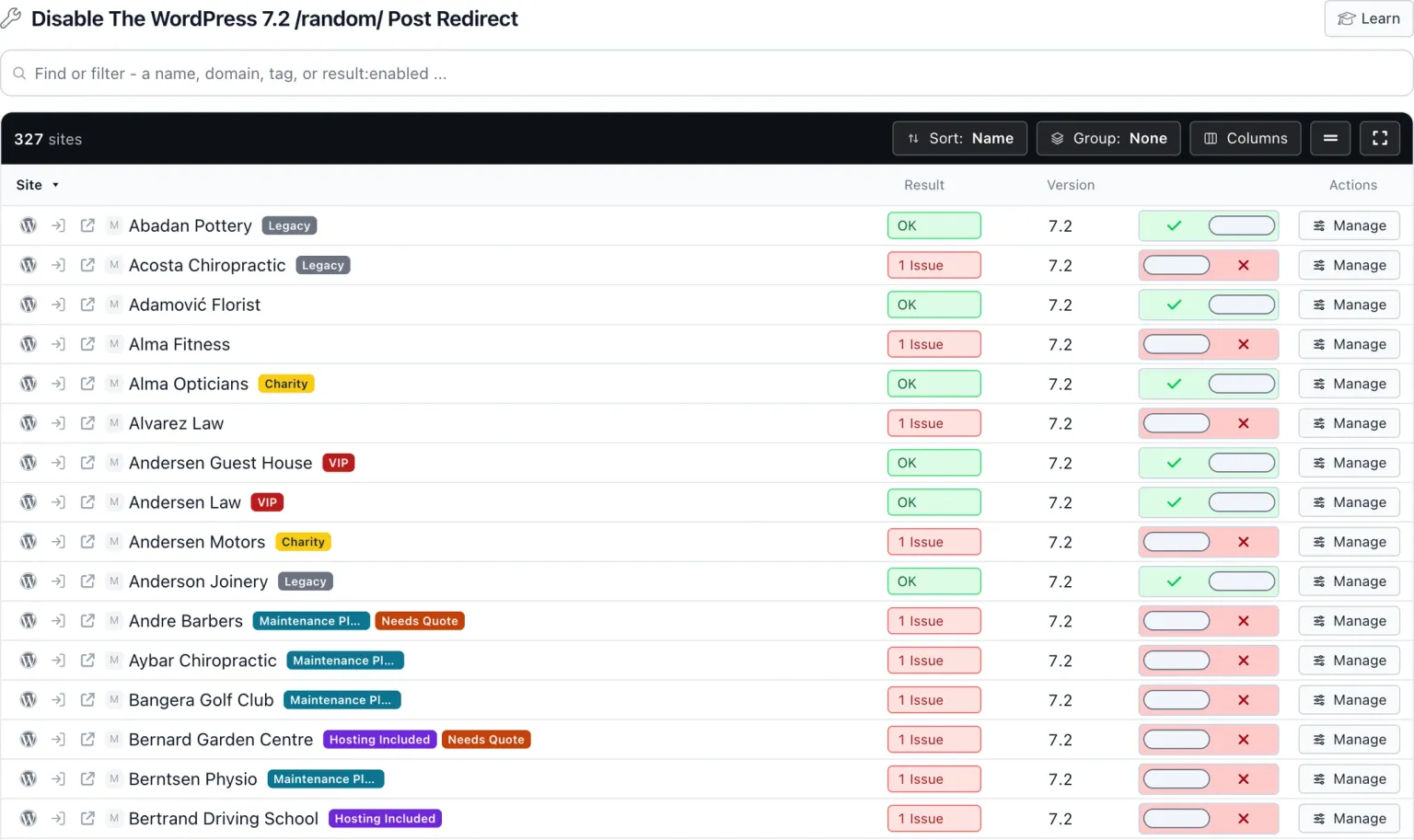
Disable The WordPress 7.2 Random Post Redirect
mySites.guru checks every connected site for this automatically and flags it the moment it appears. These run twice a day on every connected site.
It can also fix this across every connected site with one click.
Further Reading
The Make WordPress Core dev note is the reference for every URL, argument and filter described on this page.
Frequently Asked Questions
Which WordPress versions have the /random/ endpoint?
Will turning it off break anything?
Can I keep it but stop some posts appearing?
Why does the URL on my site say something other than /random/?
 Written and edited by a human, with AI assistance. Our approach to AI