Be Aware Of Joomla Developer Impersonation Scams
On the morning of Thursday 15 October 2026 an email went out to four addresses at one company, signed “Fotis Evangelou, Founder · K2”. It said that “Joomla support” had phoned him about the company’s website, that the site needed Joomla core and extension updates before 25 October, and that as the person “currently managing your website” he would like to get on with it. It had a photo that is not of him, a link to the real K2 website and a link to his real LinkedIn profile.
Several people forwarded it to me that morning, worried. It is a scam. It uses a well-known Joomla developer’s name to get two things out of you: a Super User account on your Joomla site, and $550. I spent the evening replying to it so you can see the whole script, every email and every header, before one of these reaches your own inbox.
Fotis Evangelou did not send these emails
This round of emails used Fotis Evangelou’s name and public links, with a signature photo of somebody else entirely. He is the person being impersonated, and he had nothing to do with any of it. JoomlaWorks has since published an official notice, Security notice: emails impersonating the K2 developer (also on getk2.org), confirming that the Gmail address is not theirs, and that real mail from Fotis or JoomlaWorks only comes from an @joomlaworks.net or @getk2.org address, never Gmail or any other free provider. He is also not the only one: the same kind of email is going out under the names of other well-known people in the Joomla ecosystem. If an email arrives from a famous Joomla name you were not expecting, treat it the way you would treat this one.
Why This Joomla Email Is a Scam
The email fails before you get past the first sentence. Joomla is a volunteer-run open source project. There is no “Joomla support” desk, and no one at Joomla phones developers about other people’s websites. Everything after that opening line is built on a claim that cannot be true.
The rest of the tells stack up quickly:
- “As I’m currently managing your website” is false familiarity. The sender does not manage the site; the line is there so that you assume a relationship already exists.
- “Before October 25” is invented urgency. Nothing in Joomla happens on 25 October.
- The sender address is a Gmail account, for someone who owns a domain (getk2.org) and would have no reason to use one.
- The signature borrows real public details, the K2 website and the LinkedIn profile, puts them next to a photo of somebody else (a Greek academic’s LinkedIn profile picture, see below), and attaches them to a postal address in the Seychelles. I am not going to say whether that address is real or made up. Real public links are being used to make a fake sender look convincing, and that is the point of them.
- American spelling throughout (“optimization”, “prioritized”) and pricing in US dollars, from a sender whose signature points at Greece and the Seychelles.
- The first email’s HTML includes a hidden, zero-height tracking image from an online email-signature generator (a signature.gif with a user id and an email id in the query string), the kind used to report back when an email is opened. I made a point of not loading it.
And the end goal, once you play along, is a Super User account on your Joomla site. That is full control: install extensions, run code, read the database, create more administrators. The $550 is almost a side order.
Whose Face Is in the Signature?
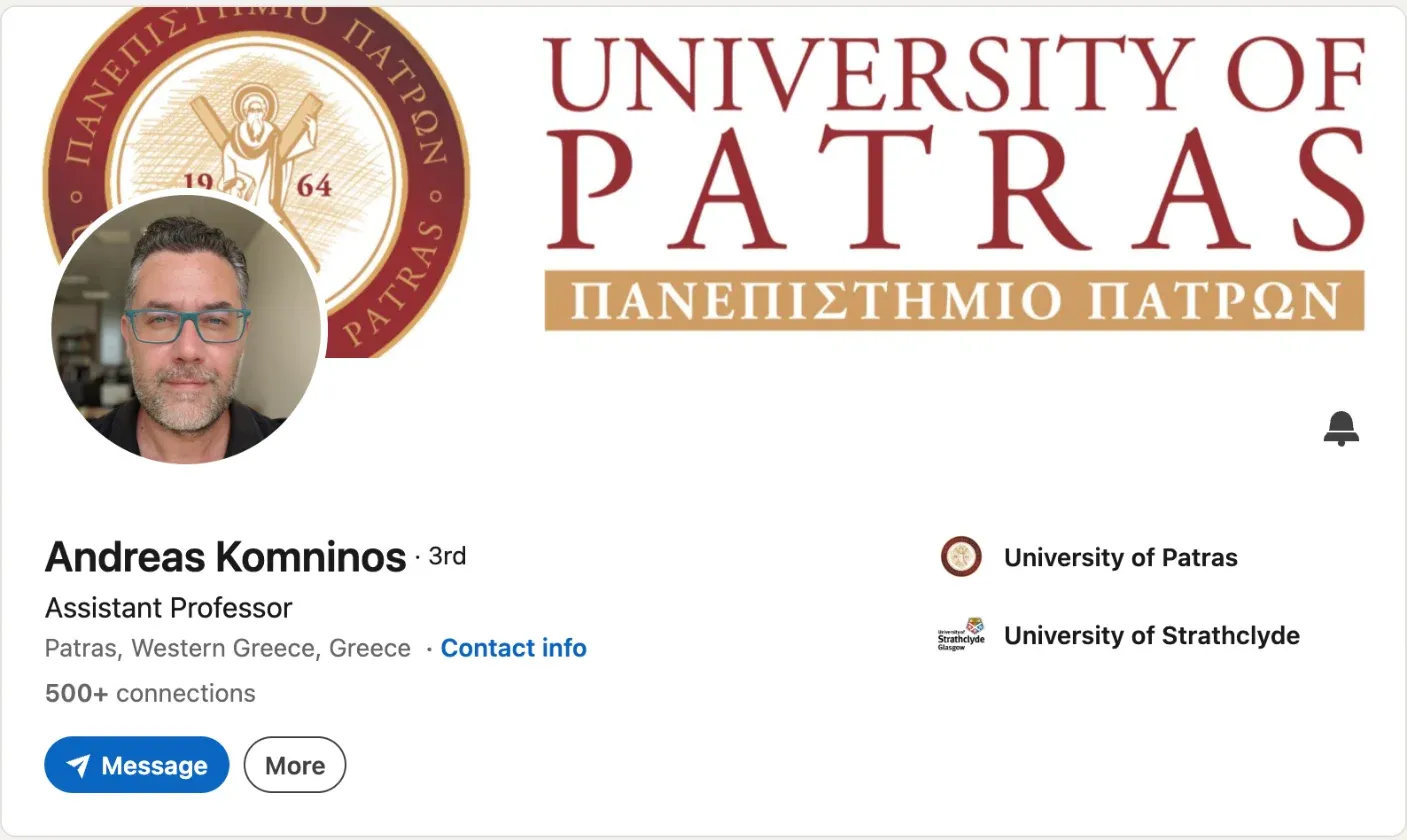
The circular photo in the first email is the profile photo from the public LinkedIn profile of Andreas Komninos, an Assistant Professor in Patras, Western Greece, whose profile lists the University of Patras and the University of Strathclyde. Same face, same teal-framed glasses, same office behind him. He has nothing to do with any of this. His face was lifted from his own public profile, which makes him the second person this scam is impersonating.
My reading is that the choice was no accident. Anyone who got as far as checking would see a real Greek man next to a Greek name and move on. The check that beats it takes a minute: a reverse image search on the signature photo leads to a university lecturer’s profile, not to K2. Worth doing on any email that asks you for money or an account.
The Full Thread, Message by Message
Here is every email in order, with what each one gives away. My replies were short and gullible on purpose. All times are BST.
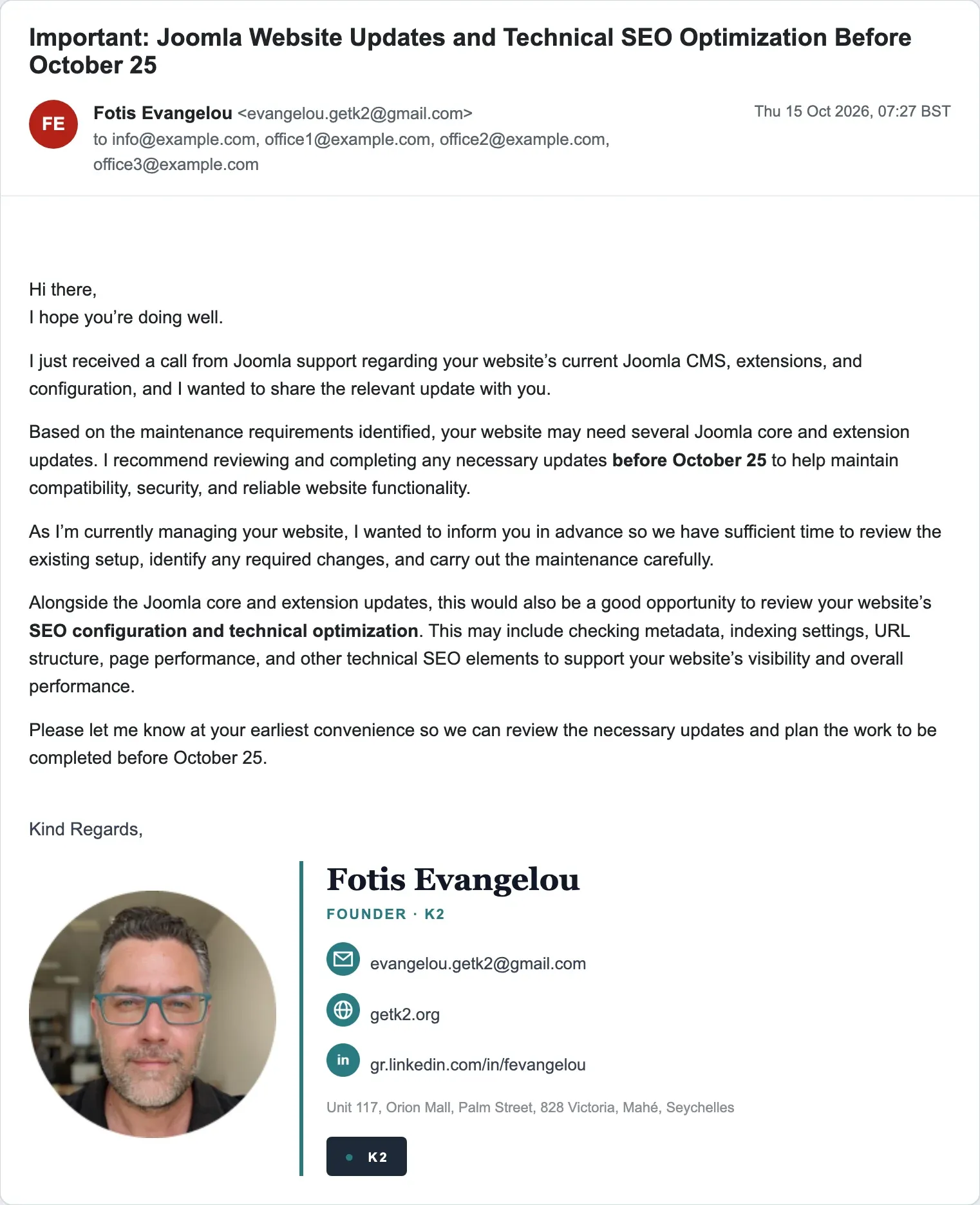
Four role addresses at one company on a single visible To: line, info@ plus three branch offices. No one who actually managed a site would email every office at once about it. The subject, “Important: Joomla Website Updates and Technical SEO Optimization Before October 25”, does the urgency and the upsell in one breath.
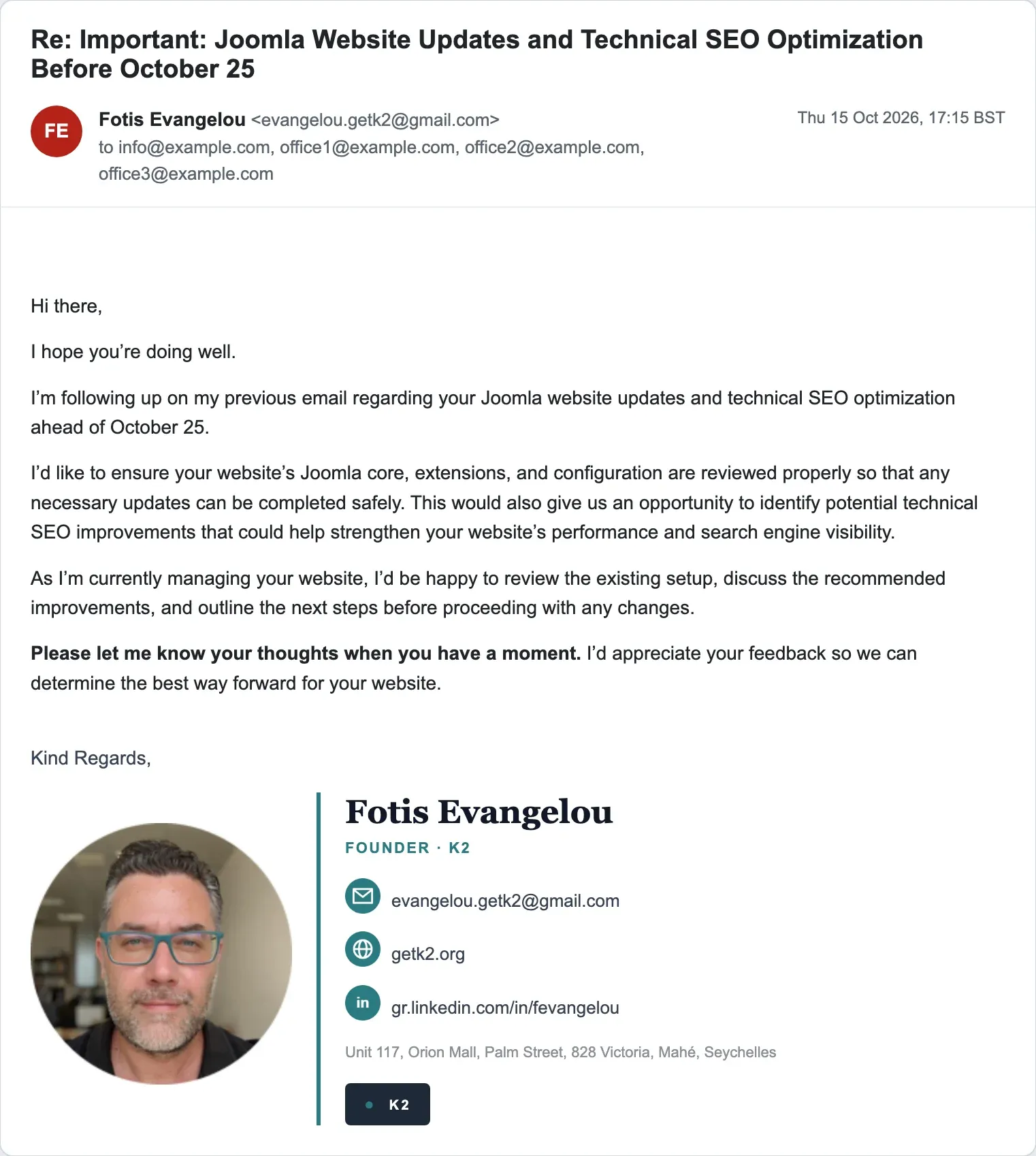
“I’m following up on my previous email … As I’m currently managing your website … Please let me know your thoughts when you have a moment.” Same four recipients, same claim. By this point I had already had an interesting morning, so I decided to give the sender some thoughts.
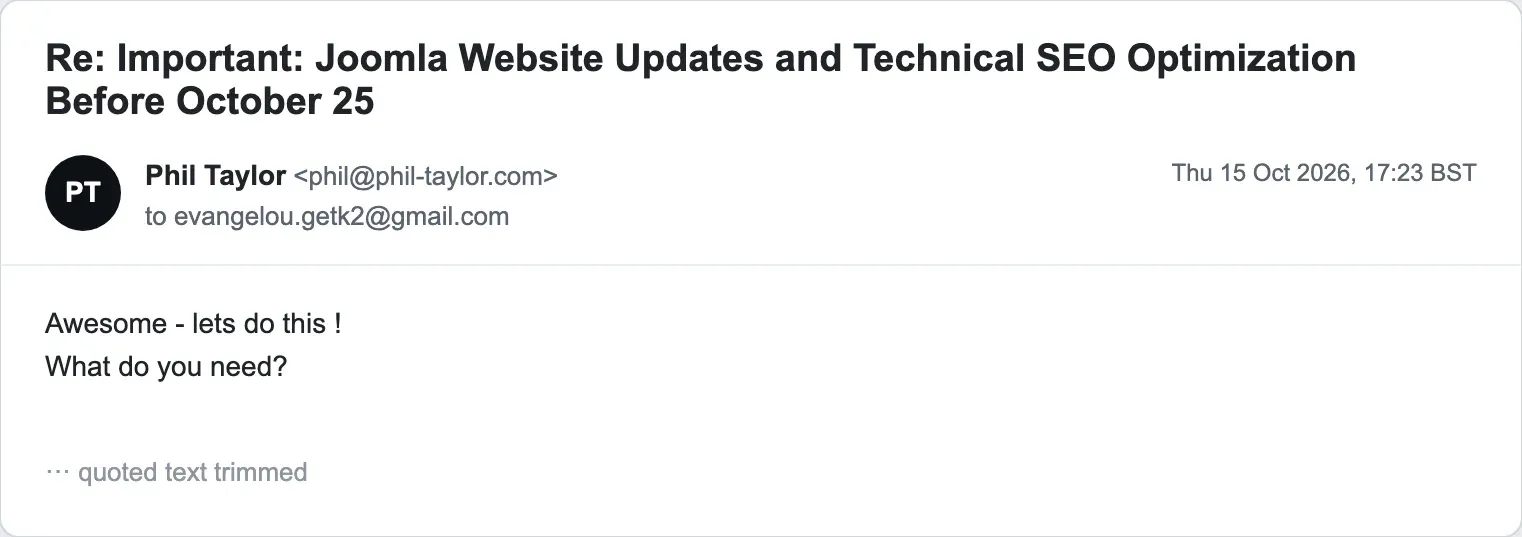
“Awesome - lets do this ! What do you need?” I did not expect what came back 39 seconds later.
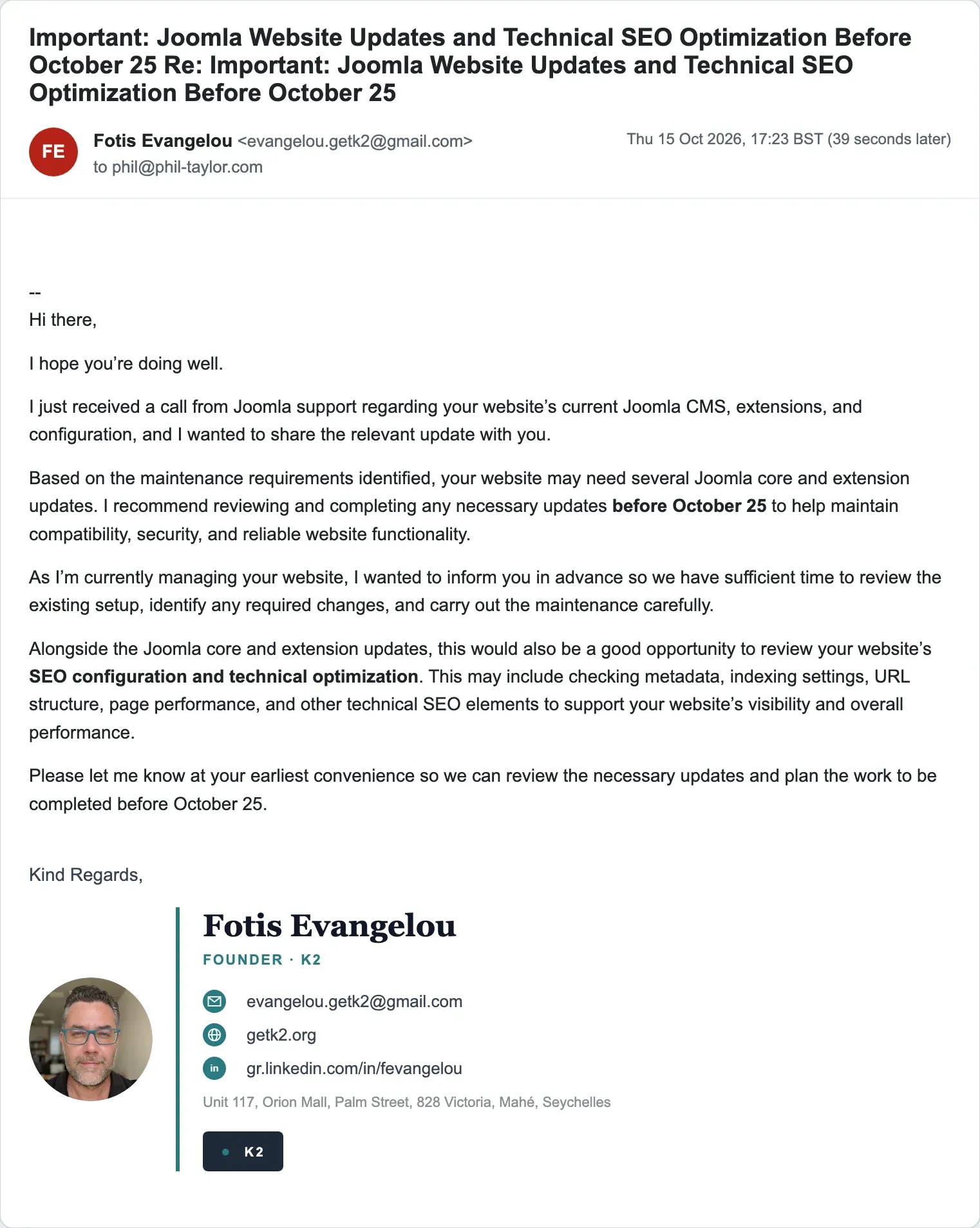
This is Gmail’s own vacation responder, loaded with the sales pitch. The headers say so: “X-Autoreply: yes”, “Auto-Submitted: auto-replied”, “Precedence: bulk”, and the subject is the pitch subject doubled, “Important: … Re: Important: …”. Anyone who emails that address, for any reason, gets the pitch back automatically. It is a nice touch of industrialisation.
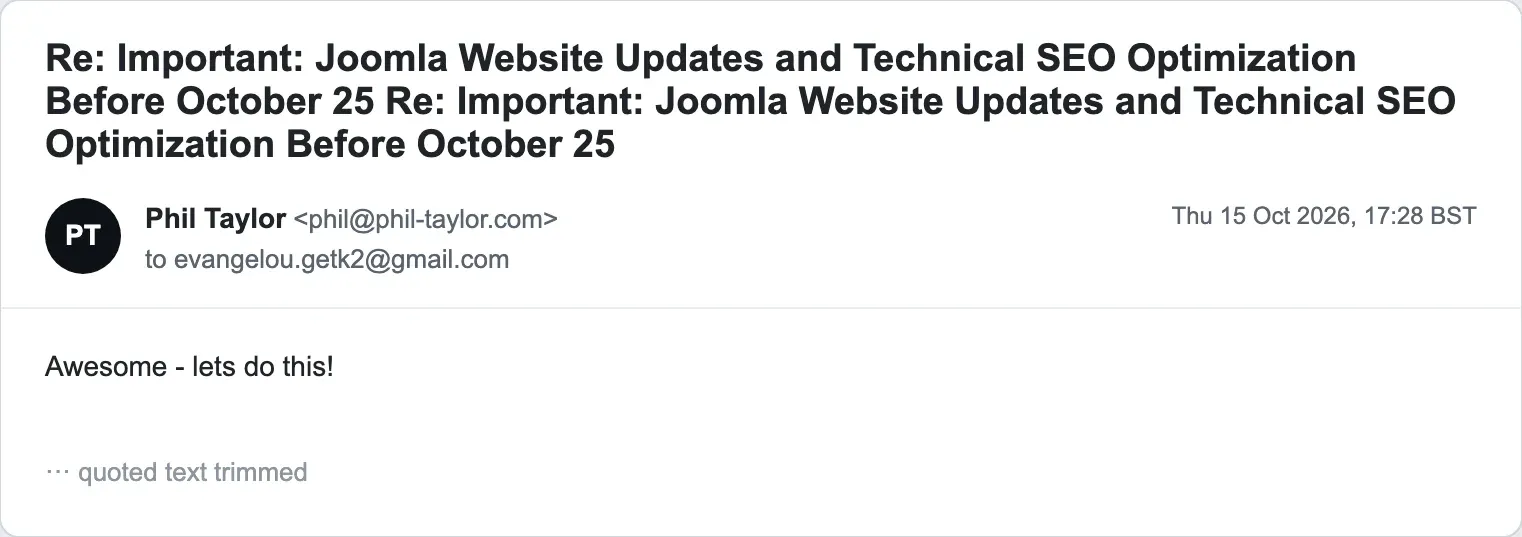
“Awesome - lets do this!” A human did turn up, 51 minutes later.
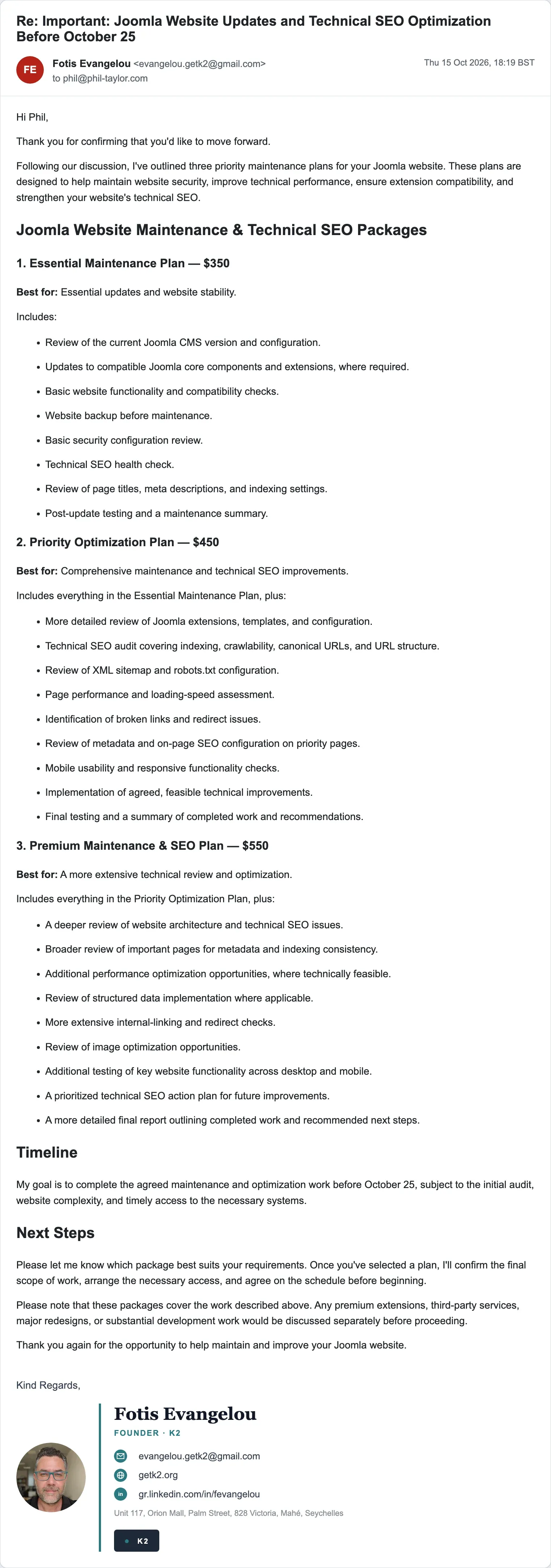
“Thank you for confirming that you’d like to move forward. Following our discussion, I’ve outlined three priority maintenance plans.” There was no discussion. The plans are the Essential Maintenance Plan ($350), the Priority Optimization Plan ($450) and the Premium Maintenance & SEO Plan ($550), all to be completed before 25 October, all priced in dollars. The deadline from the first email is still doing its job.
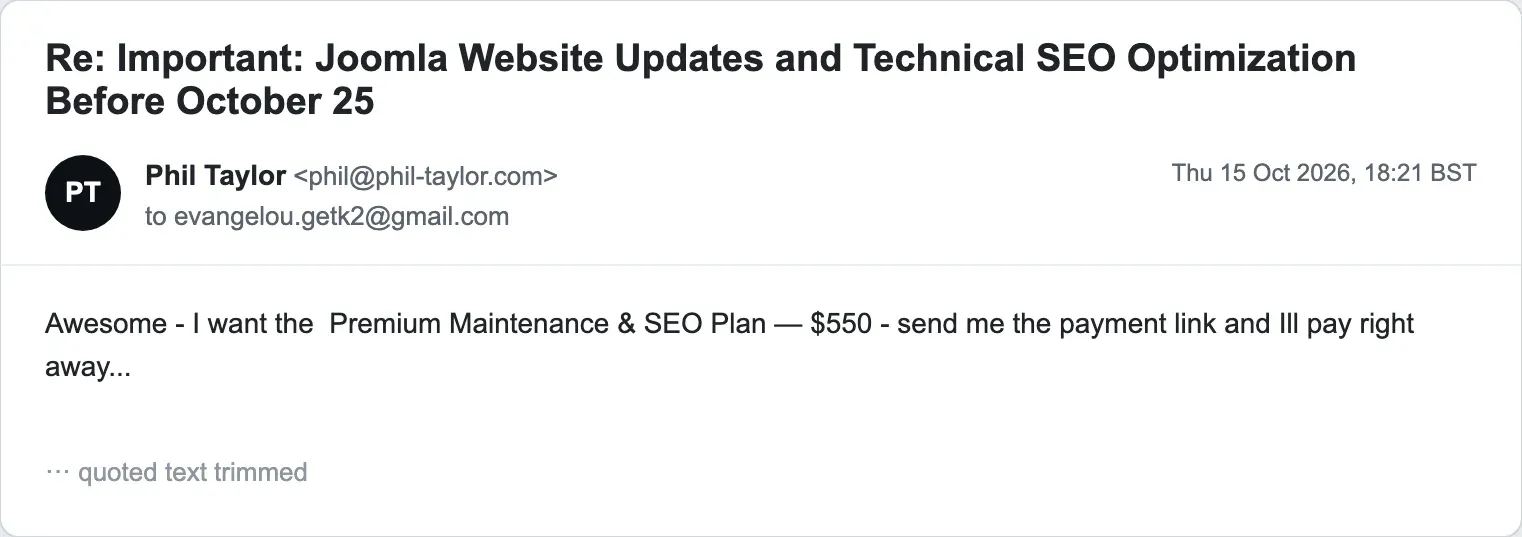
I told them I wanted the Premium Maintenance & SEO Plan at $550, asked for the payment link, and said I would “pay right away”. Two minutes after the packages arrived. No real client has ever behaved like this, and the sender did not blink.
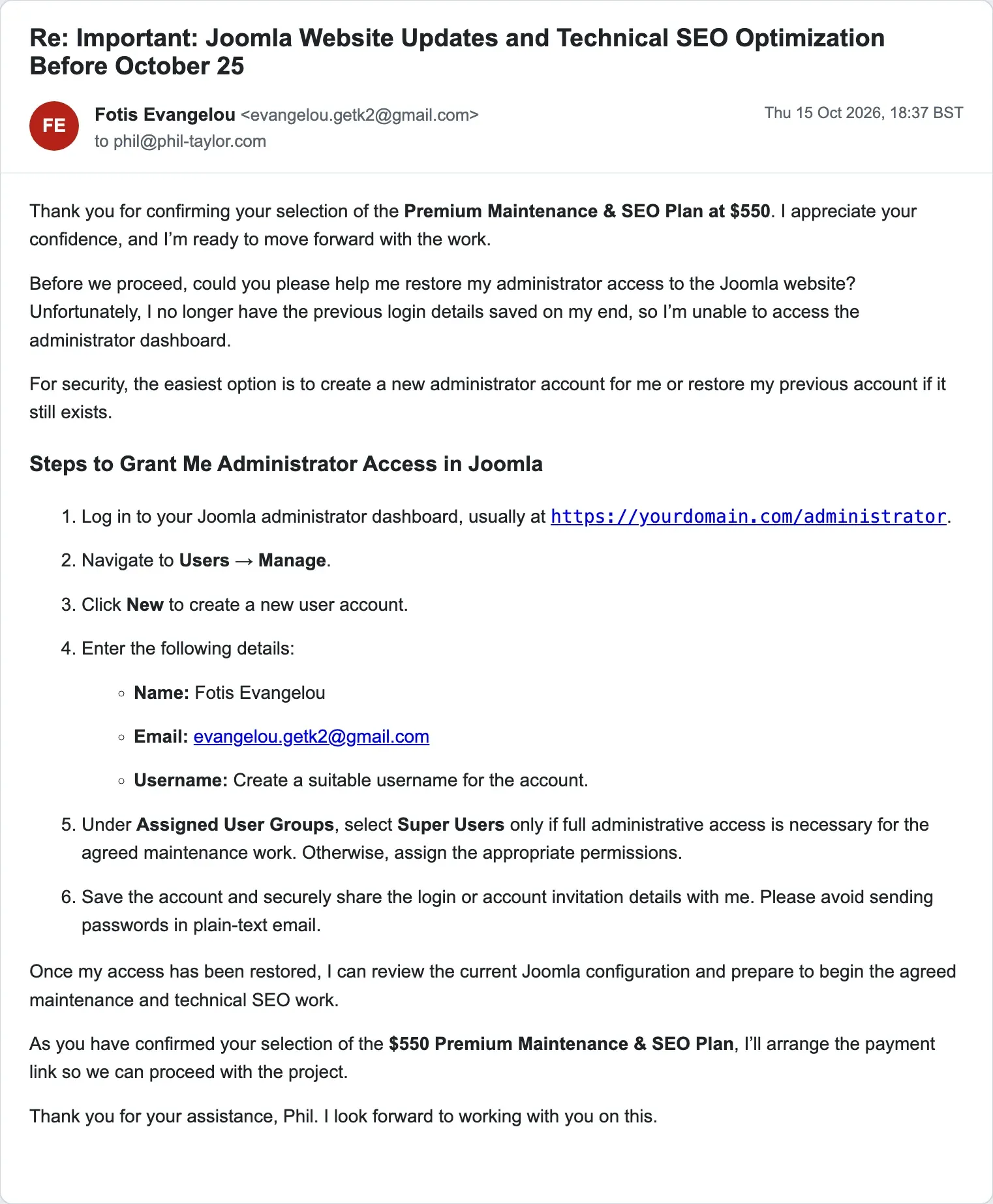
This is the message the whole thread exists for. After confirming the $550 plan: “could you please help me restore my administrator access to the Joomla website? Unfortunately, I no longer have the previous login details saved on my end”. Then step-by-step instructions: log in at /administrator, Users, Manage, New, Name: Fotis Evangelou, Email: evangelou.getk2@gmail.com, “Under Assigned User Groups, select Super Users only if full administrative access is necessary”, and “securely share the login … Please avoid sending passwords in plain-text email.” A security tip from the person stealing your site is a lovely detail. Note also that from this message on, the borrowed photo and the fancy signature are gone. Short plain messages only. The costume comes off once the mark has bitten.
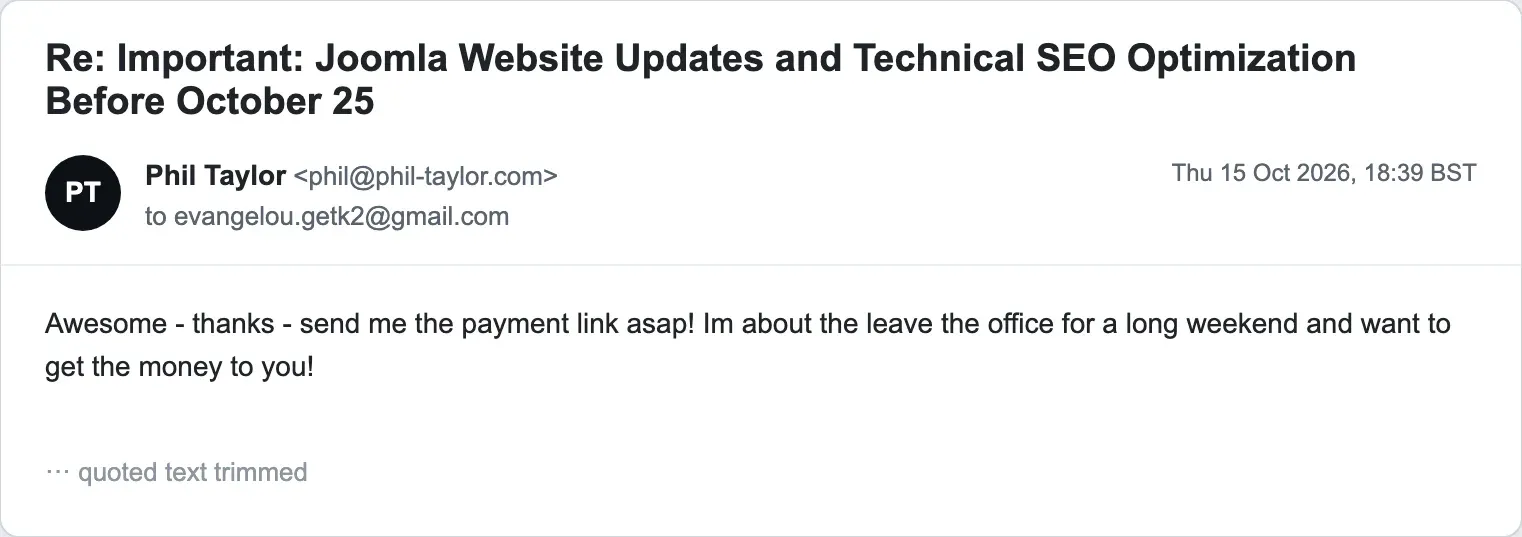
“Awesome - thanks - send me the payment link asap! Im about the leave the office for a long weekend and want to get the money to you!” I wanted to see which of the two prizes they chased when the clock was ticking.
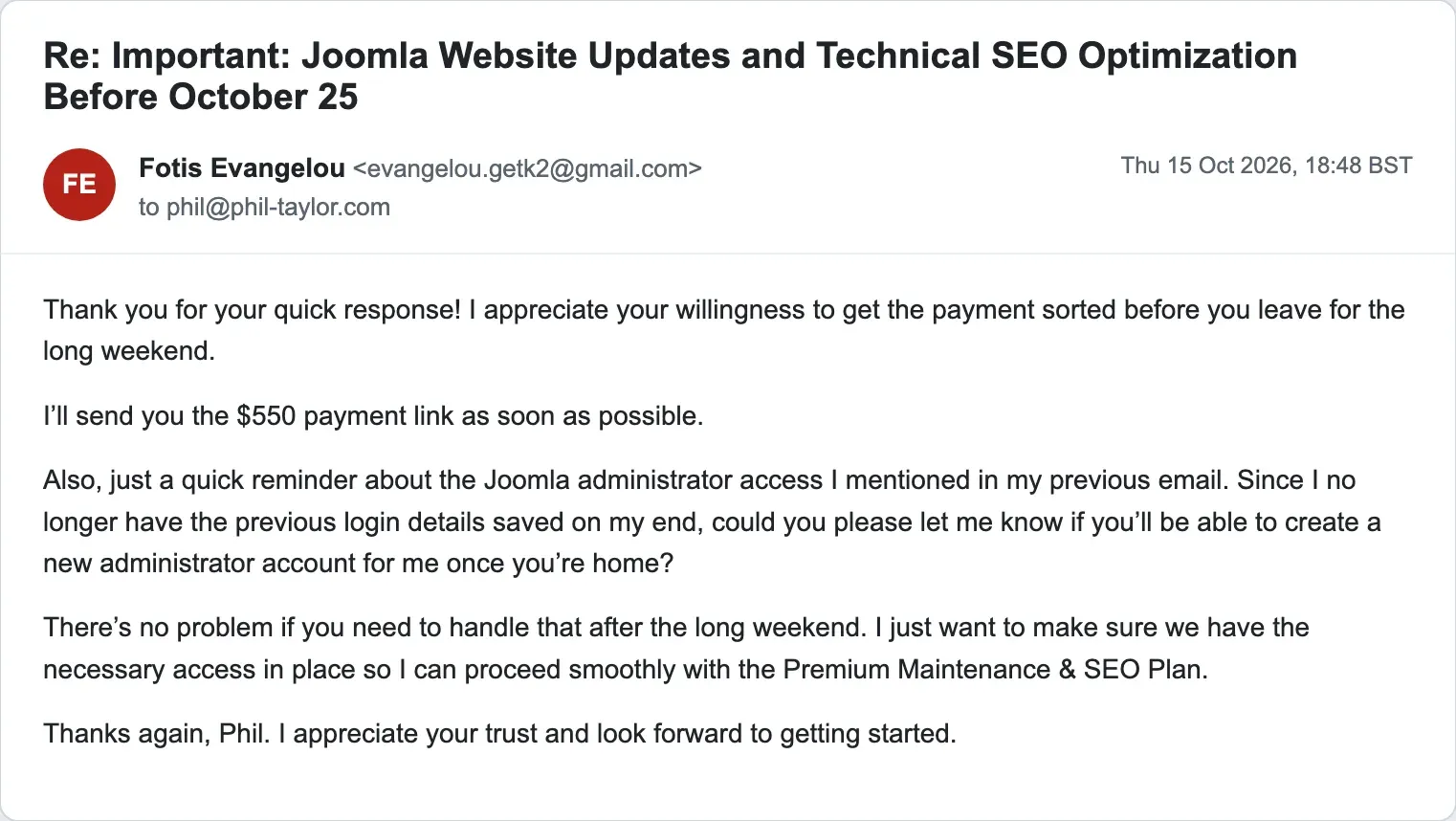
“I’ll send you the $550 payment link as soon as possible. Also, just a quick reminder about the Joomla administrator access … could you please let me know if you’ll be able to create a new administrator account for me once you’re home? There’s no problem if you need to handle that after the long weekend.” The money can wait until after the weekend. The admin account is the reminder. That tells you which one they value.
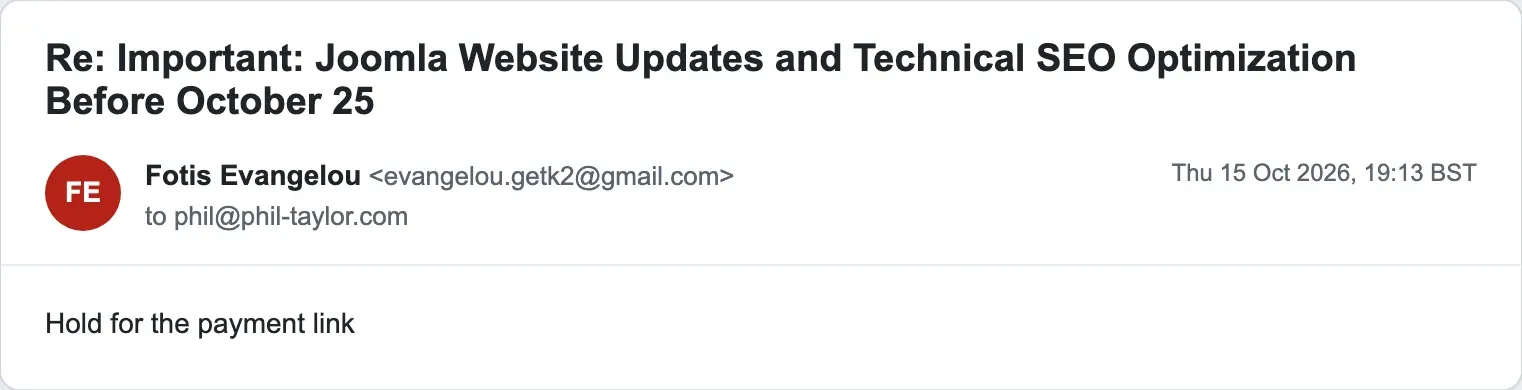
“Hold for the payment link”. Twelve minutes later, something did arrive, and it was not from Fotis.
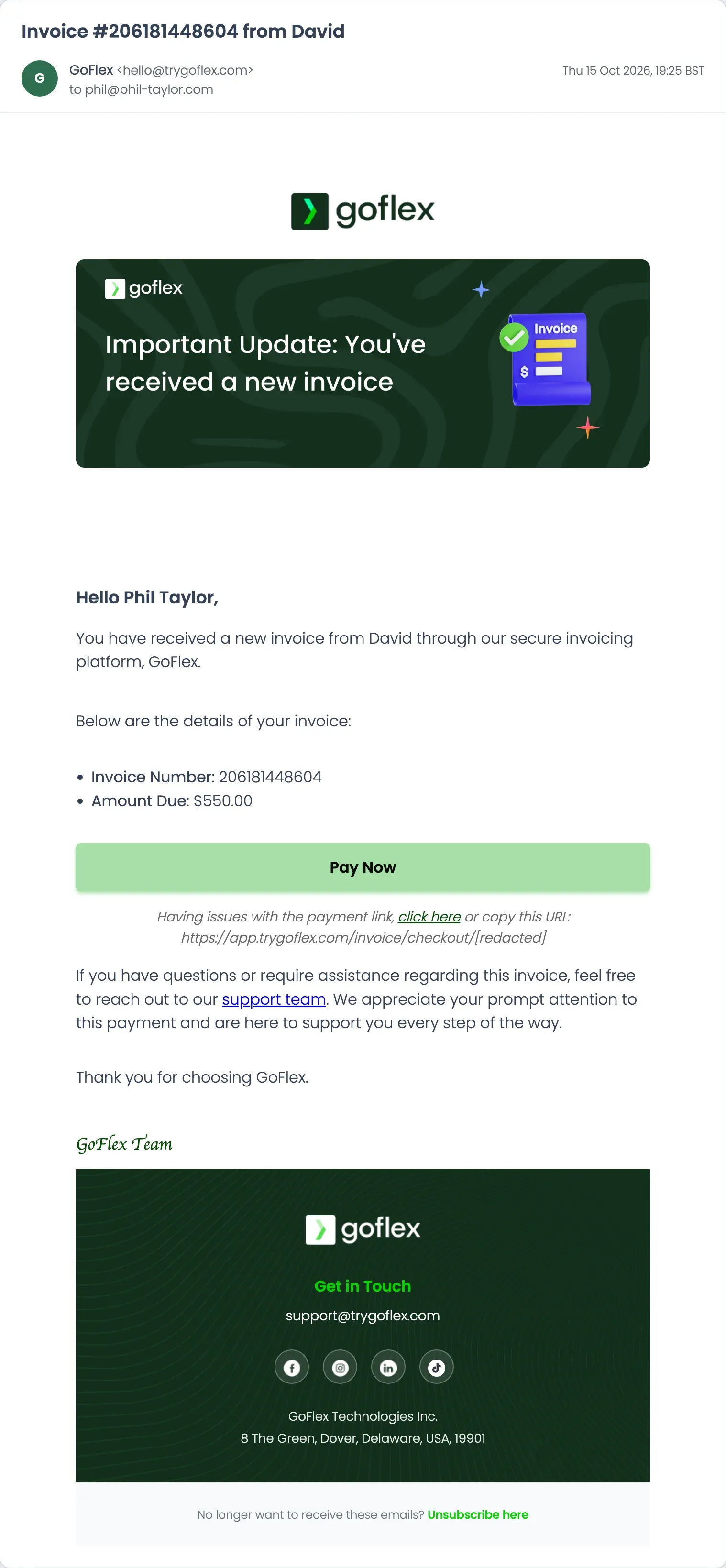
The invoice came from GoFlex, an invoicing platform, sent through Amazon SES, with the subject “Invoice #206181448604 from David” and the line “You have received a new invoice from David through our secure invoicing platform, GoFlex”. Amount due $550.00, with a Pay Now button to a checkout page that I have redacted. GoFlex is simply the tool the scammer chose to raise the invoice; I have no reason to think the platform itself is involved.
GoFlex is a West African invoicing and payments platform for freelancers, which is its own small tell. Of all the invoicing tools on the internet, the scammer reached for one rooted in West Africa, and that fits everything else the evidence keeps pointing at: a Lagos address on the merchant account, and a Lagos connection when the link was opened, which you will see further down.
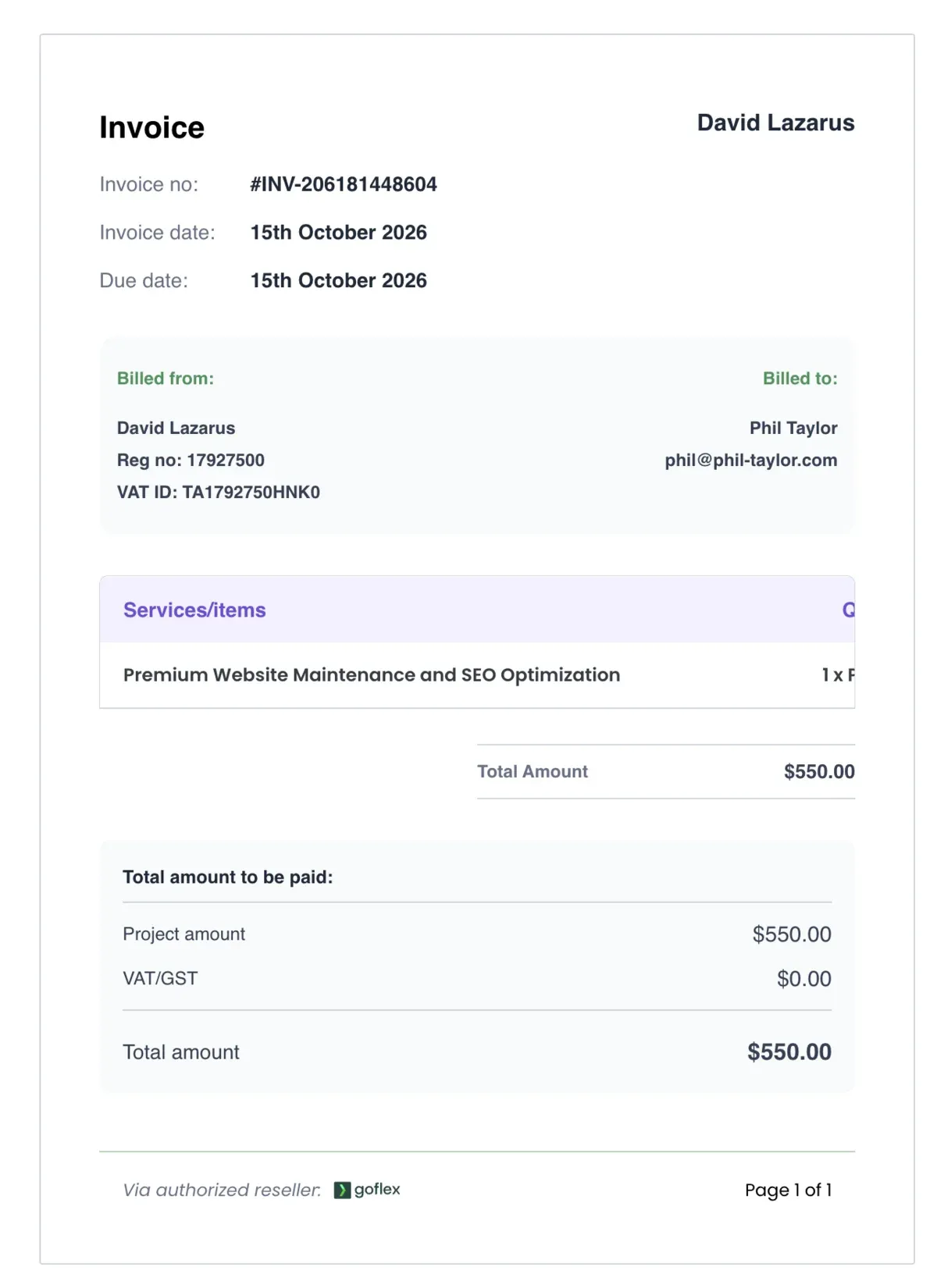
“Billed from: David Lazarus”. The registration number and VAT ID printed under it are the same fixed numbers GoFlex prints on every invoice it issues, whoever sends it, so they identify no one; the name is the only sender detail on the page. Billed to Phil Taylor, for “Premium Website Maintenance and SEO Optimization”, $550.00, VAT $0.00, invoice date and due date both 15 October 2026, footer “Via authorized reseller: goflex”. The name on the invoice is not Fotis Evangelou. That is the clearest proof in the whole thread that this is not him, and it is where I stopped. I never created an account and never paid. I have no idea who David Lazarus is, and nor should you assume anything: it may well be a stolen or invented name.
The invoice link opens a GoFlex checkout, and the checkout has a step that gives the whole thing away.
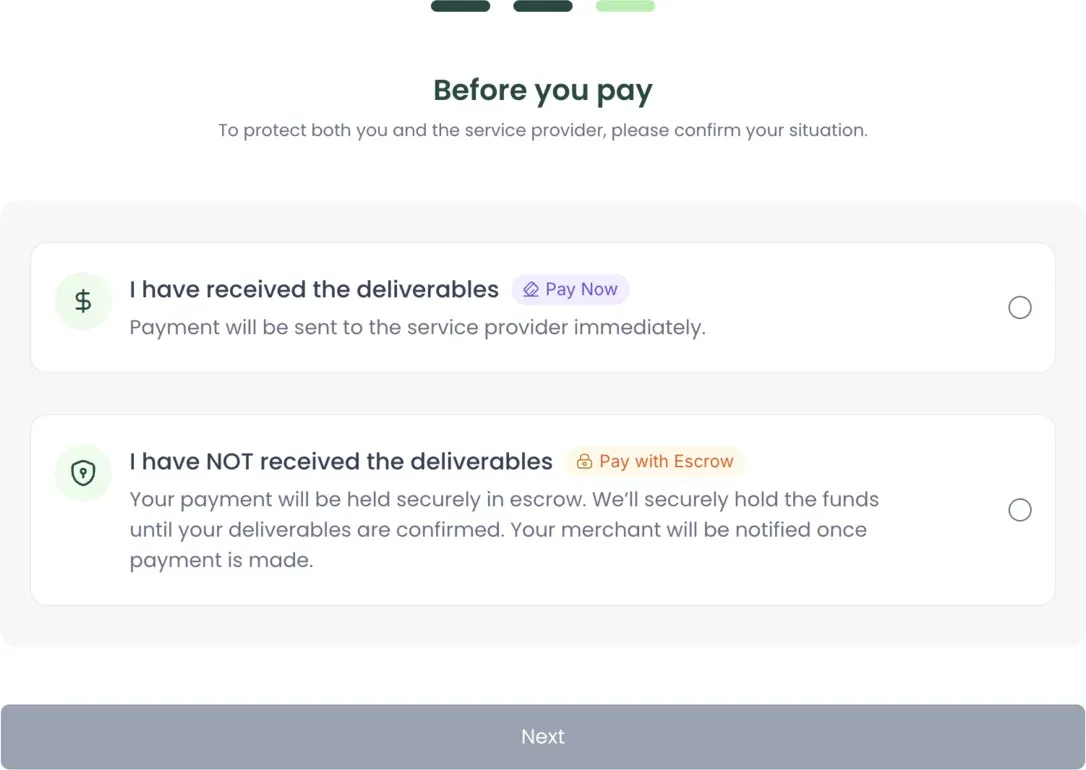
GoFlex offers to hold your money in escrow until you confirm you actually received the work. For a real supplier that is a feature. For this one it is a problem, because there is no work and never will be. So the next email told me, in bold, not to use it.
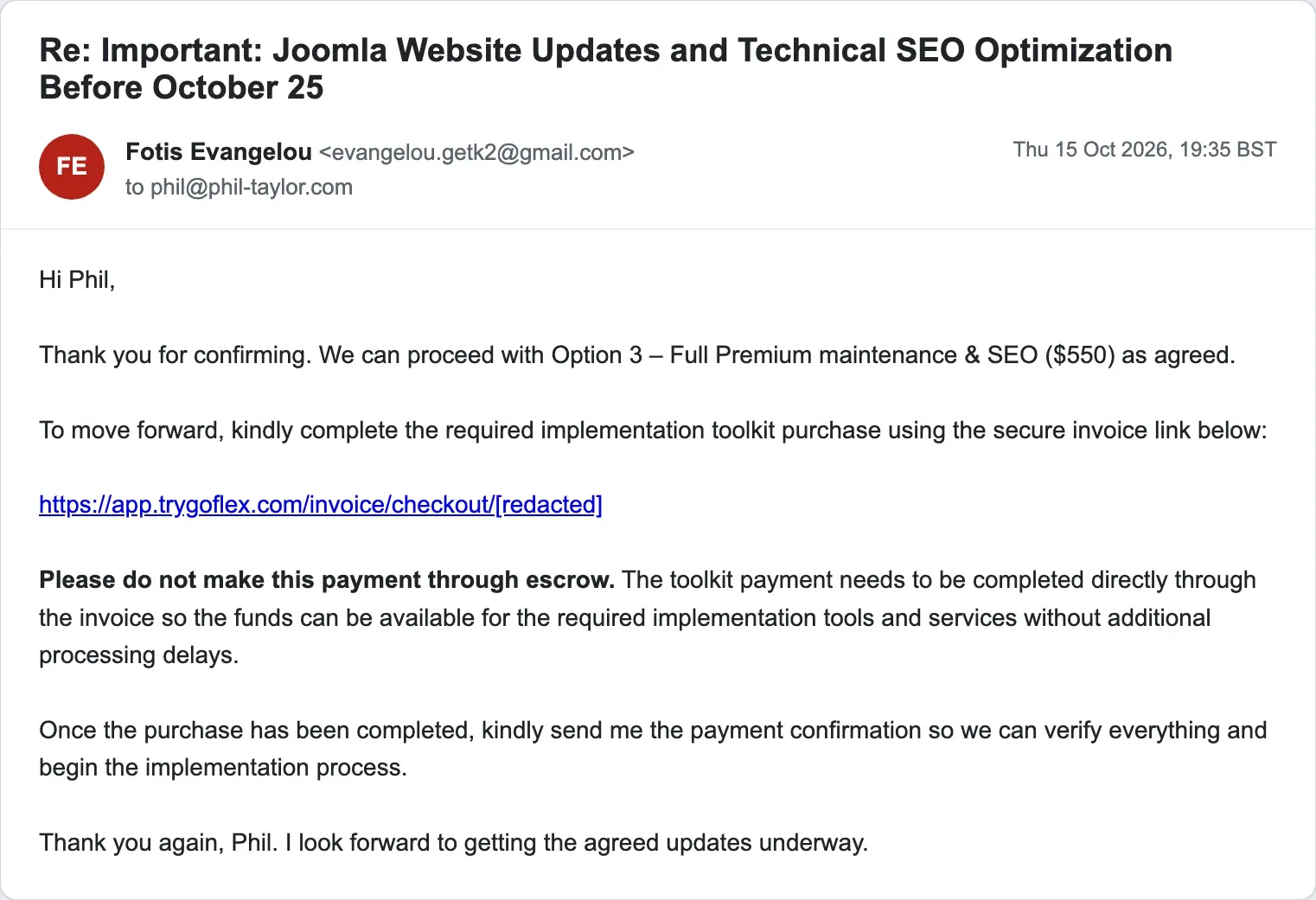
“We can proceed with Option 3 - Full Premium maintenance & SEO ($550) as agreed. To move forward, kindly complete the required implementation toolkit purchase using the secure invoice link below.” Then, in bold: “Please do not make this payment through escrow. The toolkit payment needs to be completed directly through the invoice so the funds can be available for the required implementation tools and services without additional processing delays.” Read that against the screenshot above. Escrow holds the money until you confirm the work was done. The one thing a scammer cannot afford is a buyer who waits to see the work. “Without additional processing delays” is the money leaving your reach before you notice nothing arrived.
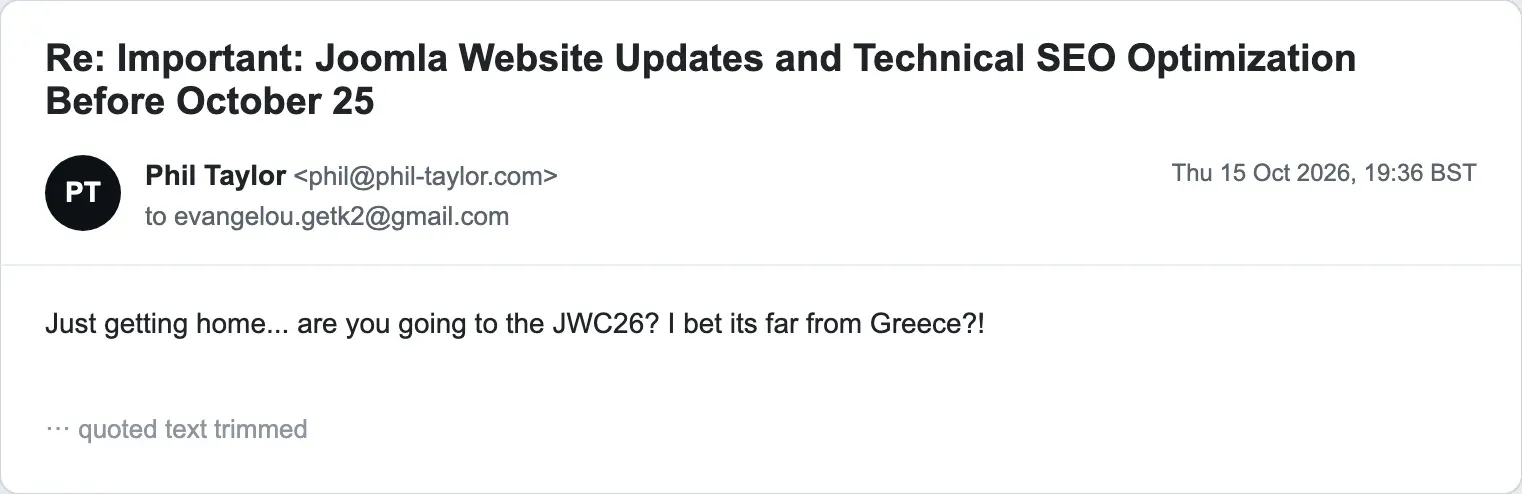
I asked whether they were going to JWC26, the Joomla conference, and said it was “far from Greece”. Fotis is Greek and a fixture at these events; the real one would have fired back something about Potsdam. I am still waiting for an answer, along with the payment link.
What Do the Email Headers Give Away?
Less than people hope, and more than the scammer would like. Every message from the sender really is from the Gmail account evangelou.getk2@gmail.com: SPF pass, DKIM pass (d=gmail.com), DMARC pass. That is what you would expect, and it is why authentication does not help you here. Authentication proves which mailbox sent a message. It does not prove who is typing, and anyone can register a Gmail address with a famous name in it.
| What we looked at | What it showed |
|---|---|
| Sending servers | Google’s own outbound servers, mail-sor-f65.google.com (209.85.220.65) and mail-sor-f41.google.com (209.85.220.41) |
| Sender’s IP address | Not present. Gmail does not put the sender’s own IP in the headers, so the headers cannot locate the sender. Only Google can, through an abuse report |
| Message-ID | Every message from the sender starts with the same “CAEguL_” prefix at @mail.gmail.com, consistent with one Gmail account writing all of them |
| Date header | Always -0700, US Pacific Daylight Time, the clock the sending account or device is set to. That fits neither the Greek LinkedIn profile nor the Seychelles postal address in the signature. A clue, not proof of where anyone is |
| Auto-reply | Gmail’s vacation responder loaded with the pitch, marked with the headers below |
| Tracking pixel | A zero-height signature.gif from email-signature-image.com in the first email, built by an online signature generator that reports opens |
| Invoice email | From hello@trygoflex.com, Reply-To support@trygoflex.com, sent through Amazon SES in us-east-2, GoFlex Technologies Inc., Dover, Delaware |
The automatic reply’s headers, for anyone who wants to recognise the pattern in their own inbox:
X-Autoreply: yes
Auto-Submitted: auto-replied
Precedence: bulk
So the picture from the headers is one Gmail account, on a device set to a US Pacific clock, sending through Google, with a signature built in an online generator and an invoice raised through a third-party platform in a different name. None of it tells you where the sender is sitting. All of it tells you the sender is not who the signature says.
The Invoice Platform Gave Up the Scammer
GoFlex serves the invoice from a public API, and that API has no authentication on it at all. Anyone who has the invoice’s id can read the whole record back, including the merchant’s own account details. The merchant, in this case, is the person behind “Fotis Evangelou”.
This is the endpoint, on GoFlex’s beta host:
https://goflex-beta.gonomadhq.site/api/v1/goflex/public/invoice/detail/4c15384f-806e-4176-b527-05ac9e6d14cc/Open it and the merchant_data block comes straight back:
"merchant_data": {
  "id": 49998,
  "status": "ACTIVE",
  "full_name": "David Lazarus",
  "residential_address": "No 13 oke Ola street Amoyo",
  "email": "davidfundz211@gmail.com",
  "profession": null,
  "specialty": null,
  "linkedin_url": null,
  "phone_number": null
}
So the account collecting the $550 is registered to “David Lazarus”, at davidfundz211@gmail.com, a second throwaway Gmail that has nothing to do with the Fotis Evangelou address used in the emails. The address on the account, “No 13 oke Ola street Amoyo”, is the Ajoke Cybercafe in Amoyo, Kwara State, Nigeria, a long way from Greece, the Seychelles or a call from “Joomla support”. The same record shows the money: $550 invoiced, $519.80 set to pay out to the merchant after the platform’s cut, routed through Stripe (the transaction reference is a Stripe payment id, pi_3UQtaCJv6OGYEdmM1pIDX8x8).
The same unauthenticated endpoint also read my own details back out, the name, email and address I was billed under, which means this is not only the scammer’s data on show. Any GoFlex invoice served this way exposes both the merchant and the customer on it to anyone holding the id. That is a data protection problem on GoFlex’s side, and I have reported it to them separately. I am publishing the scammer’s merchant record here because it is the scammer’s, and because it is the clearest proof yet of who is actually behind the Fotis Evangelou costume.
So I Sent Him a Link
The invoice pointed at Nigeria. I wanted to see it from his end as well, so I put a short link on one of my own domains that logged whoever opened it, the IP address, the network, the rough location and the browser, then forwarded them straight to his invoice page so the link did exactly what he expected. To get him to click it, I sent it back to him and asked, as an anxious mark would, whether this was the right place to pay.
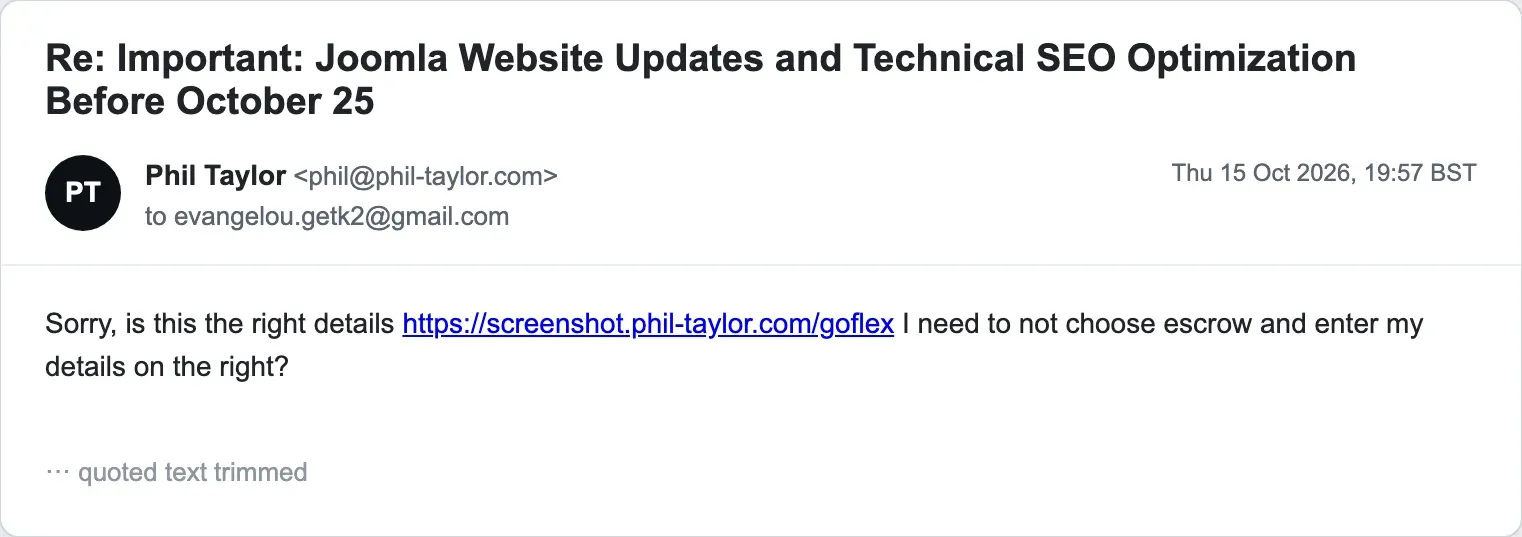
He did not just open it. He vouched for it.
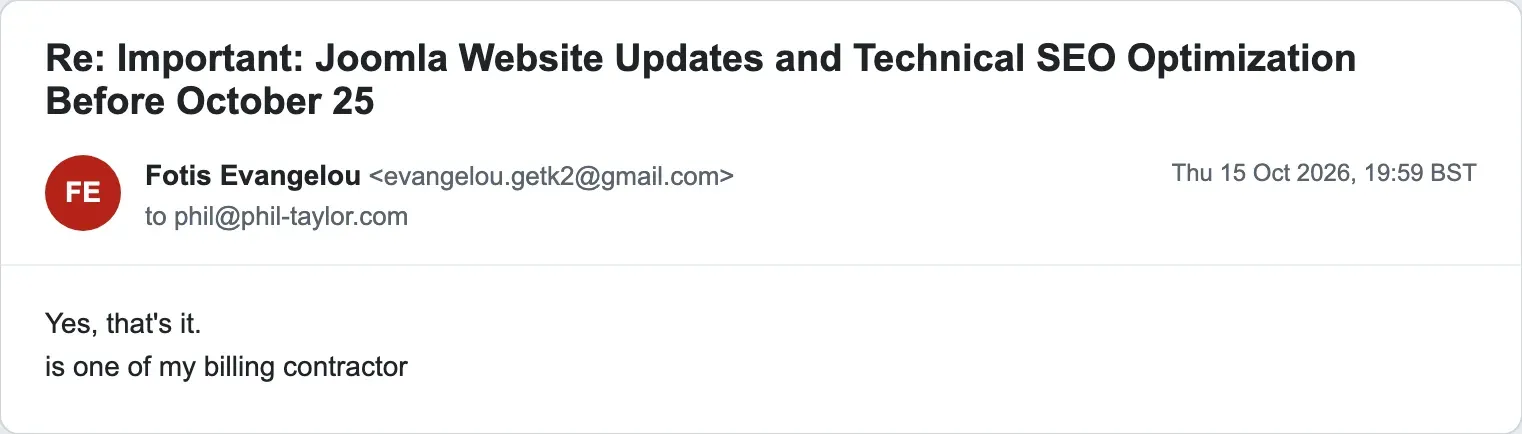
He confirmed a link on my domain as “one of my billing contractor”, which is how I got the one thing the email headers would never give me: his real connection. The visit came from 102.88.166.8, a mobile address on MTN Nigeria, from Lagos, on an ordinary Windows copy of Chrome. No VPN, no proxy, no data centre, just a phone network in Nigeria and a real browser clicking a link. It matches the account address the invoice platform leaked. So the location now has two independent sources that agree: the merchant record he filled in, and the address he connected from. The US Pacific clock in his email headers was only his mail client’s setting, nothing more.
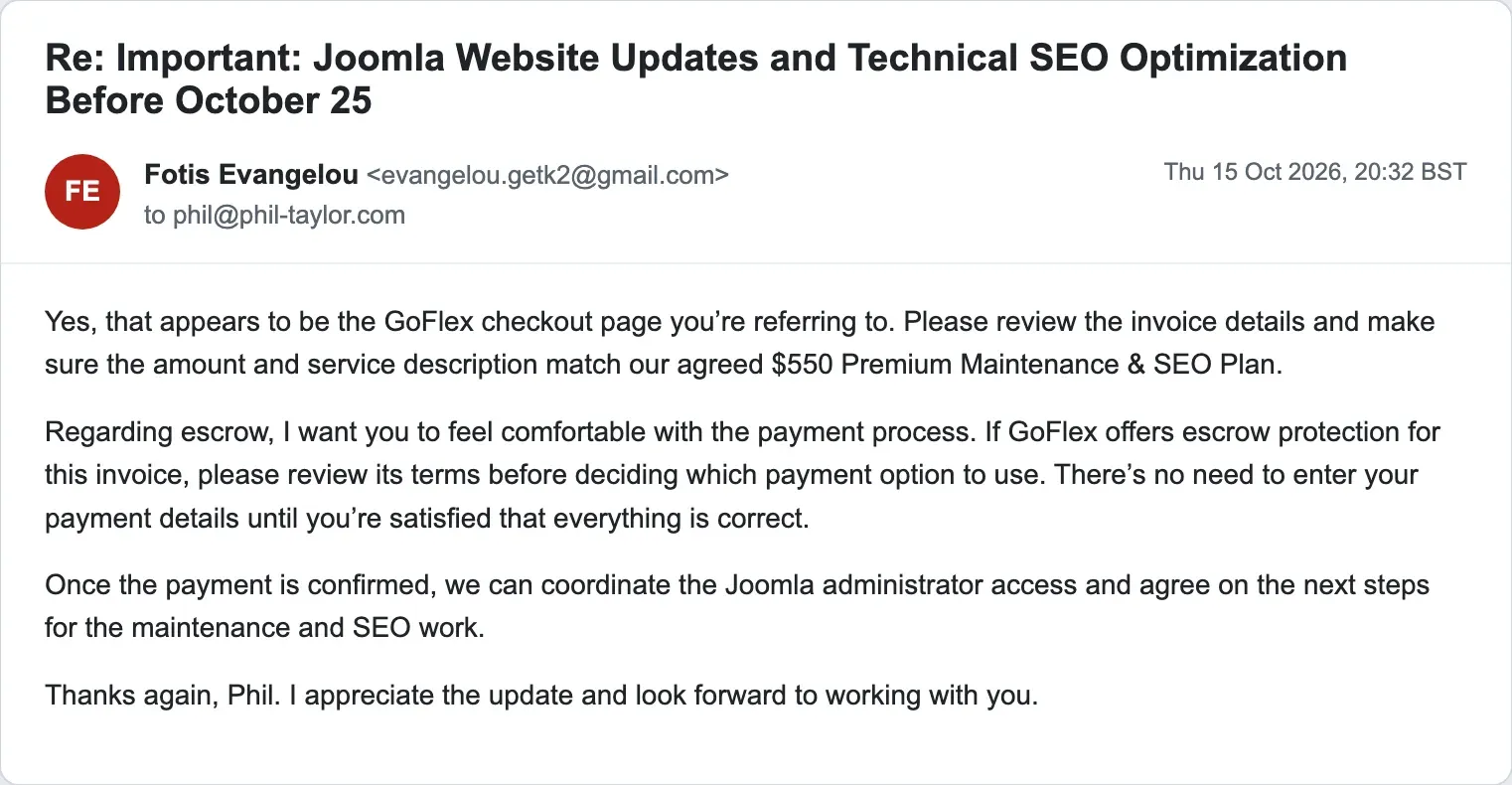
He kept the act up afterwards, even softening on the escrow point once I had raised it, now that it might scare the mark off.
Cloudflare attached coordinates to the visit as well, 6.45407, 3.39467, which reverse-geocode to a business centre on Lagos Island, the Azeez Olamileken Business Centre at the Ogun State Institute of Technology’s Lagos Island centre. Do not read the pin too literally. A mobile network gives many subscribers the same geo-IP point, usually a carrier node or a city default rather than the actual phone, so this is the network’s best guess at a neighbourhood, not his desk, and the building at that point has nothing to do with any of this. The coordinates do agree with the rest of the evidence, sitting in the same city as the address on the leaked account and the same country as everything else.
I have taken that link down again. It existed to answer one question, and it did.
What Should You Do If You Receive One of These?
Do not reply, and do not create any account. Then work through this list:
- Check whether the person really manages your site, using a channel you already trust: an address or phone number you already had before this email arrived, never one printed in the email itself.
- Report the Gmail address to Google, using Gmail’s “Report phishing” option or Google’s abuse form. Google is the only party that can see where the account is being used from.
- If you already created the account they asked for, block or delete it straight away and change your administrator passwords.
- Check your Joomla Users list for any other Super User accounts you did not create, and your extensions list for anything installed recently that you do not recognise.
- Open the User Actions Log in your Joomla administrator and look for anything done by the account you created. If it was used for anything at all, treat the site as compromised: restore a backup you know is clean, or have the site audited before you trust it again. That is JoomlaWorks’ advice in its notice, and I agree with it.
- If you paid the invoice, contact your bank or card provider and the invoicing platform and report the payment as fraud.
Never act on an email alone, however familiar the signature looks.
Checking Your Own Joomla Sites for Accounts You Did Not Create
If you look after more than a handful of sites, checking each Users list by hand is the kind of job that does not get done. mySites.guru users can search every connected site for an unexpected account by email address with the user manager, get an email alert when an administrator logs in. And if you want Super User logins harder to abuse in the first place, here is how to force MFA on Joomla Super Users.
Who We Have Told
The impersonation has also gone to the people who can act on it. The Joomla Security Strike Team was told first, confirmed the account was impersonating Fotis, and reported it to Google. The Gmail accounts doing the sending have been reported to Google for phishing. The fraudulent invoice and the unauthenticated data leak behind it have gone to the invoicing platform that issued it. And because the payment is processed by Stripe, Stripe has been told the account is collecting money by fraud.
JoomlaWorks has now published its own security notice about the emails, after several of its clients and people in the Joomla community forwarded them copies, and has reported the Gmail account to Google as impersonation with the full headers attached. It confirms that neither Fotis nor JoomlaWorks will ever ask for a Super User account by email or invoice you through a third-party platform under someone else’s name. If you are ever unsure whether a message from them is real, write to them through a channel you were already using before the email arrived, or through the contact page on their own site.
If one of these reaches you, report it as well. One report is easy to wave away. A dozen pointing at the same account is not.
Timeline
First email arrives
Sent as Fotis Evangelou from a Gmail address to four role addresses at one company. Claims a call from Joomla support and a 25 October deadline. Forwarded to me by several worried people that morning.
Follow-up to the same four addresses
"As I'm currently managing your website ... Please let me know your thoughts when you have a moment."
I take the bait
"Awesome - lets do this ! What do you need?"
Gmail vacation responder fires
39 seconds later an automatic reply re-sends the whole pitch. Headers: X-Autoreply: yes, Auto-Submitted: auto-replied, Precedence: bulk.
I nudge again
"Awesome - lets do this!"
Three priced packages
$350, $450 and $550 plans, "following our discussion". There had been no discussion.
I pick the $550 plan
I ask for the payment link so I can pay right away.
The real ask: a Super User account
Step-by-step instructions to create a Joomla administrator account in the name Fotis Evangelou with the Gmail address. The fancy signature disappears from this message on.
I ask for the link, urgently
"Im about the leave the office for a long weekend and want to get the money to you!"
Reminder about the admin account
Payment link promised "as soon as possible", with a second request for the administrator account, "once you're home" if need be.
"Hold for the payment link"
Four words, no signature.
Invoice for $550 arrives
Sent by the GoFlex invoicing platform, billed from David Lazarus. Not Fotis Evangelou.
"Do not pay through escrow"
The sender insists, in bold, that I pay the invoice directly rather than use the checkout's escrow option, which would hold the money until the work was confirmed.
I ask about JWC26
A question the real Fotis could answer without thinking. No real answer comes back.
I send him a link on my own domain
I ask, as a nervous mark would, whether this is the right place to pay.
He opens it
The link records a visit from a mobile address on MTN Nigeria, in Lagos, on an ordinary Windows browser. It matches the Nigerian address on the merchant account.
He vouches for my link as his own
"Yes, that's it. is one of my billing contractor." He confirms a page on my domain as a payment page of his, which is how I got his real connection. I paid nothing and created no account.
I report the invoice and an open API to GoFlex
Emailed support@trygoflex.com, copying security@trygoflex.com: fraudulent invoice, plus an unauthenticated invoice API exposing merchant and customer names, addresses and emails. Asked for suspension, cancellation, a fix and confirmation. A minute later the security address, published in their own terms, bounced. I forwarded the bounce to support.
GoFlex replies about the bounce only
"We'll have the security email address referenced in our Terms of Service checked to verify that it is correct and working." Nothing on the invoice, the merchant account or the data leak.
Further Reading
- Security notice: emails impersonating the K2 developer - JoomlaWorks' official statement on the emails, with the domains it really writes from and what to do if you already replied
- Report phishing and suspicious emails in Gmail - Google's own instructions for reporting a Gmail address used for phishing
- K2's official website - the real K2 site, which the scam signature links to so that it looks real
Frequently Asked Questions
Did Fotis Evangelou send these emails?
Whose photo is in the scam email signature?
How do I know if an email from Fotis Evangelou or JoomlaWorks is real?
Does Joomla support phone developers about my website?
What does the scammer actually want?
The email passed SPF, DKIM and DMARC. Does that mean it is real?
I already created the account they asked for. What now?
Is it only Fotis being impersonated?
Who is actually behind the emails?
 Written and edited by a human, with AI assistance. Our approach to AI