Database Size And Largest Tables
See how much space each Joomla or WordPress site's tables take and which ten are largest, with the usual reason each one grows. For information only.
How the database size check works
During each snapshot your site adds up the data and index size of every one of its own tables, the ones with its table prefix. That total is what the Snapshot tab shows, with an arrow when it has changed since the last snapshot. The arrow is never red, because this check is for information only and never raises a warning.
Investigate lists the ten largest tables, each with its size, estimated rows and share of the total. It also shows the size of the whole database, including anything that belongs to other installs, and how much of that is mySites.guru’s own scan tables.
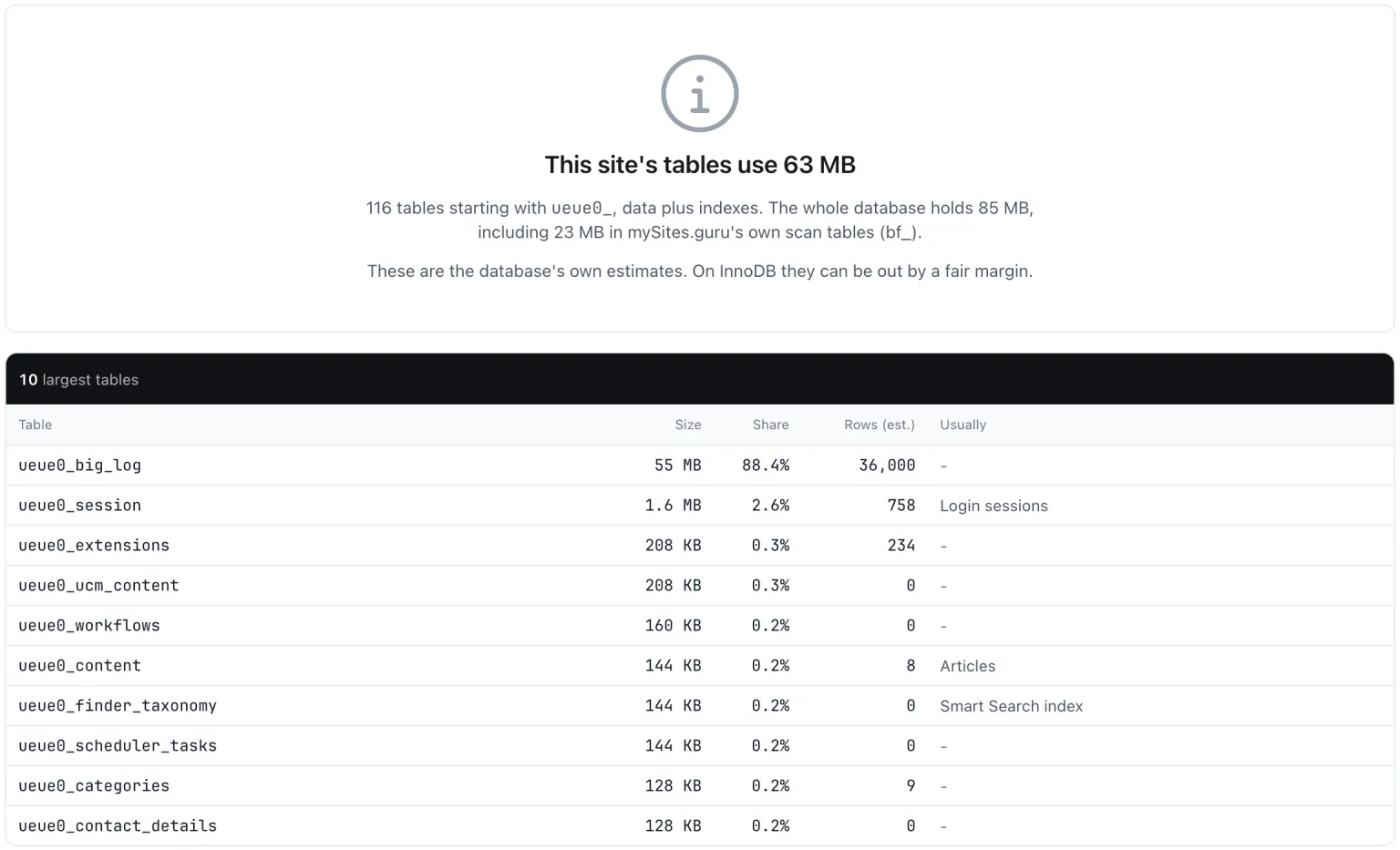
All sizes are the database server’s estimate. On InnoDB they are approximate. If your site cannot read the sizes, the row shows No Data rather than 0 B.
What usually makes a table large
Next to each of the ten largest tables, Investigate names the usual reason when it recognises the table:
- Sessions. Joomla clears these on its own schedule.
- The Joomla Smart Search index, which shrinks when you rebuild it.
- Content version history.
- The 404 log kept by Joomla’s Redirect plugin.
- The Joomla user action log, which has its own Action Log Size check.
- WordPress options, where autoloaded options are worth checking, and post meta.
- Action Scheduler logs and WooCommerce sessions.
- Comments, which are often spam.
Using the figures
No fix is needed. Use the figures to spot the table that is growing:
- Open the site in mySites.guru, go to the Snapshot tab and click Investigate on the Database Size And Largest Tables row.
- Look at the top of the list. A log, history or session table near the top is usually the one to deal with.
- Clear it the way its own extension or plugin intends, rather than emptying it in the database by hand.
- Watch the next snapshots to see whether the size comes back down and stays there.
A database that is much larger than its own tables often means an old install or a staging copy is sharing it. The tables from another install check finds those.
Database Size And Largest Tables
mySites.guru checks every connected site for this automatically and flags it the moment it appears. These run twice a day on every connected site.
Frequently Asked Questions
Why does the size not match my hosting panel?
Is a large database a problem?
Are mySites.guru's own tables included?
 Written and edited by a human, with AI assistance. Our approach to AI