Menu Items For Uninstalled Components
Uninstalling a Joomla component leaves its menu items behind, and visitors who click them get an error page. Find them and move them to the trash.
How the menu items check works
During each snapshot your site looks at the menu items on its front end (the site menus, not the administrator menu). A menu item is counted when it opens a component, is not already in the trash, and the component it points at is no longer installed.
If the site cannot report this, for example because its connector is older than the check, the row shows No Data rather than a pass.
Why leftover menu items matter
When you uninstall a Joomla component, Joomla removes the component but leaves any menu items that pointed at it. Those items still appear in your menus. A visitor who clicks one gets an error page instead of content, and search engines that follow the link see the same error. Because the menu item still looks normal in the administrator, no one notices until someone clicks it.
Every menu item has its component
No menu item on the site points at a component that is no longer installed.
Trashing them from mySites.guru
- Open the site, go to the Snapshot tab and click Investigate on the Menu Items For Uninstalled Components row.
- Each row shows the menu item, its menu, the missing component, and notes such as Home page, Unpublished, or how many menu items sit under it. Edit opens that menu item’s edit screen in the Joomla administrator, already signed in.
- Click Trash on a row, tick several and trash those, or use Trash all. Trash all asks first and tells you how many items it will move.
- A trashed row fades out of the list. Anything that was left alone is listed with the reason.
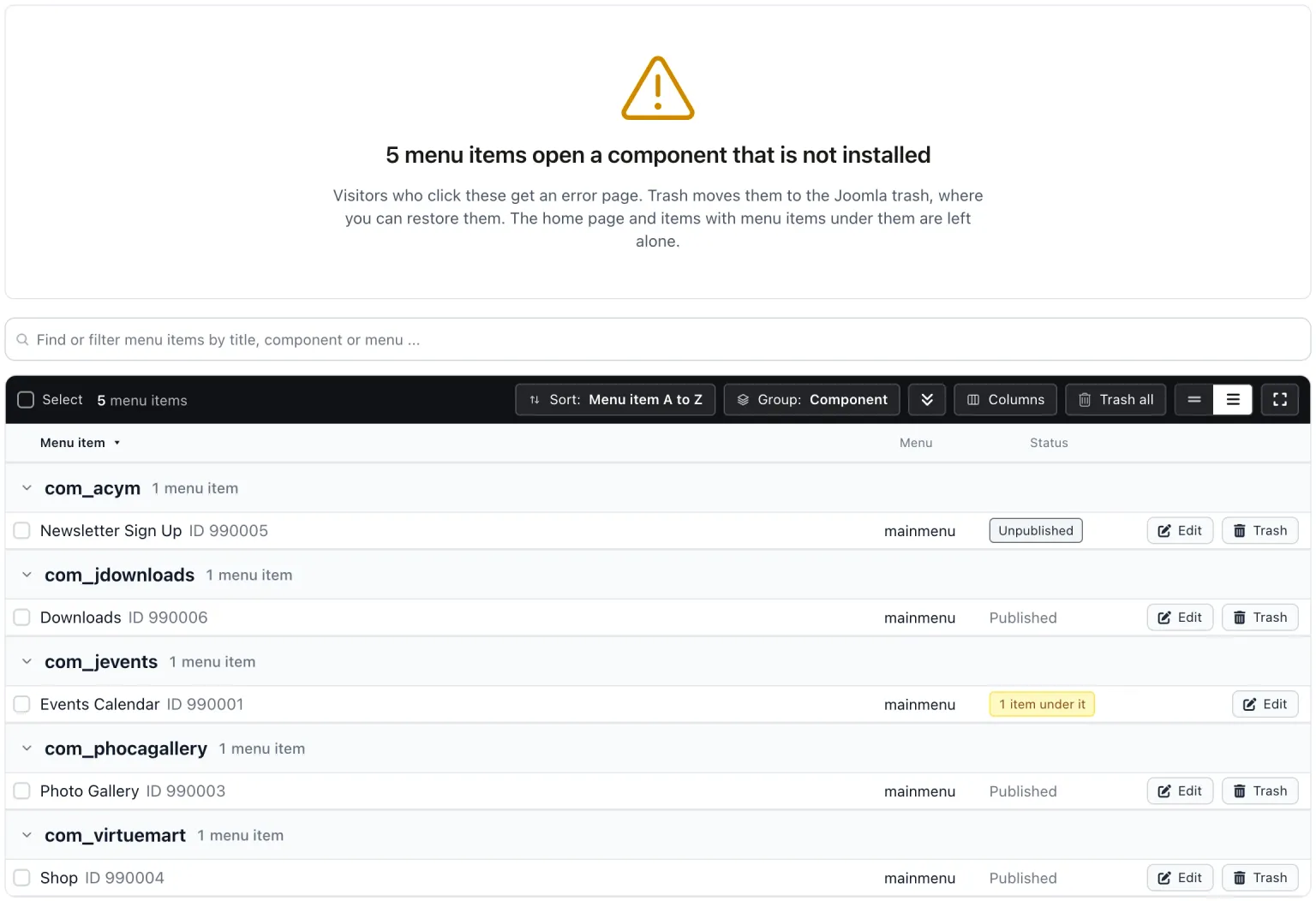
Two kinds of item are left alone: the home page item, and any item with live menu items under it, because Joomla’s own trash would take those children with it and some of them may still work. Fix those in Joomla.
Trash moves the item to the Joomla trash, so you can restore it from there. It works even if the item is checked out by another user, which Joomla’s own Trash button would not allow. The site gets a fresh snapshot afterwards, and the change is recorded on the site’s activity timeline.
Fixing them in Joomla instead
Open Menus, then All Menu Items, find the item, and either point it at a component that is installed or move it to the trash.
Trashed items still sit in the database until the trash is emptied. The items in the trash check counts them.
Menu Items For Uninstalled Components
mySites.guru checks every connected site for this automatically and flags it the moment it appears. These run twice a day on every connected site.
Frequently Asked Questions
Can I get a trashed menu item back?
Why is my home page menu item not trashed?
Does a disabled component count?
 Written and edited by a human, with AI assistance. Our approach to AI