Tables Not Using InnoDB
MyISAM tables have no crash recovery and lock the whole table on every write. Find your Joomla or WordPress tables still on MyISAM or another engine.
How the InnoDB check works
During each snapshot your site reads the storage engine of every one of its own tables, the ones with its table prefix. Views are skipped, and so are MEMORY tables, because Joomla core creates two of those for Smart Search on purpose. Anything else that is not InnoDB is counted. Tables that are crashed are left to the crashed tables check instead of being counted twice.
If your site cannot read the table list, the row shows No Data rather than a pass.
What MyISAM costs you
MyISAM was MySQL’s default engine for years, so sites that were installed long ago, or moved from an old server, often still have some tables on it. It has three problems that InnoDB does not.
It has no crash recovery. If the database server stops while a MyISAM table is being written, the table can be left marked as crashed, and every read and save on it fails until someone repairs it. A repair can drop rows it cannot read.
It locks the whole table on every write. On a busy table, such as sessions or a log, one slow write makes every other request queue behind it.
It ignores transactions. Code that saves several related rows and expects them all to succeed or all to fail gets no such promise from a MyISAM table.
Every table uses InnoDB
All of the site’s own tables are on InnoDB, apart from the MEMORY tables Joomla uses for Smart Search.
Converting a table
- Open the site in mySites.guru, go to the Snapshot tab and click Investigate on the Tables Not Using InnoDB row.
- The list shows each table with its engine, estimated rows and size.
- Take a full database backup.
- Press Convert on a row, tick several and convert those, or use Convert all. Tables are converted one at a time, and each row leaves the list once its table is on InnoDB.
- If you would rather run it yourself, Copy SQL copies the
ALTER TABLE ... ENGINE=InnoDB;statement for a table, and Copy SQL for all copies the lot.
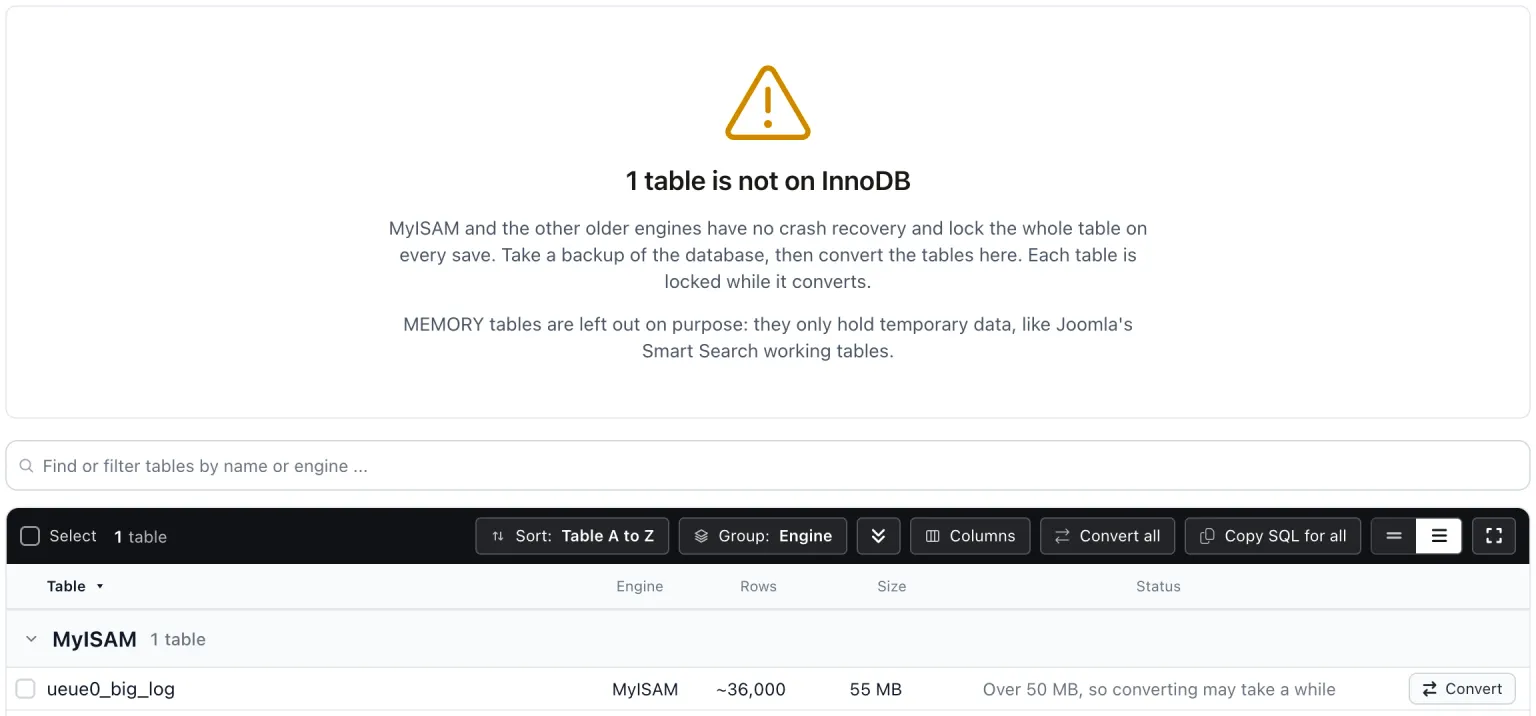
If MySQL refuses a conversion, its own error shows on the row and the table stays exactly as it was. The most common reason on older servers is a FULLTEXT index, which InnoDB only supports from MySQL 5.6.
Large tables
MySQL converts a table by copying it, and the table is locked for writes until the copy finishes. On a table of a few megabytes that takes a moment. On a table of hundreds of megabytes it can take minutes, which is longer than mySites.guru waits for a reply.
When that happens MySQL keeps running the conversion anyway. The row says it is still converting on the server, and the next snapshot shows the table on InnoDB once MySQL is done. Run large conversions when the site is quiet, because anything that writes to that table waits until the copy is finished.
Limits of the check
Only tables that start with your site’s prefix are counted. If another install’s prefix begins with yours, for example jos_ and jos_old_, those tables count as yours. The tables from another install check is the one that looks for other installs sharing the database.
Tables Not Using InnoDB
mySites.guru checks every connected site for this automatically and flags it the moment it appears. These run twice a day on every connected site.
Further Reading
Frequently Asked Questions
Why are Joomla's Smart Search token tables not listed?
What if a conversion takes longer than mySites.guru waits?
Will converting to InnoDB change my data?
 Written and edited by a human, with AI assistance. Our approach to AI